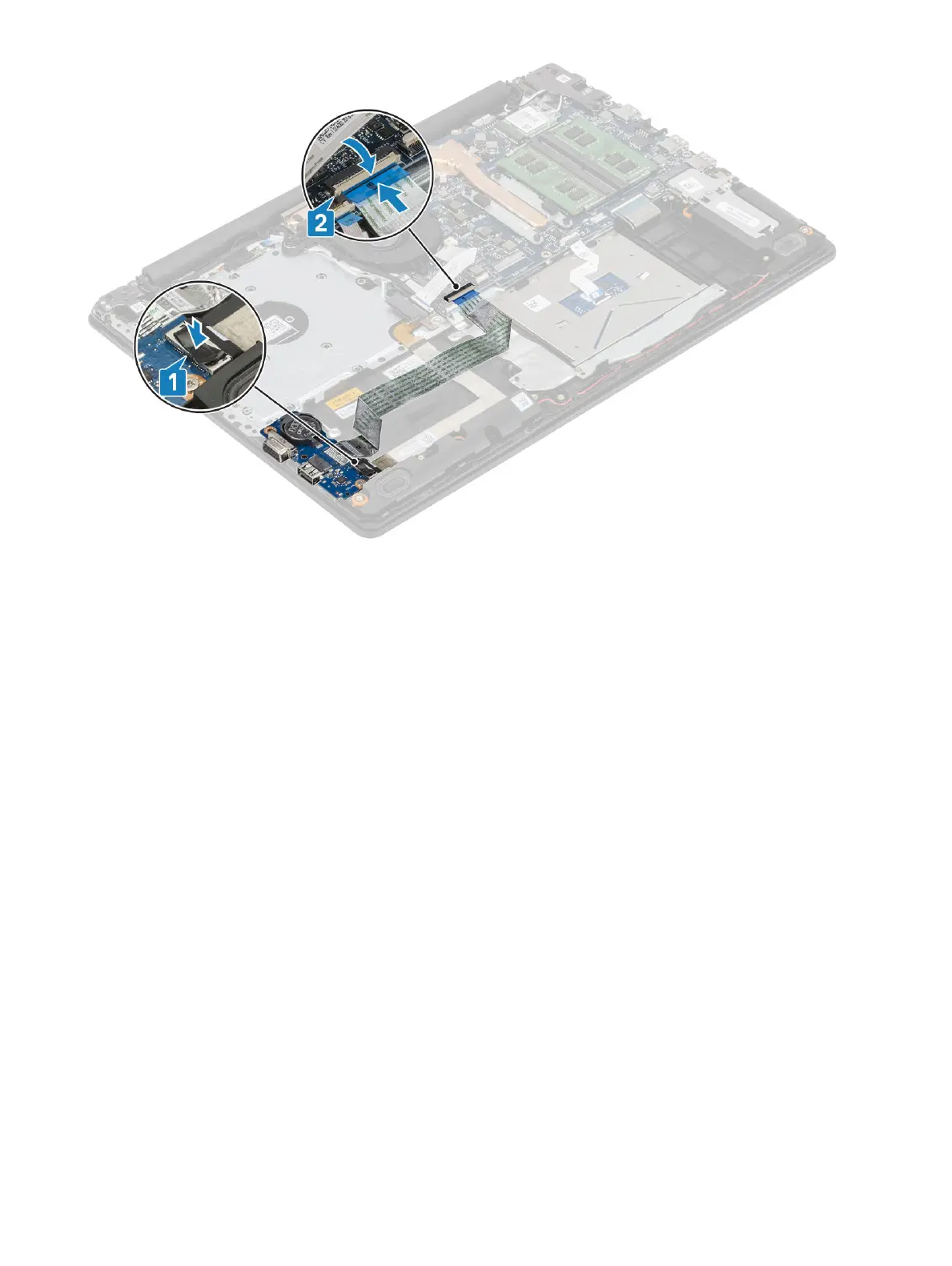
Next steps
1 Install the hard drive assembly
2 Install the battery
3 Install the base cover
4 Install the SD memory card
5 Follow the procedure in after working inside your computer
Touchpad
Removing the touch pad assembly
Prerequisites
1 Follow the procedure in before working inside your computer
2 Remove the SD memory card
3 Remove the optical drive
4 Remove the base cover
5 Remove the battery
Steps
1 Open the latch and disconnect the hard drive cable and touch pad cable from the system board [1, 2].
2 Peel the tape that secures the touch pad to the palmrest and keyboard assembly [3].
Removing and installing components
53


 To Next Page