Coin-cell battery
Removing the coin-cell battery
Prerequisites
1 Follow the procedure in before working inside your computer
2 Remove the micro SD card
3 Remove the optical drive
4 Remove the base cover
5 Remove the battery
Steps
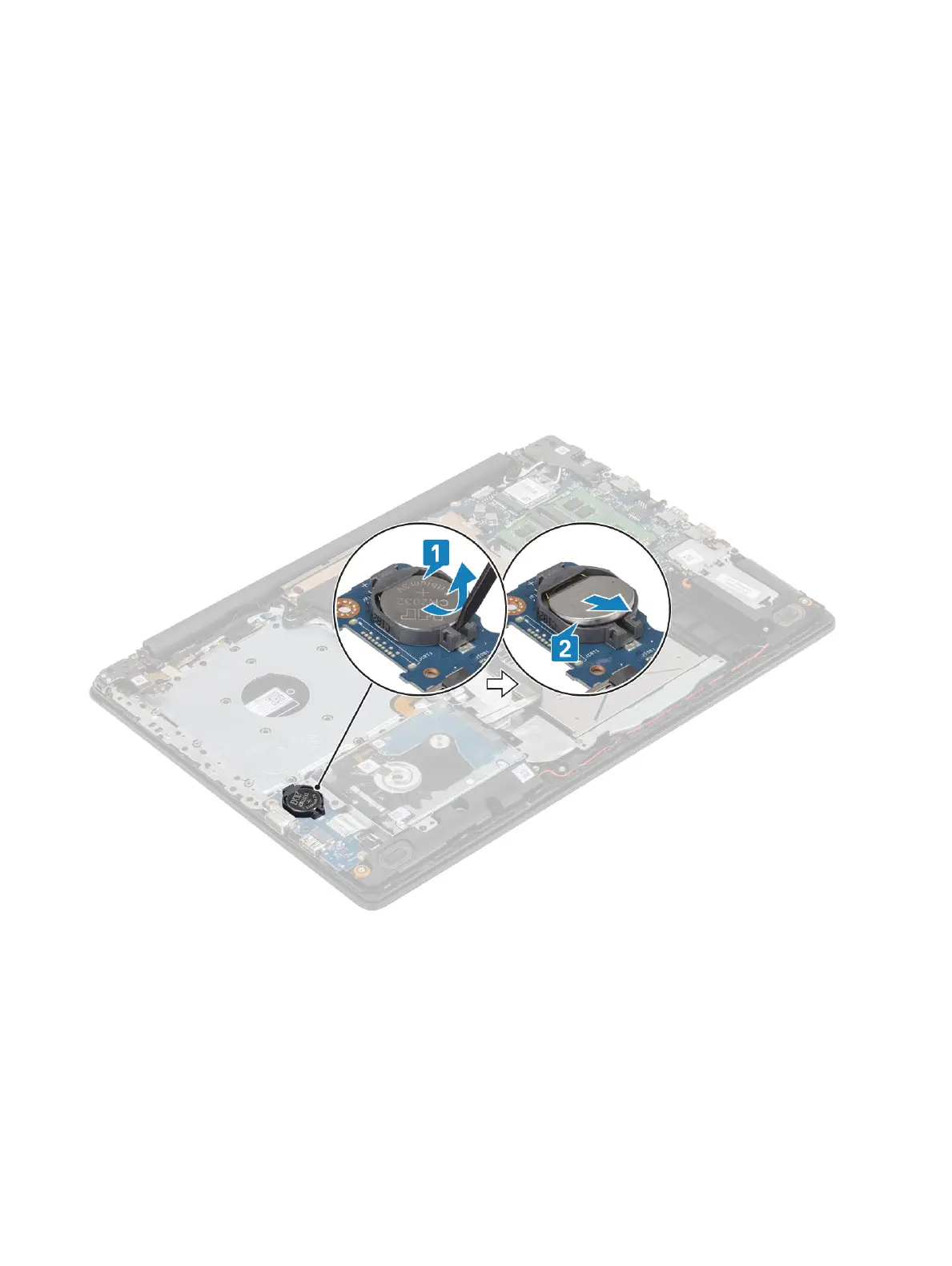
1 Using a plastic scribe, gently pry the coin-cell battery out of the slot on the I/O board [1].
2 Lift the coin-cell battery o the system [2].
Installing the coin-cell battery
Steps
1 With the positive-side facing up, insert the coin-cell battery into the battery socket on the I/O board [1].
2 Press the battery until it clicks into place [2].
Removing and installing components
35


 To Next Page