7 Remove the system fan
8 Remove the display assembly
9 Remove the display bezel
Steps
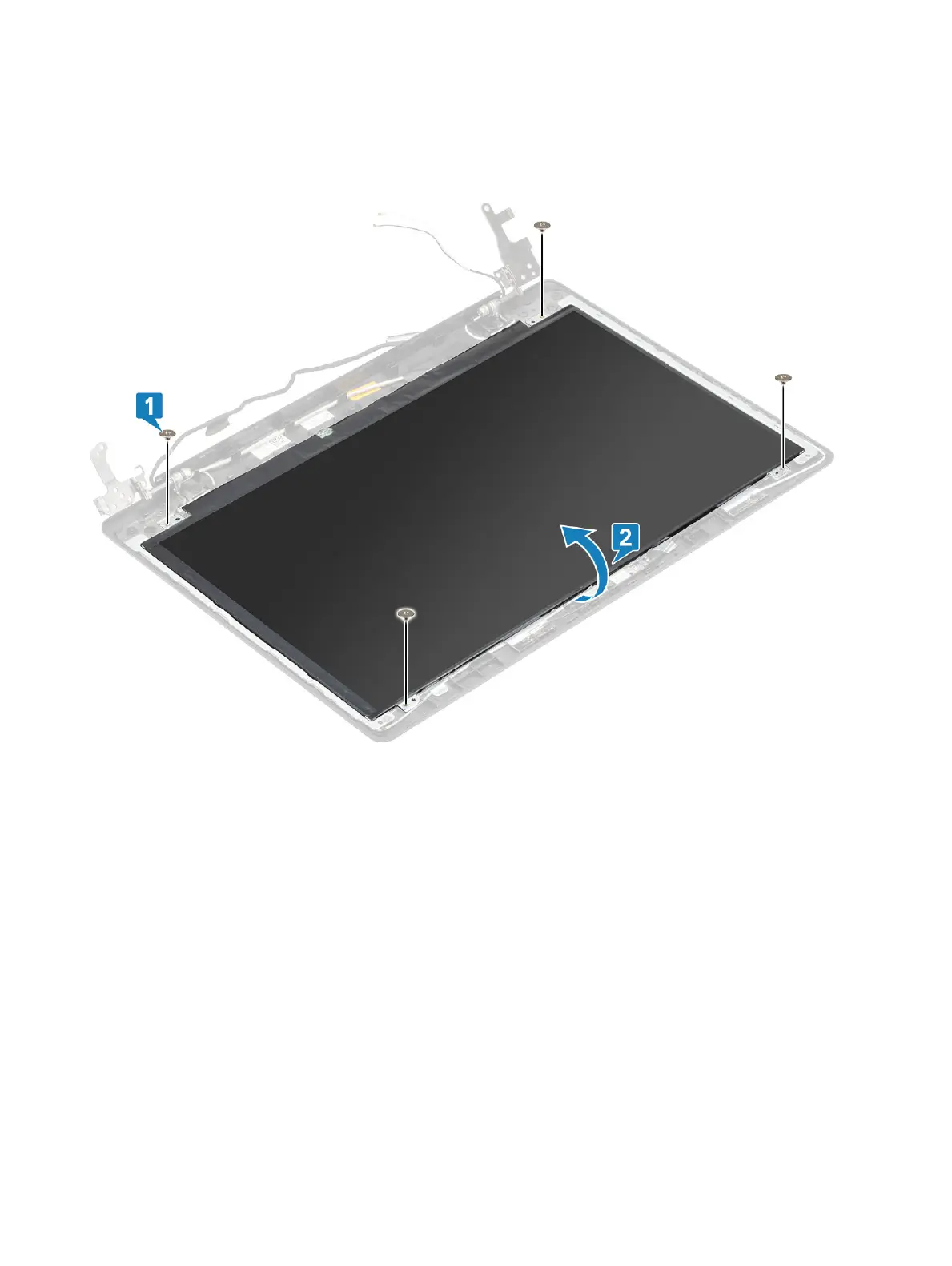
1 Remove the four (M2x2) screws that secure the display panel to the display back-cover and antenna assembly [1].
2 Lift the display panel and turn it over [2].
3 Peel the tape that secures the display cable to the back of the display panel [1].
4 Lift the latch and disconnect the display cable from the display-panel cable connector [2].
5 Lift the display panel away from the display back-cover and antenna assembly [3].
82
Removing and installing components


 To Next Page