15
11. Pre-heat function
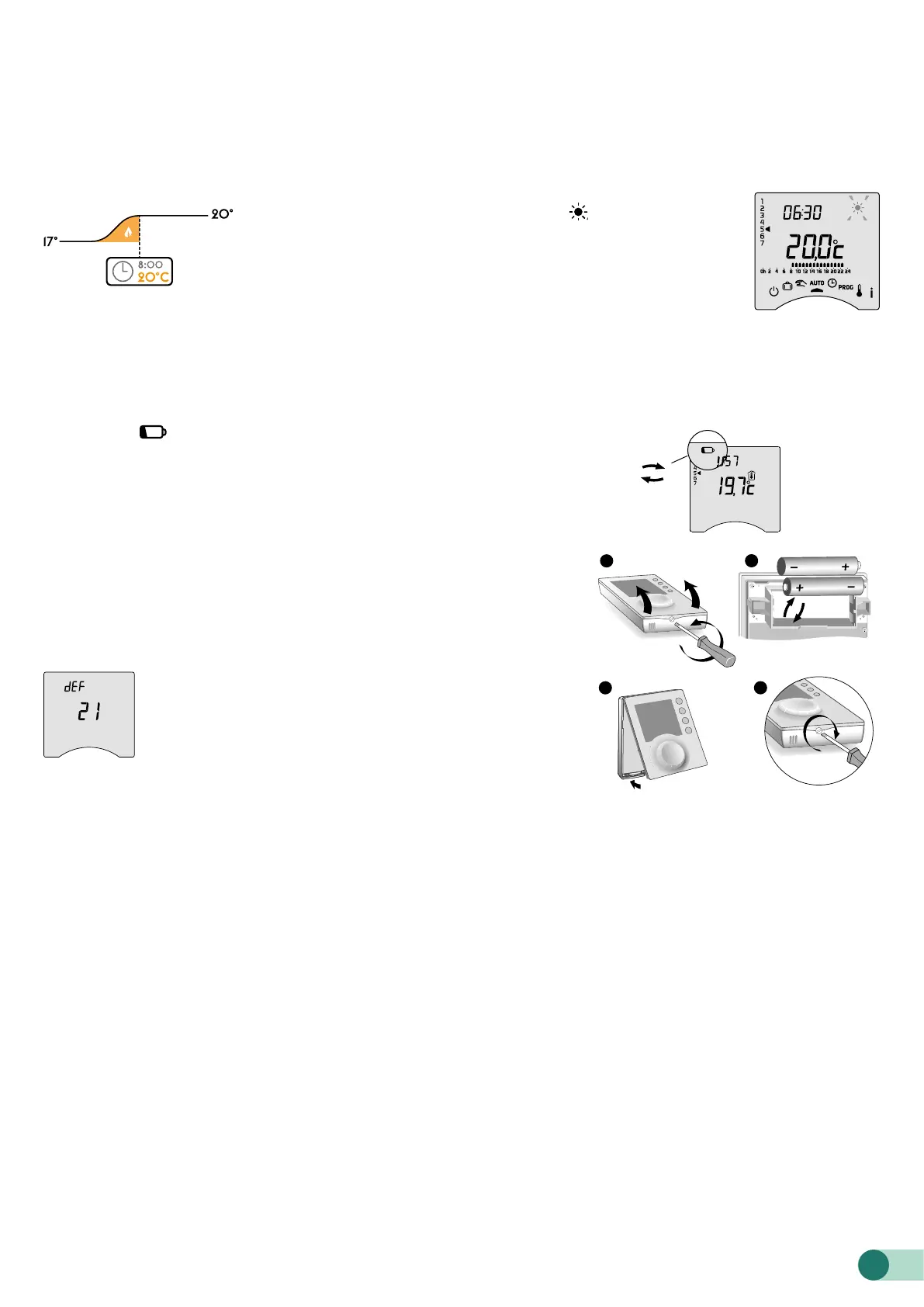
When changing from Economy to Comfort temperature in AUTO mode, your thermostat will anticipate the rise in
temperature so that it reaches the right temperature at the scheduled time.
Example (see opposite): 6:30 am, Economy period, currently pre-heating to reach the temperature of 20°C at 8:00
am.
The pre-heating function’s speed and accuracy is based on the heater type used and its heating inertia..
Pre-heat in progress is shown by the ashing symbol and the
Comfort signal.
11.1 Changing baeries
• The symbol appears.
You have approximately 1 month to replace the baeries (either two
LR03 or AAA 1.5 V alkaline baeries).
WARNING: make sure you insert the baeries facing the right way and
that they are the right type (no lithium baeries).
You have 30 seconds to change the baeries before the time seing is
lost (in this case, you will need to reset the date and time).
The conguration and programming are stored in case the power is o
for a long time.
• The display shows dEF21.
You have passed the 1 month limit for low baeries. You
MUST change the baeries in your device.
11.2 Frequently Asked Questions (FAQ)
• The thermostat is on despite the programme not calling for it.
You must have turned on the pre-heat function. If so, then it is normal for your thermostat to anticipate the
temperature rise and it has started pre-heating to get to the Comfort temperature at the desired time
(see § Pre-heat function).
• The thermostat turns o though the requested temperature has not yet been reached.
Your thermostat uses a kind of control that anticipates the inertia in temperature variations in order to calculate
energy needs as accurately as possible and provide maximum comfort.
On the other hand, anticipating a drop in temperature, the heating may turn on once the desired temperature has
been reached.
1
3
4
2
1.5V alkaline
baeries
LR03 (AAA)












 To Previous Page