Installation
Installation Manual 31
The front panel locks in place when it is fully extended.
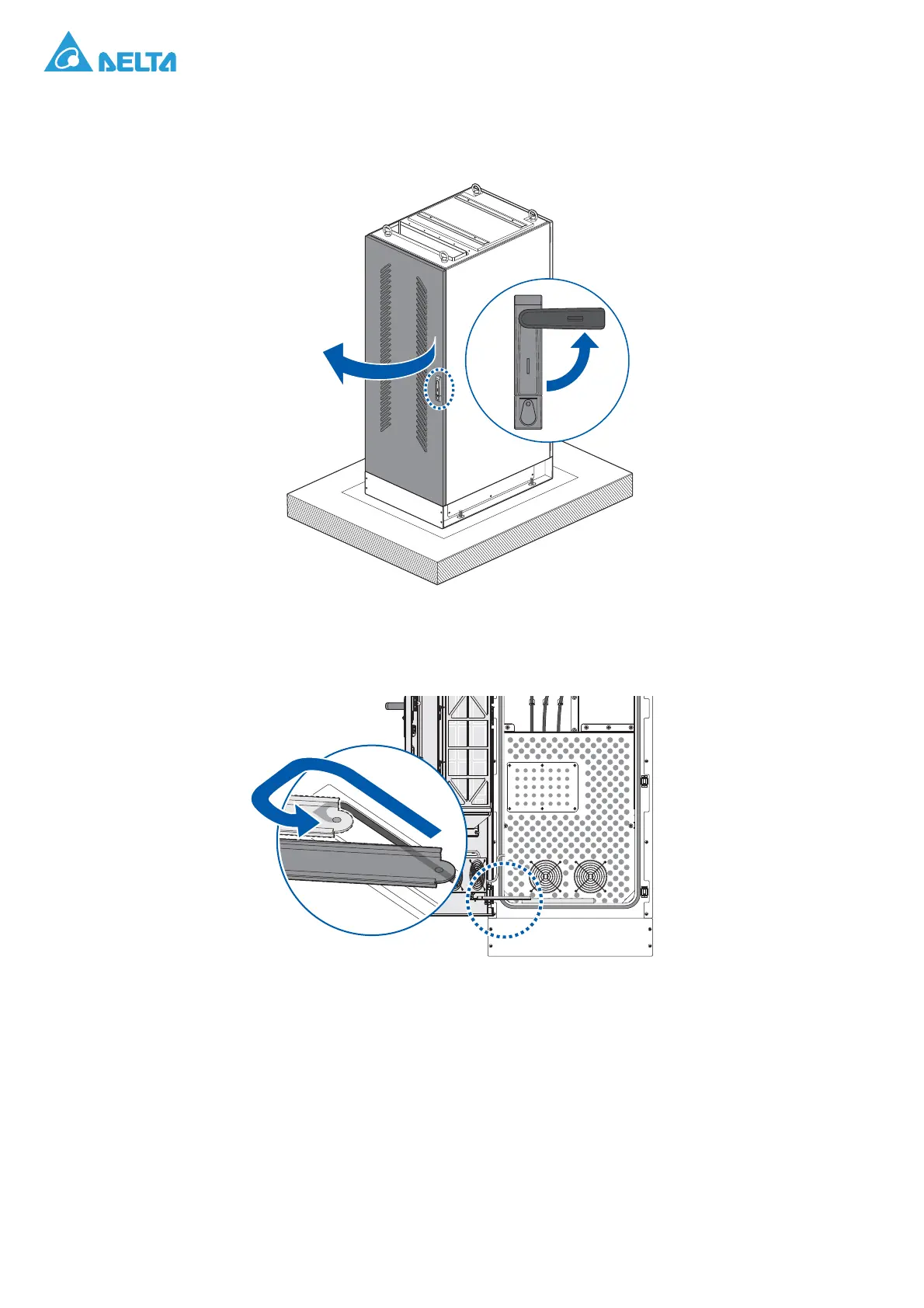
c. Repeat for the rear panel.
Figure 31. Opening a Rear Panel
Make sure the door limiter at the bottom of the panel engages in the track to keep the rear
panel from closing accidentally.
Figure 32. Locking a Rear Panel in a Cabinet
The rear panel locks in place when it is fully extended.




 To Next Page