Wiring Instructions
Installation Manual 45
I/O Connector (CNJ3)
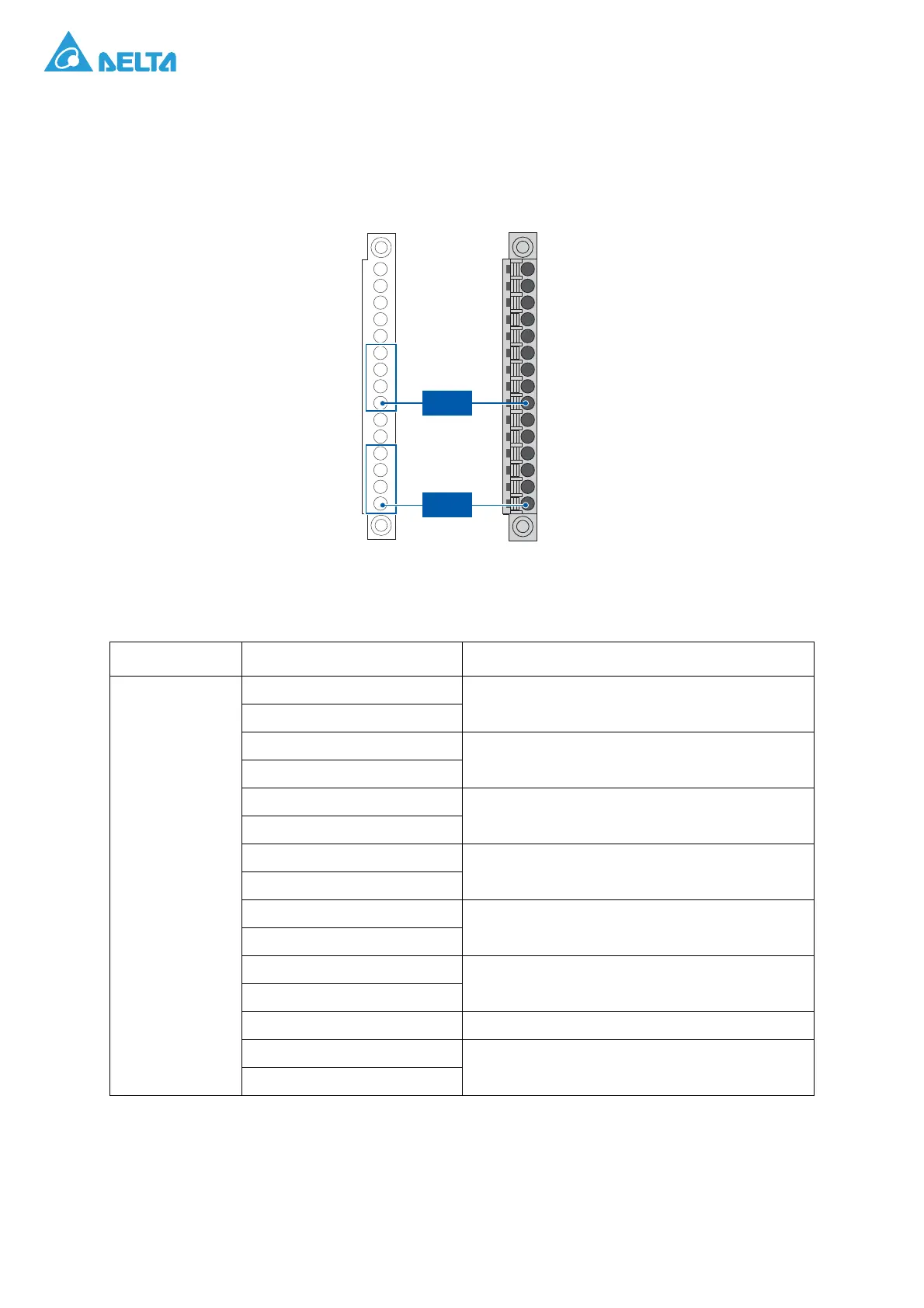
The CNJ3 connector is for digital I/O connection. Take out the green 15-pin connector (CNJ3) from the
accessory kit, and connect eight prepared 1.32 mm
2
wires to pin 1~4 and pin 7~10 of this connector as
shown in the following figure.
Figure 45. CNJ3 Pin Assignment
Table 6: CNJ3 Pin Assignment
Item Pin Assignment Notes
CNJ3
1: Digital Output 1-1
Dry Contact 1 (only for internal use)
(Max 24Vdc/10mA)
2: Digital Output 1-2
3: Digital Output 2-1
Dry Contact 2
(Max 24Vdc/10mA)
4: Digital Output 2-2
5: Digital Output 3-1
Dry Contact 3
(Max 24Vdc/10mA)
6: Digital Output 3-2
7: Digital Input 1-1
Wet Contact 1
(24Vdc/20mA)
8: Digital Input 1-2
9: Digital Input 2-1
Wet Contact 2
(24Vdc/20mA)
10: Digital Input 2-2
11: Digital Input 3-1
Wet Contact 3
(24Vdc/20mA)
12: Digital Input 3-2
13: NC Not Connect
14: REPO_1
Remote EPO, Wet Contact for customer.
15: REPO_2




 To Next Page