Wiring Instructions
Installation Manual 54
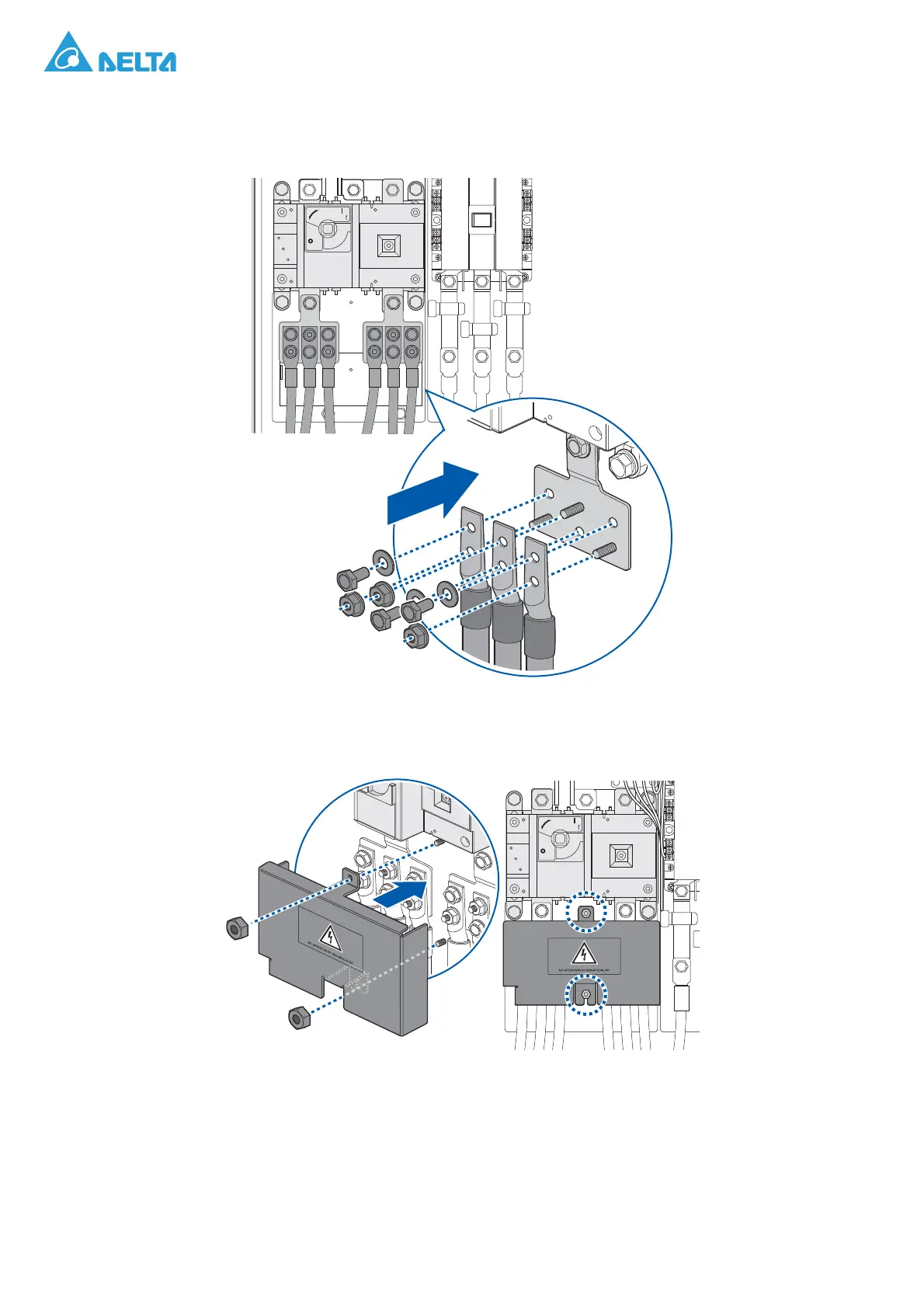
3. Connect DC cables to DC terminals: Loose the hex socket screws of the DC terminals, then
lead the DC cables with two-hole lugs through the DC cable glands into the PCS. Connect and
secure these cables to the relevant “DC+” and “DC-” terminals.
Figure 55. Positive (+) and Negative (-) DC Cable Terminals
4. Reinstall and secure the DC protective cover.
Figure 56. Installing DC Protective Cover
ON
OFF




 To Next Page