DVP-ES2/EX2/EC5/SS2/SA2/SX2/SE&TP Operation Manual - Programming
B-22
for mapping, the maximum number of digital outputs used for mapping, the maximum number
of registers used for mapping are described below.
Digital I/O (RX+RY): 256
Analog (Reading) register: 64
Analog (Writing) register: 64
B.6.2 Application of the RTU Mapping
Application
Using RTU mapping to read data from/write data into remote digital inputs/outputs
and analog input/output registers
Network
environment
(1) Use a static IP address.
(2) IP address of DVP-SE: 192.168.1.90
(3) IP address of RTU-EN01: 92.168.1.91
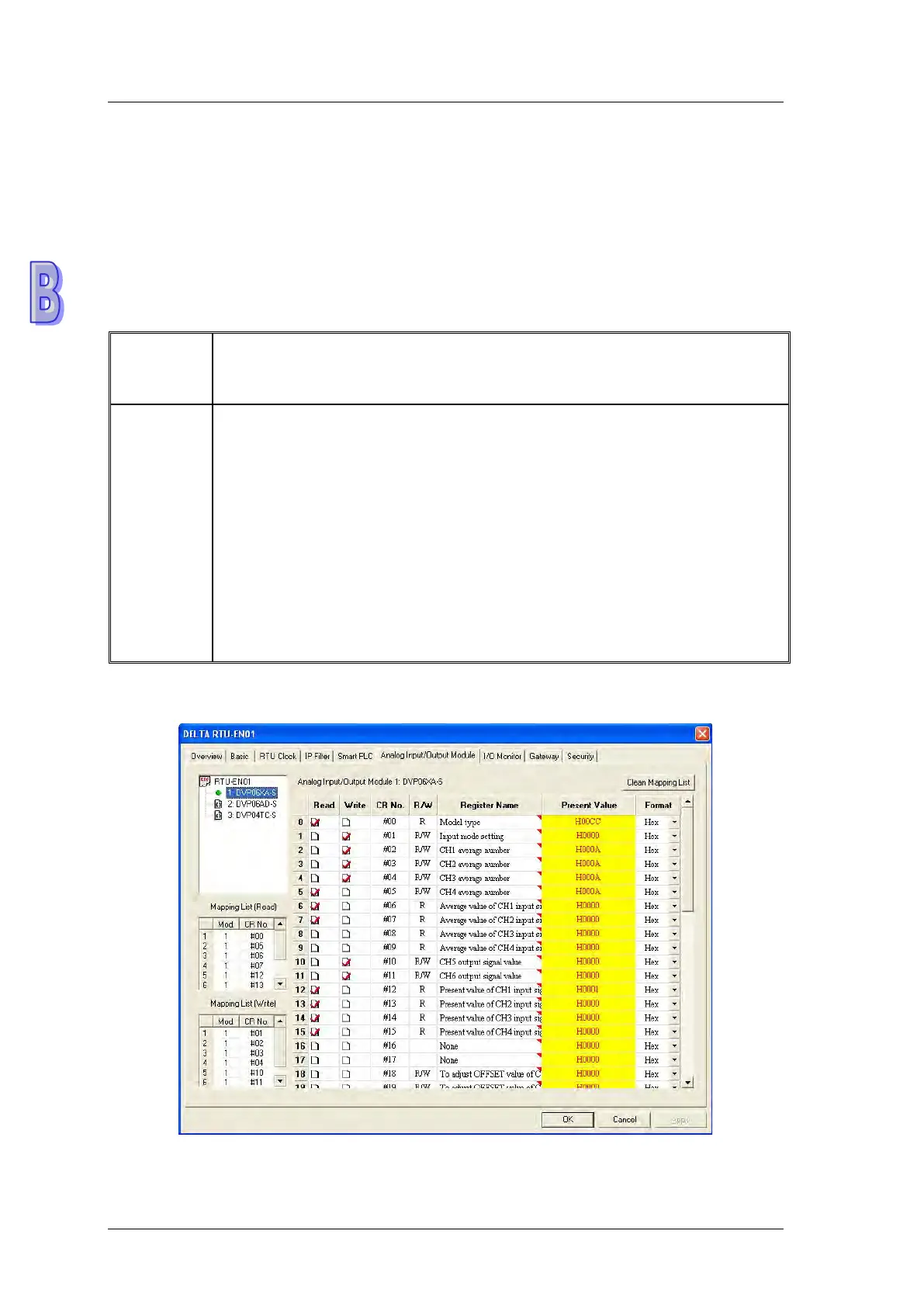
(4) Use DCISoft for RTU-EN01, and check 10 pieces of mapping data for reading
and 10 pieces of mapping data for writing.
(5) Set a start RX address, a start RY address, a start RCR (reading) address,
and a start RCR (writing address) in DVP-SE, and set corresponding
numbers.
(6) Enable the mapping function in DVP-SE. Use M2000 and D2000 in DVP-SE
to read values from RTU-EN01, and use M3000 and D3000 to write values
1. Please refer to section B.6.1 for more information about setting communication.
2. Use DCISoft for RTU-EN01 to set mapping control registers used for reading/writing.



 To Next Page