
 Need help?
Do you have a question about the Delta UPS102N2002N0B0 and is the answer not in the manual?
Safety guidelines for UPS installation and electrical connections.
Safety guidelines for operating and using the UPS.
Warnings and precautions related to UPS batteries.
Guidelines for storing the UPS before and after usage.
Provides a general overview of the Delta UPS N series.
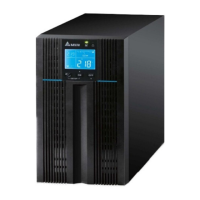
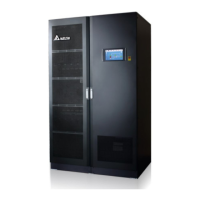
Details the physical dimensions and exterior views of the UPS.
Lists all items included in the UPS package for different models.
Explains the function and status indicated by LED lights.
Describes the operations and functions of control buttons.
Details the icons, status indicators, and information on the LCD screen.
Explains the 7-segment display readouts and their meanings.
Illustrates the navigation path through the 7-segment display screens.
Identifies components on the rear panel of standard UPS models.
Identifies components on the rear panel of long backup UPS models.
Explains the UPS operation in standby mode.
Explains the UPS operation in online mode.
Explains the UPS operation in bypass mode.
Explains the UPS operation when running on battery power.
Details how to enter and configure UPS setup mode settings.
Steps for normal and cold start-up of the UPS.
Steps for safely turning off the UPS in various modes.
Lists audible alarm conditions and their corresponding meanings.
Lists and describes optional accessories for the UPS.
Guides on resolving UPS issues using error codes.
Addresses common problems and their solutions.
Procedures for cleaning and inspecting the UPS unit.
Guidelines for battery maintenance, charging, and care.
Detailed input, output, battery, and physical specifications.
Outlines the warranty terms, conditions, and limitations.
Safety guidelines for UPS installation and electrical connections.
Safety guidelines for operating and using the UPS.
Warnings and precautions related to UPS batteries.
Guidelines for storing the UPS before and after usage.
Provides a general overview of the Delta UPS N series.
Details the physical dimensions and exterior views of the UPS.
Lists all items included in the UPS package for different models.
Explains the function and status indicated by LED lights.
Describes the operations and functions of control buttons.
Details the icons, status indicators, and information on the LCD screen.
Explains the 7-segment display readouts and their meanings.
Illustrates the navigation path through the 7-segment display screens.
Identifies components on the rear panel of standard UPS models.
Identifies components on the rear panel of long backup UPS models.
Explains the UPS operation in standby mode.
Explains the UPS operation in online mode.
Explains the UPS operation in bypass mode.
Explains the UPS operation when running on battery power.
Details how to enter and configure UPS setup mode settings.
Steps for normal and cold start-up of the UPS.
Steps for safely turning off the UPS in various modes.
Lists audible alarm conditions and their corresponding meanings.
Lists and describes optional accessories for the UPS.
Guides on resolving UPS issues using error codes.
Addresses common problems and their solutions.
Procedures for cleaning and inspecting the UPS unit.
Guidelines for battery maintenance, charging, and care.
Detailed input, output, battery, and physical specifications.
Outlines the warranty terms, conditions, and limitations.







 To Next Page
 General