Chapter 12 Description of Parameter Settings|CFP2000 Series
12.1-06-6
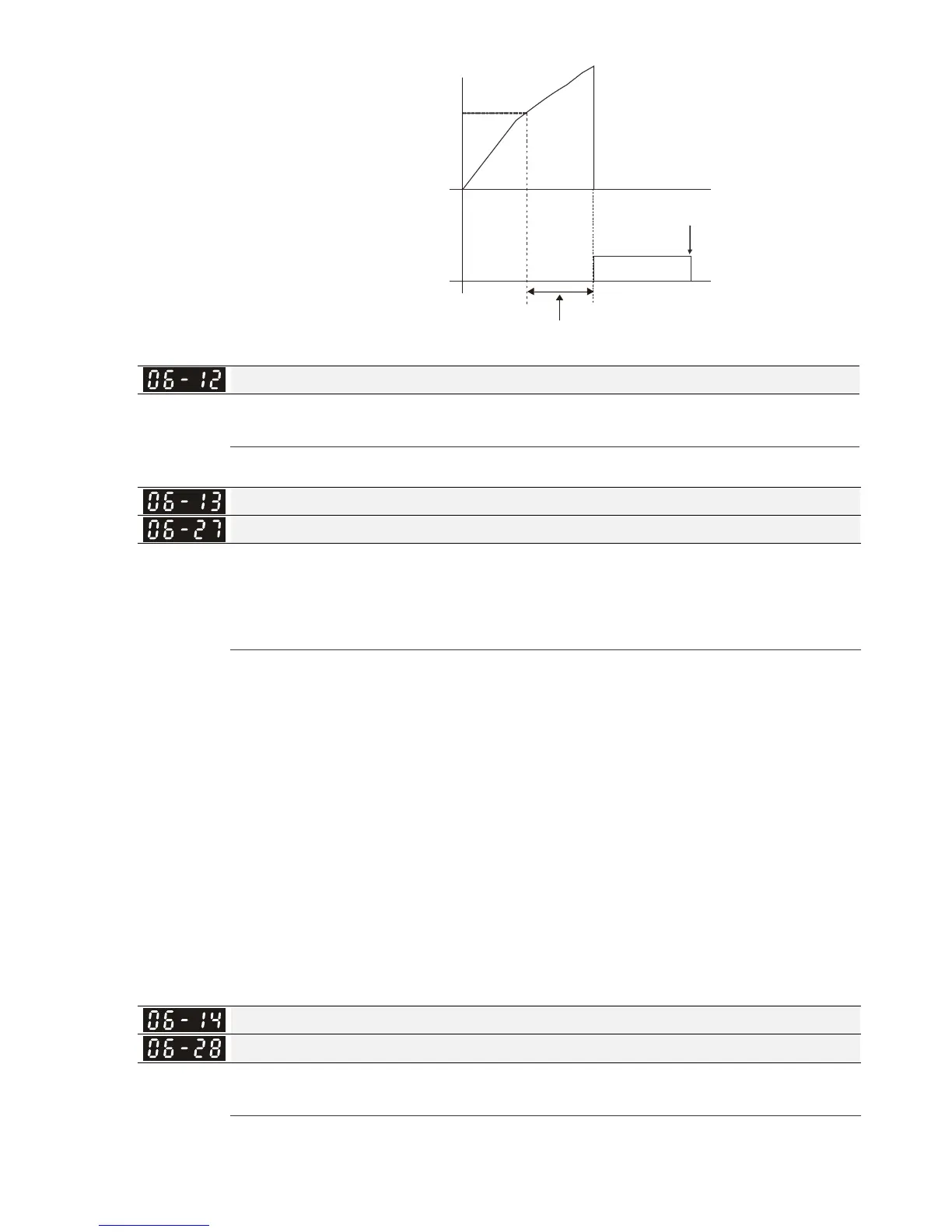
ON
Over-torque detection level
06-07 (06-10)
Output current
Multi-function output
terminal=7 or 8
Over-torque detection time
06-08 (06-11)
Manually reset
Current Limit
Factory Setting: 150
Settings 0~200% (100%: drive’s rated current)
Pr.06-12 sets the maximum output current of the drive.
Electronic Thermal Relay Selection (Motor 1)
Electronic Thermal Relay Selection (Motor 2)
Factory Setting: 2
Settings 0: Inverter motor (with external forced cooling)
1: Standard motor (so motor with fan on the shaft)
2: Disable
It is used to prevent self-cooled motor overheats under low speed. User can use electronic
thermal relay to limit driver’s output power.
Setting as 0 is suitable for special motor (motor fan using independent power supply). For this
kind of motor, the cooling capacity is not related to motor speed obviously. So the action of
electronic thermal relay will remain stable in low speed, which can ensure the motor’s load
capability in low speed.
Setting as 1 is suitable for standard motor (motor fan is fixed on the rotor shaft). For this kind of
motor, the cooling capacity is low in low speed, and the action of electronic thermal relay will
reduce the action time, which ensure the life of motor.
When the power ON/OFF is often switched, even setting as 0 or 1 can bot protect the motor well.
It is because when the power is switched off, the electronic thermal relay protection will be reset.
If there are several motors connected to one motor drive, please install electronic thermal relay in
each motor respectively.
Electronic Thermal Characteristic for Motor 1
Electronic Thermal Characteristic for Motor 2
Factory Setting: 60.0
Settings 30.0~600.0 sec
The parameter is set by the 150% of motor rated current and the setting of Pr.06-14 and Pr.06-28
to prevent the motor damaged from overheating. When it reaches the setting, it will display




 To Next Page