Chapter 12 Description of Parameter Settings|CFP2000 Series
12.1-07-8
2: Stop by 2
nd
deceleration time
3: Stop by 3
rd
deceleration time
4: Stop by 4
th
deceleration time
5: System Deceleration (According to original deceleration time)
6: Automatic Deceleration ( Pr01-46)
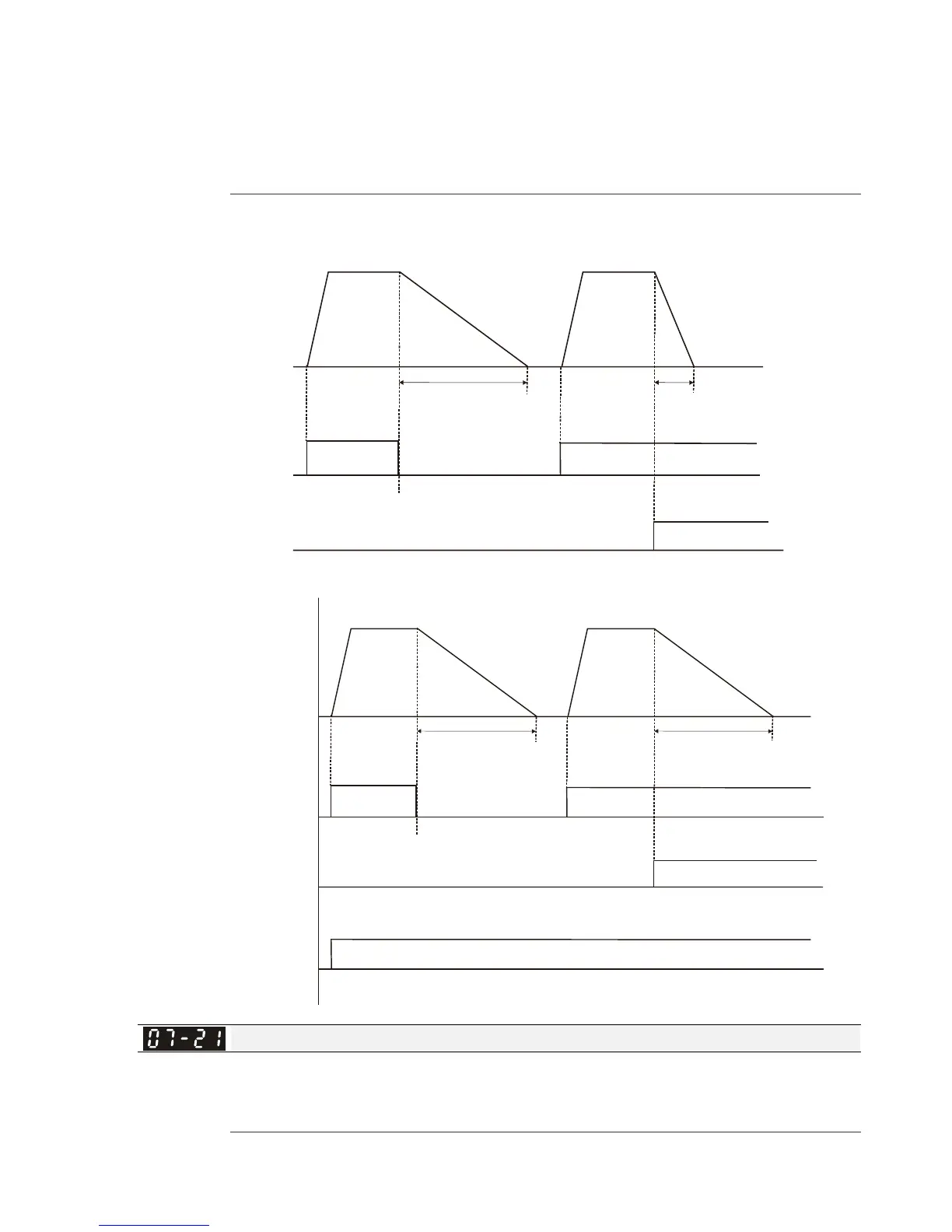
When the multi-function input terminal is set to 10(EF) or 18(Emergency stop) and is activated,
the drive will stop according to the setting in Pr.07-20.
Output
frequency
Run
command
MI=10(EF)/
=
RUN STOP
RUN
Decel. Time 1
Pr07 20 3 Stop by 3 deceleration time-=
rd
Pr01 13=5 sec-
Pr01-17=2 sec
Decel. Time 3
MI=10 or 18 and has active
MI=10(EF)/
=( )MI 18 Emergency stop
Pr07 20 5 System Deceleration -=
(According to original deceleration time)
MI=8
The 1 , 2
st nd
acceleration or
deceleration time
selection
MI=8 and has actived(use 2 acceleration/deceleration time)
nd
Output
frequency
Run
command
RUN RUNSTOP
Decel. Time 2
Pr01 15=7 sec-
Decel. Time 2
Pr01 15=7 sec-
MI=10 or 18 and has actived
Auto Energy-saving Operation
Factory Setting: 0
Settings 0: Disable
1: Enable
When Pr.07-21 is set to 1, the acceleration and deceleration will operate with full voltage. During




 To Next Page