Chapter 12 Description of Parameter Settings|CFP2000 Series
12.1-09-18
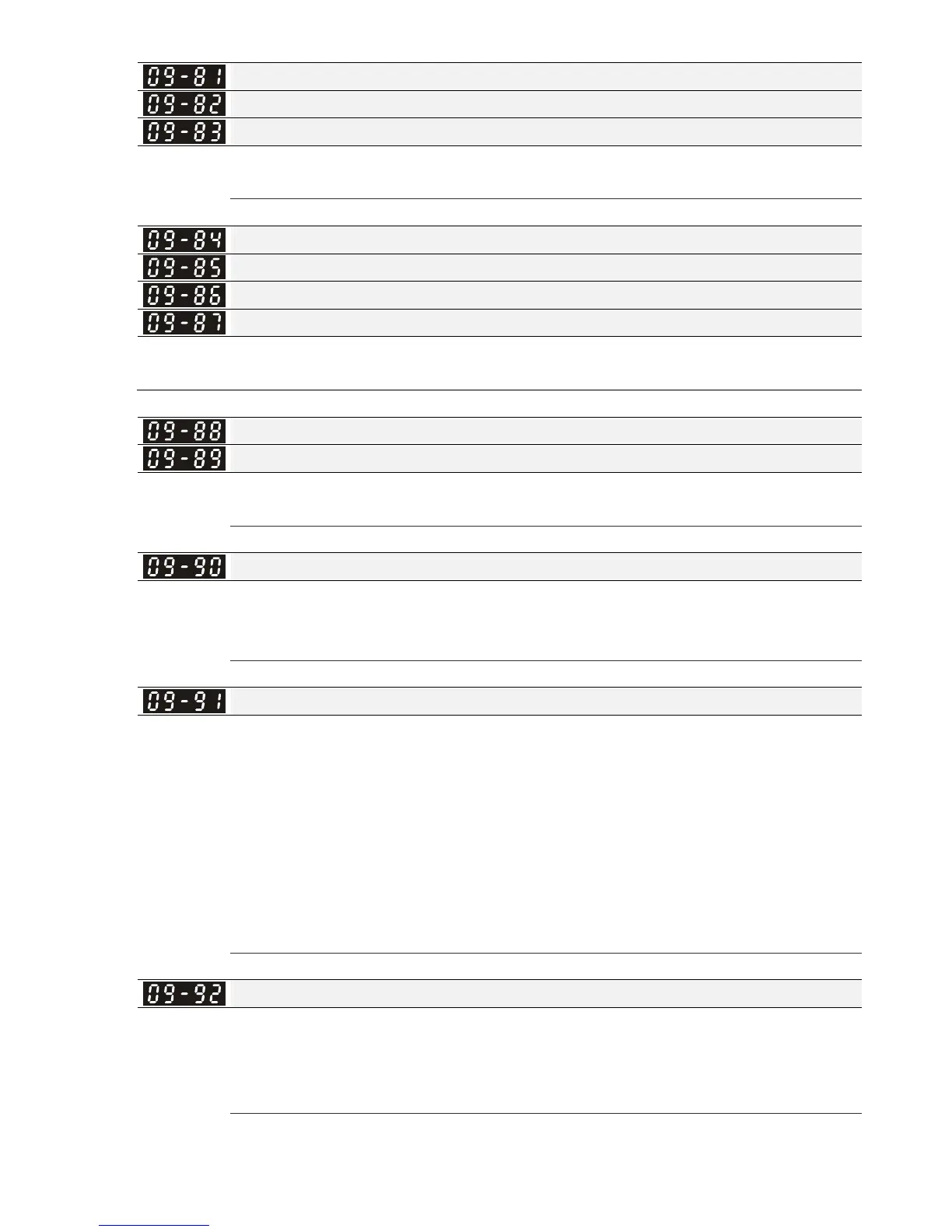
Address Mask 2 of the Communication Card (for MODBUS TCP)
Address Mask 3 of the Communication Card (for MODBUS TCP)
Address Mask 4 of the Communication Card (for MODBUS TCP)
Factory Setting: 0
Settings 0~65535
Getway Address 1 of the Communication Card (for MODBUS TCP)
Getway Address 2 of the Communication Card (for MODBUS TCP)
Getway Address 3 of the Communication Card (for MODBUS TCP)
Getway Address 4 of the Communication Card (for MODBUS TCP)
Factory Setting: 0
Settings 0~65535
Password for Communication Card (Low word) (for MODBUS TCP)
Password for Communication Card (High word) (for MODBUS TCP)
Factory Setting: 0
Settings 0~99
Reset Communication Card (for MODBUS TCP)
Factory Setting: 0
Settings 0: Disable
1: Reset, return to factory setting
Additional Setting for Communication Card (for MODBUS TCP)
Factory Setting: 1
Settings Bit 0: Enable IP Filter
Bit 1: Internet parameters enable(1bit)
When IP address is set up, this bit need to be enabled to write down the
parameters. This bit will change to disable when it finishes saving the
update of internet parameters.
Bit 2: Login password enable(1bit)
When enter login password, this bit will be enabled. After updating the
parameters of communication card, this bit will change to disable.
Status of Communication Card (for MODBUS TCP)
Factory Setting: 0
Settings Bit 0: password enable
When the communication card is set with password, this bit is enabled.
When the password is clear, this bit is disabled.




 To Next Page