EasyManua.ls Logo

Denon AVC-3000 - Video Select

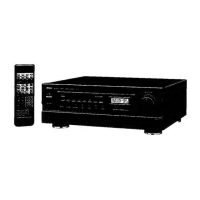
Denon AVC-3000
66 pages
Print Icon
To Next Page IconTo Next Page
To Previous Page IconTo Previous Page
Loading...
:
a
TP
SER
EL
AVC-3000/3000G
mma—
@
POWER
switch
e
ON
Pressing
this
button
once
will
switch
on
the
power
and
the
MASTER
VOLUME
LED
will
flash
on
and
off
(during
which
time
the
muting
circuit
operates
to
prevent
the
noise
which
would
otherwise
occur
when
the
power
switch
is
at
“ON-STANDBY”).
Several
seconds
after
the
power
is
switched
on
the
LED
will
change
from
a
flashing
to
a
steadily
lit
state
indicating
that
the
amplifier
is
in
a
regular
operating
state
in
which
the
muting
circuit
has
not
been
cancelled.
@
STANDBY
Pressing
the
button
once
again
will
switch
off
the
power
and
introduce
the
standby
mode
in
which
the
LED
of
MASTER
VOLUME
@
will
be
fit.
REMOTE
SENSOR
This
is
the
sensor
of
the
wireless
remote
control
unit.
Point
the
wireless
remote
control
unit
(RC-127)
at
this
sensor
when
operating
it.
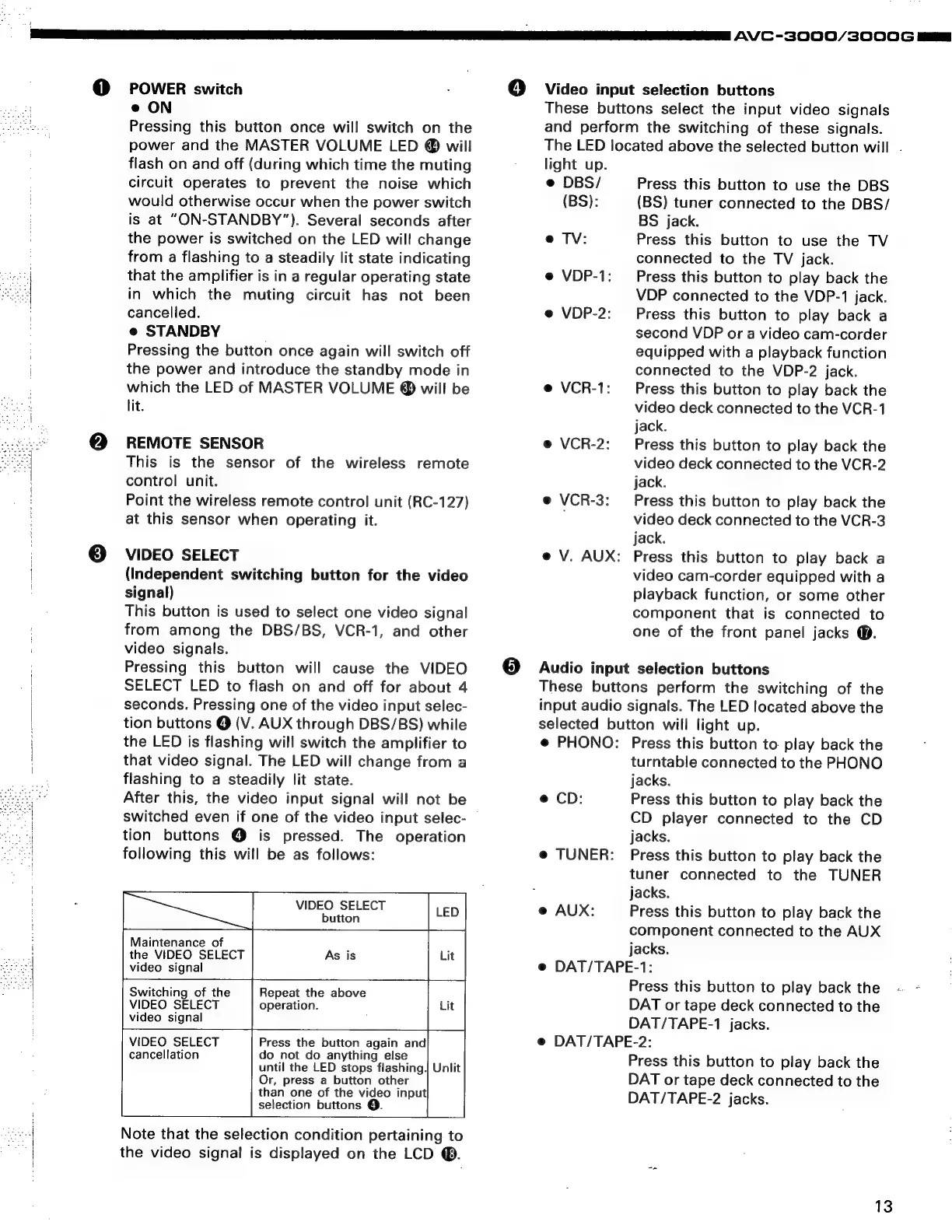
VIDEO
SELECT
(Independent
switching
button
for
the
video
signal)
This
button
is
used
to
select
one
video
signal
from
among
the
DBS/BS,
VCR-1,
and
other
video
signals.
Pressing
this
button
will
cause
the
VIDEO
SELECT
LED
to
flash
on
and
off
for
about
4
seconds.
Pressing
one
of
the
video
input
selec-
tion
buttons
@
(V.
AUX
through
DBS/BS)
while
the
LED
is
flashing
will
switch
the
amplifier
to
that
video
signal.
The
LED
will
change
from
a
flashing
to
a
steadily
lit
state.
After
this,
the
video
input
signal
will
not
be
switched
even
if
one
of
the
video
input
selec-
tion
buttons
@
is
pressed.
The
operation
following
this
will
be
as
follows:
VIDEO
SELECT
button
Maintenance
of
;
the
VIDEO
SELECT
As
is
Lit
video
signal
Repeat
the
above
operation.
Switching
of
the
VIDEO
SELECT
video
signal
VIDEO
SELECT
Press
the
button
again
and
cancellation
do
not
do
anything
else
until
the
LED
stops
flashing,
Unlit
Or,
press
a
button
other
than
one
of
the
video
input
selection
buttons
@.
Note
that
the
selection
condition
pertaining
to
the
video
signal
is
displayed
on
the
LCD
@®.
@
Video
input
selection
buttons
These
buttons
select
the
input
video
signals
and
perform
the
switching
of
these
signals.
The
LED
located
above
the
selected
button
will
.
light
up.
e
DBS/
Press
this
button
to
use
the
DBS
(BS):
(BS)
tuner
connected
to
the
DBS/
BS
jack.
e
TV:
Press
this
button
to
use
the
TV
connected
to
the
TV
jack.
e
VDP-1:
Press
this
button
to
play
back
the
VDP
connected
to
the
VDP-1
jack.
e
VDP-2:
Press
this
button
to
play
back
a
second
VDP
or
a
video
cam-corder
equipped
with
a
playback
function
connected
to
the
VDP-2
jack.
e
VCR-1:
Press
this
button
to
play
back
the
video
deck
connected
to
the
VCR-1
jack.
e
VCR-2:
Press
this
button
to
play
back
the
video
deck
connected
to
the
VCR-2
jack.
e
VCR-3:
Press
this
button
to
play
back
the
,
video
deck
connected
to
the
VCR-3
jack.
e
V.
AUX:
Press
this
button
to
play
back
a
video
cam-corder
equipped
with
a
playback
function,
or
some
other
component
that
is
connected
to
one
of
the
front
panel
jacks
@.
Audio
input
selection
buttons
These
buttons
perform
the
switching
of
the
input
audio
signals.
The
LED
located
above
the
selected
button
will
light
up.
e
PHONO:
Press
this
button
to
play
back
the
turntable
connected
to
the
PHONO
jacks.
e
CD:
Press
this
button
to
play
back
the
CD
player
connected
to
the
CD
jacks.
TUNER:
Press
this
button
to
play
back
the
tuner
connected
to
the
TUNER
jacks.
@
AUX:
Press
this
button
to
play
back
the
component
connected
to
the
AUX
jacks.
DAT/TAPE-1:
Press
this
button
to
play
back
the
DAT
or
tape
deck
connected
to
the
DAT/TAPE-1
jacks.
DAT/TAPE-2:
Press
this
button
to
play
back
the
DAT
or
tape
deck
connected
to
the
DAT/TAPE-2
jacks.
13

Related product manuals