EasyManua.ls Logo

Denon AVC-3000 - Operation

Denon AVC-3000
66 pages
Print Icon
To Next Page IconTo Next Page
To Previous Page IconTo Previous Page
Loading...
mae
AVC-3000/3000G
a
a
A
ET]
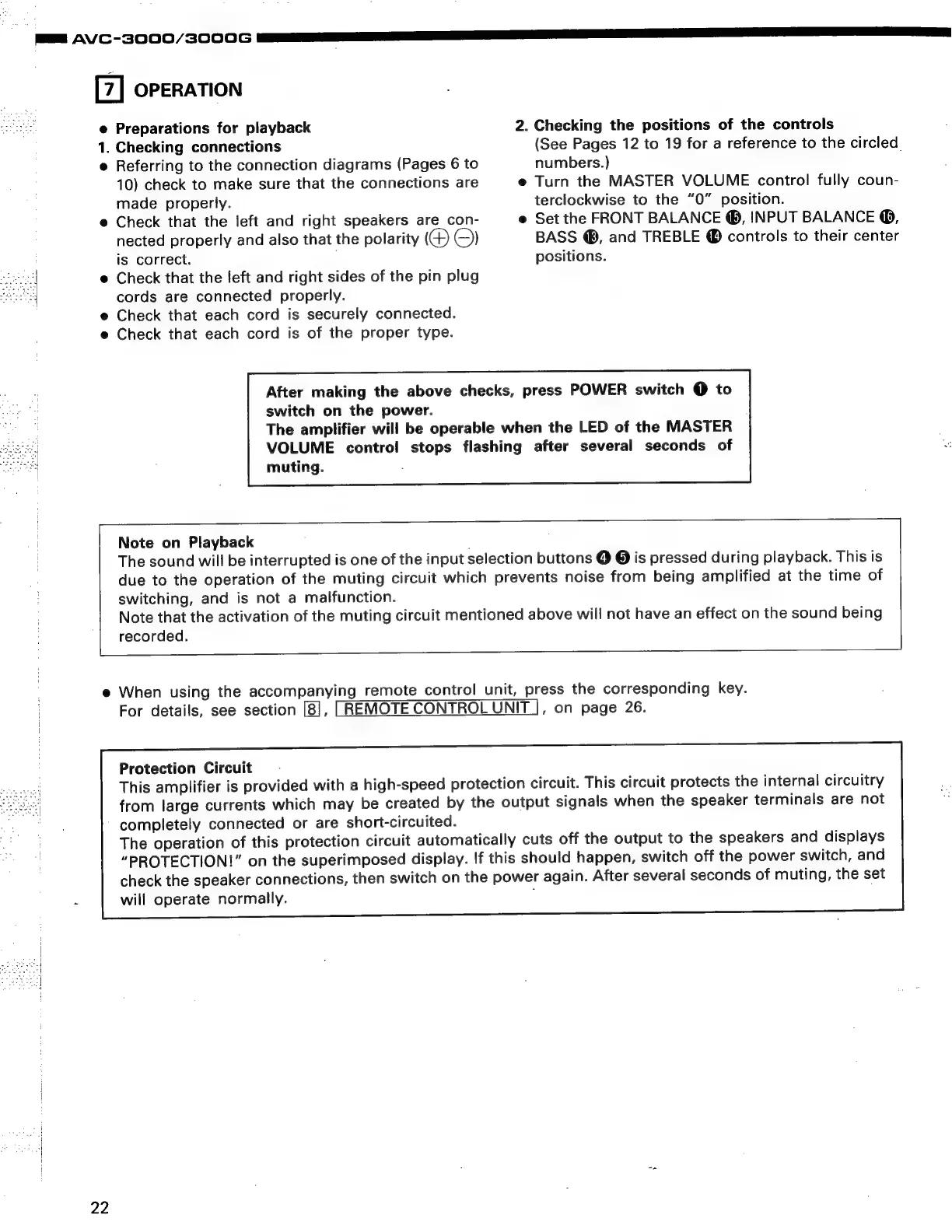
OPERATION
e
Preparations
for
playback
2.
Checking
the
positions
of
the
controls
1.
Checking
connections
(See
Pages
12
to
19
for
a
reference
to
the
circled.
e
Referring
to
the
connection
diagrams
(Pages
6
to
numbers.)
10)
check
to
make
sure
that
the
connections
are
e
Turn
the
MASTER
VOLUME
control
fully
coun-
made
properly.
terclockwise
to
the
“0”
position.
e
Check
that
the
left
and
right
speakers
are
con-
e
Set
the
FRONT
BALANCE
@®,
INPUT
BALANCE
@,
nected
properly
and
also
that
the
polarity
©)
BASS
@®,
and
TREBLE
®
controls
to
their
center
is
correct.
positions.
e
Check
that
the
jeft
and
right
sides
of
the
pin
plug
cords
are
connected
properly.
e
Check
that
each
cord
is
securely
connected.
e
Check
that
each
cord
is
of
the
proper
type.
After
making
the
above
checks,
press
POWER
switch
@
to
switch
on
the
power.
The
amplifier
will
be
operable
when
the
LED
of
the
MASTER
VOLUME
contro!
stops
flashing
after
several
seconds
of
muting.
Note
on
Playback
The
sound
will
be
interrupted
is
one
of
the
input
selection
buttons
@ @
is
pressed
during
playback.
This
is
due
to
the
operation
of
the
muting
circuit
which
prevents
noise
from
being
amplified
at
the
time
of
switching,
and
is
not
a
malfunction.
Note
that
the
activation
of
the
muting
circuit
mentioned
above
will
not
have
an
effect
on
the
sound
being
recorded.
e
When
using
the
accompanying
remote
control
unit,
press
the
corresponding
key.
For
details,
see
section
[8],
LREMOTE
CONTROL
UNIT
|,
on
page
26.
Protection
Circuit
This
amplifier
is
provided
with
a
high-speed
protection
circuit.
This
circuit
protects
the
internal
circuitry
from
large
currents
which
may
be
created
by
the
output
signals
when
the
speaker
terminals
are
not
completely
connected
or
are
short-circuited.
The
operation
of
this
protection
circuit
automatically
cuts
off
the
output
to
the
speakers
and
displays
“PROTECTION!”
on
the
superimposed
display.
If
this
should
happen,
switch
off
the
power
switch,
and
check
the
speaker
connections,
then
switch
on
the
power
again.
After
several
seconds
of
muting,
the
set
m
will
operate
normally.
:
22

Related product manuals