8
ENGLISH
Press this button to switch the
system power standby mode.
(You can not switch this unit
independently.)
Power standby button
(SYSTEM POWER STANDBY)
1 to 10 (number buttons) and
+10 button (1~10, +10)
TIME button (TIME)
Play/pause button (
1
/
3
)
Stop button (
2
)
Automatic search forward
buttons (
9
)
Automatic search reverse
buttons (
8
)
Switches the operation of the
buttons.
When you want to operate the
CD, switch to the CD position.
Function selector switch
Press this button to switch the
system power on mode.
You can not switch this unit
independently.
Power on button
(SYSTEM POWER ON)
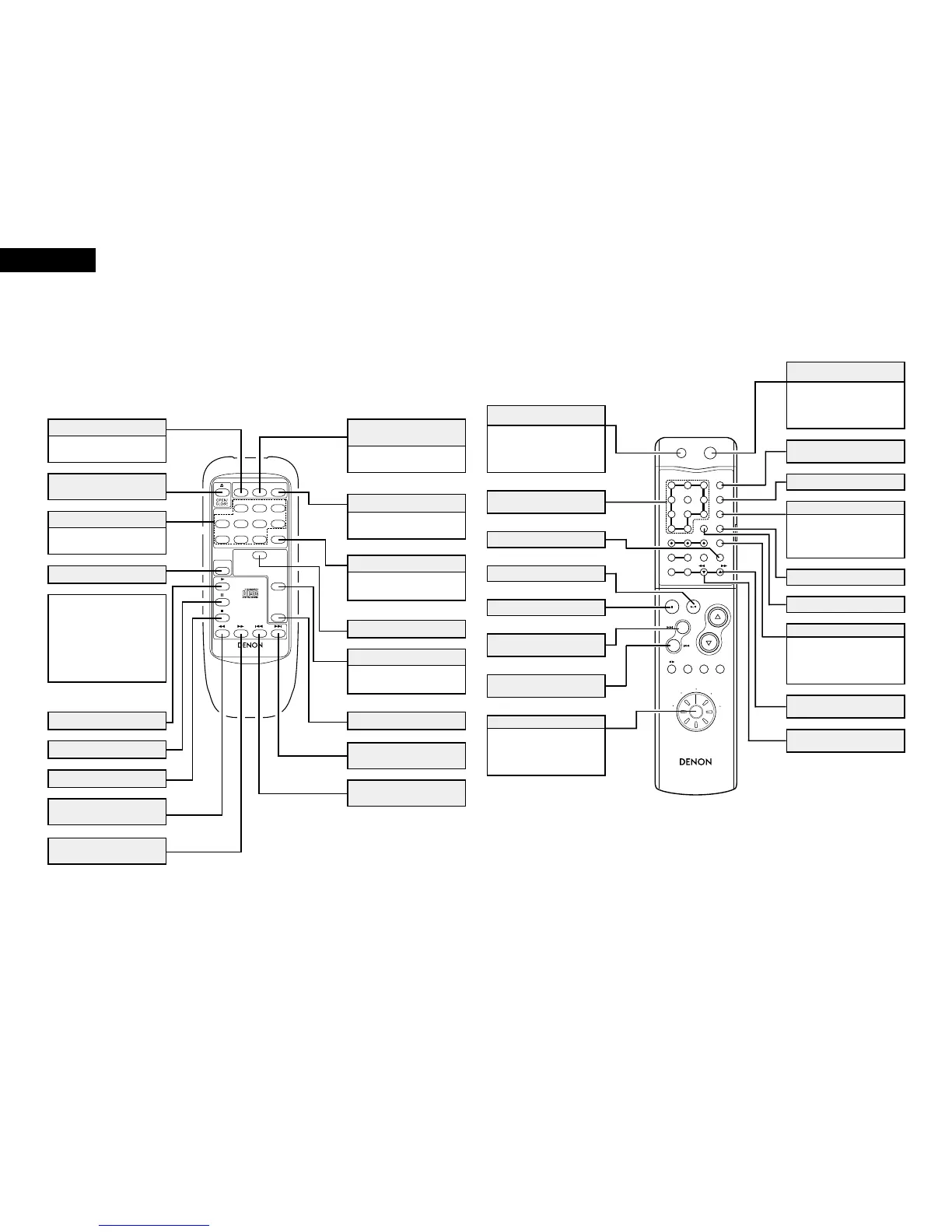
(3) Names and Functions of Remote Control Unit Buttons
2 Buttons not explained here function in the same way as the corresponding buttons on the main unit.
(Refer to pages 3 and 6.)
(4) Names and Functions of System Remote Control Unit Buttons (The RC-906 is included
with the PMA-201SA.)
2 The CD related buttons on the system remote control unit included with the pre-main amplifier are explained below.
2 Buttons not explained here function in the same way as the remote control unit on the main unit.
PROG/DIRECT button
(PROG/DIRECT)
CALL button (CALL)
Press this to clear programmed
tracks. The last track in the
program is cleared each time the
button is pressed.
CLEAR button (CLEAR)
REPEAT button (REPEAT)
RANDOM button (RANDOM)
Press this to perform edited
recording according to the length
of the cassette tape. (See page
15.)
Time edit button (TIME EDIT)
Manual search forward buttons
(
7
)
Manual search reverse buttons
(
6
)
Play button ( 1 )
Stop button (
2
)
Manual search reverse button
( 6 )
Manual search forward button
(
7
)
Disc holder open/close button
(
5
OPEN/CLOSE)
Use these for direct search and
programming.
Number buttons (1 to 10)
Power button (POWER)
Press this to check the pro-
grammed tracks.
Call button (CALL)
NOTE:
• When the DCD-201SA is con-
nected in a system with the
201SA series, the DCD-
201SA’s power cannot be
switched between the on and
standby modes using the
power button on the remote
control unit.
Pause button (
3
)
Random button (RANDOM)
Automatic search forward
button ( 9 )
Direct button (DIRECT)
Time button (TIME)
Program button
(PROGRAM)
Press this for programmed
playback. (Refer to page 12.)
Press this to select track
numbers of over 11.
+10 button
Press this for direct playback
(Refer to page 12.)
Press this for repeat playback.
(Refer to page 13.)
Repeat button (REPEAT)
Automatic search reverse
button ( 8 )



 To Next Page