16
ENGLISH
NOTES:
• The editing function will not work with discs containing more than 21 tracks.
• Load the cassette tape onto which you want to record into the cassette deck's cassette tray with side A facing up
before starting edited recording. The beginning of the tape is automatically found before recording starts.
• When using a recorded cassette tape for edited recording, recording stops and a blank section is left on side B of
the tape if the tape is longer than the set time, so erase the tape beforehand.
• When the editing function is used for recording, the reverse mode is automatically set to even if the
cassette deck's reverse mode switch is set to , and recording continues on side B after recording on side A is
completed.
• In some cases it may not be possible to record all the tracks on the disc, even if the tape is longer than the disc's
recorded time (because of how the tracks are divided onto sides A and B of the tape). The "OVER" indicator flashes
if there are tracks that cannot be recorded.
• Only the stop button (
2
), time mode button (TIME) and power buttons (ON/STANDBY or POWER) will function
during editing.
• When recording using the editing function, the auto space function is activated and blank spaces of approximately
4 seconds are automatically created between tracks. Because of this, when recording CDs containing for example
recordings of concerts without spaces between tracks, blank spaces will be created in the middle of the piece. In
this case, do not record using the editing function.
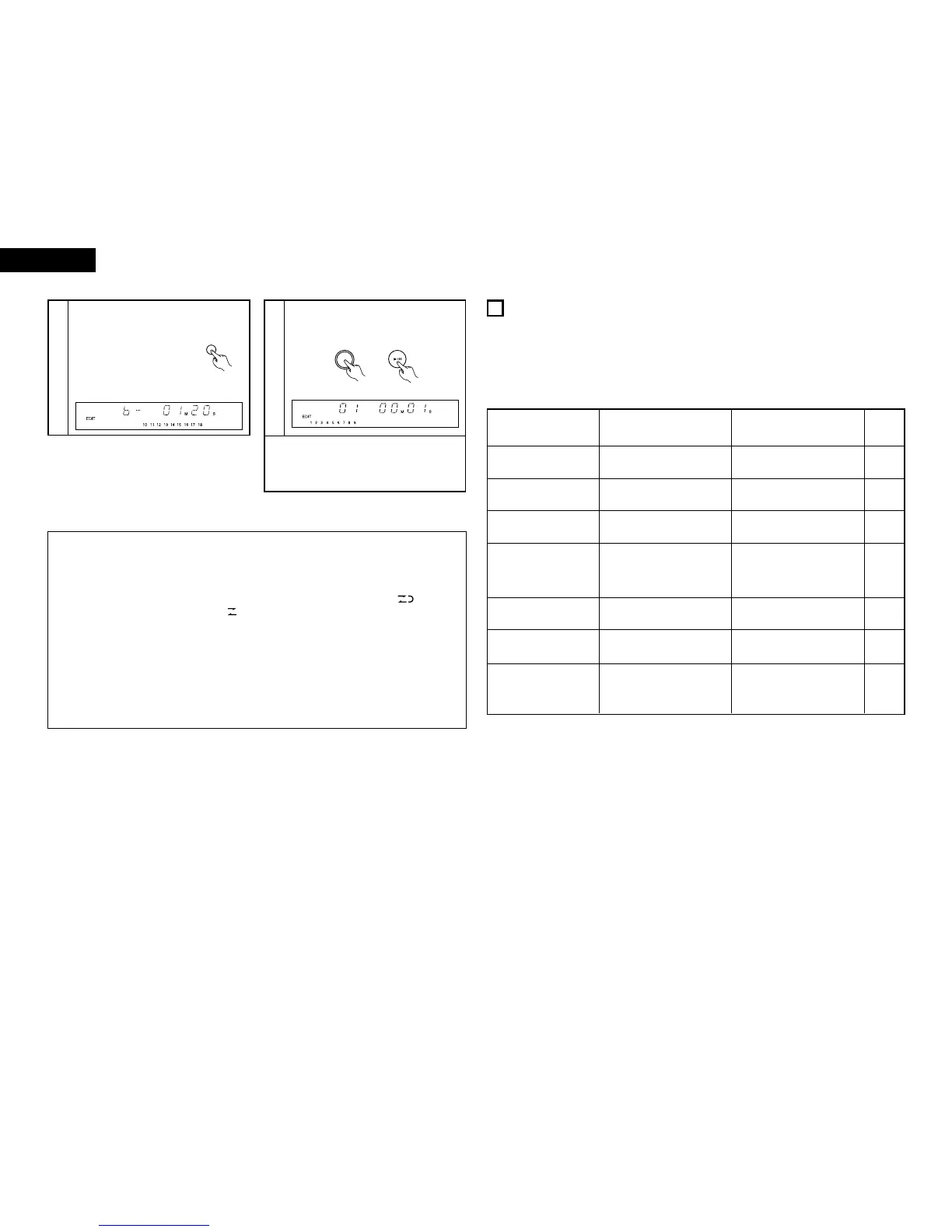
5
Press the time button.
• The remaining time on side B
of the tape appears.
• The display switches
between sides A and B each
time the button is pressed.
(Use this to check the
remaining time for side B).
(RC-906)
6
Press the play button on the DCD-201SA.
• Playback on the DCD-201SA and recording on
the cassette tape start simultaneously.
• To cancel the editing mode, press the stop button
(
2
) on the DCD-201SA or the cassette deck to stop
playback of the CD.
The editing mode is not canceled if other buttons
are pressed.
(5) CD synchronized recording (when connected to the 201SA series)
2 This function allows easy recording of CDs.
2 This function allows easy recording from CD to MD, from CD to Tape.
Refer to the respective operating instruction of each model.
(6) Timer functions (when connected to the PMA-201SA and TU-201SA)
2 The timer functions of the tuner (TU-201SA) can be used to play CDs at set times.
• Refer to the operating instruction included with the TU-201SA.
12
TROUBLESHOOTING
If a problem should arise, first check the following:
1. Are the connections correct?
2. Have you operated the receiver according to the Operating Instructions?
3. Are the speakers, turntable, and other components operating properly?
If this unit is not operating properly, check the items listed in the table below. Should the problem persist, there may be
a malfunction.
Disconnect the power immediately and contact your store of purchase.
Symptom Cause Remedy
Refer to
page
Disc holder does not open
and close.
• Is the power turned on? • Turn on the power.
10
Zeros are displayed when a
disc is loaded.
• Is the disc loaded properly?
• Load the disc properly.
10
Play mode is not set when
play button (
1 ) is pressed.
• Is the disc dirty or scratched? • Wipe the dirt off the disc or
replace the disc.
10
No sound is produced, or
sound is distorted.
• Are the output cords properly
connected to the amplifier?
•
Is the amplifier adjusted properly
and set to the CD function?
• Check the connections.
• Adjust the amplifier's controls.
5
—
Specified position of disc is
not played.
• Is the disc dirty or scratched?
9
Programmed play function
does not work.
• Have you set the program
properly?
• Reset the program. 12
Set does not work properly
when operated from the
remote control unit.
• Are the batteries worn?
• Is the remote control unit too
far from the set?
• Replace the batteries with new
ones.
• Move the remote control unit
closer to the set.
7
7
• Wipe the dirt off the disc or
replace the disc.
(Main unit) (RC-906)


 To Next Page
 Loading...





