10
ENGLISH
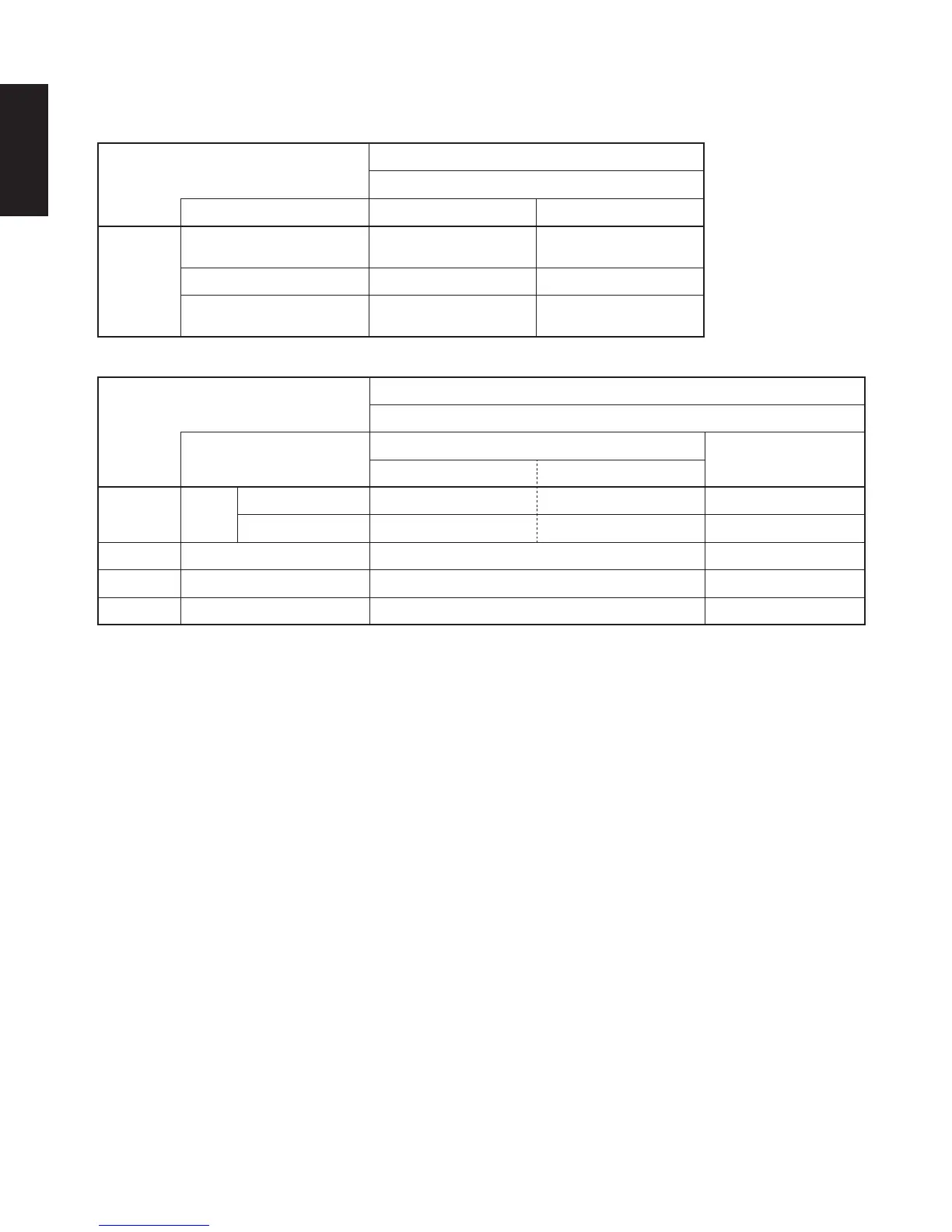
■ Sound output from the DN-V210/DN-V310’s digital audio output connectors
In the case of bit stream output
Settings
DIGITAL OUTPUT
Audio recording format NORMAL PCM
DVD video
Dolby Digital Dolby Digital bitstream
2 channels PCM
(48 kHz / 16 bit)
DTS DTS bitstream —
MPEG Audio
2 channels PCM
(48 kHz / 16 bit)
2 channels PCM
(48 kHz / 16 bit)
In the case of PCM output
Settings
96 k LPCM OUT
Audio recording format
96 kHz
96 k > 48 k
Copy protection ON Copy protection OFF
DVD video
Linear
PCM
48 kHz / 16 ~ 24 bit No output data (*1) 48 kHz / 16 ~ 24 bit PCM 48 kHz / 16 bit PCM
96 kHz / 16 ~ 24 bit No output data (*2) 96 kHz / 16 ~ 24 bit PCM 48 kHz / 16 bit PCM
Video CD MPEG 1 44.1 kHz / 16 bit PCM 44.1 kHz / 16 bit PCM
Music CD 44.1 kHz / 16 bit Linear PCM 44.1 kHz / 16 bit PCM 44.1 kHz / 16 bit PCM
MP3 CD MP 3 (MPEG-1 Audio Layer 3) 32 ~ 48 kHz / 16 bit PCM 32 ~ 48 kHz / 16 bit PCM
*1 Only 48 kHz/16 bit sources are output.
*2 When playing copyright-protected linear PCM DVDs, in consideration of copyrights, no digital signals are output for
sources exceeding 48 kHz/16 bits. When playing such sources, either set to “96k
>
48k” or make analog connections.
• Linear PCM audio is a signal recording format used for music CDs.
While signals are recorded at 44.1 kHz/16 bit for music CDs, for DVDs they are recorded at 48 kHz/16 bit to 96kHz/24 bit,
providing higher sound quality than music CDs.
• When you want to listen to output in DTS, set DIGITAL OUTPUT to NORMAL (bit stream). (See page 26.)



 To Next Page