EasyManua.ls Logo

Denon DN-V210 - Switching the Subtitle Language (Multiple Subtitle Function)

Denon DN-V210
85 pages
Print Icon
To Next Page IconTo Next Page
To Previous Page IconTo Previous Page
Loading...
43
ENGLISH
1
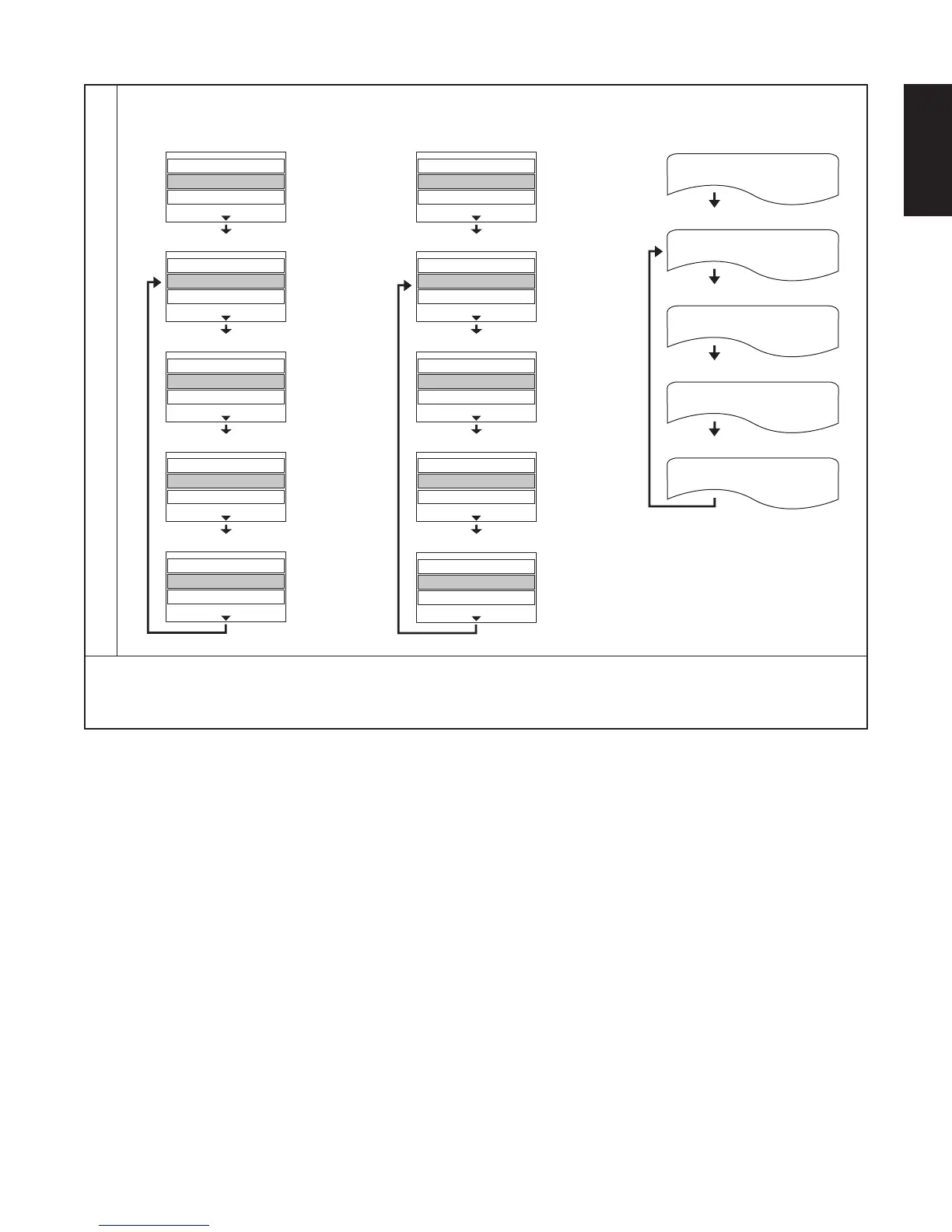
FOLDER REPEAT
TRACK REPEAT
DISC REPEAT
REPEAT OFF
t For JPEG/DivX
• Normal playback
• File repeated
Entire disc repeated
• Folder repeated
Repeat playback cancelled
e For CD
View Filter
Repeat
: Off
Mode
: Normal
View Filter
Repeat
: Single
Mode
: Normal
View Filter
Repeat
: Folder
Mode
: Normal
View Filter
Repeat
: Disc
Mode
: Normal
View Filter
Repeat
: Off
Mode
: Normal
• Track repeated
Entire disc repeated
• Normal playback
r For MP3/WMA
View Filter
Repeat
: Off
Mode
: Normal
View Filter
Repeat
: Single
Mode
: Normal
View Filter
Repeat
: Folder
Mode
: Normal
View Filter
Repeat
: Disc
Mode
: Normal
View Filter
Repeat
: Off
Mode
: Normal
• File repeated
• Folder repeated
Entire disc repeated
Repeat playback cancelled
• Normal playback
Repeat playback cancelled
To return to normal playback:
Return to normal playback by pressing the REPEAT button until “REPEAT OFF” appears on the TV screen.

Other manuals for Denon DN-V210

Related product manuals