Marker Setup Screen
_ Black Level Setting
Use markers to memodee
your favourite places on a disc.
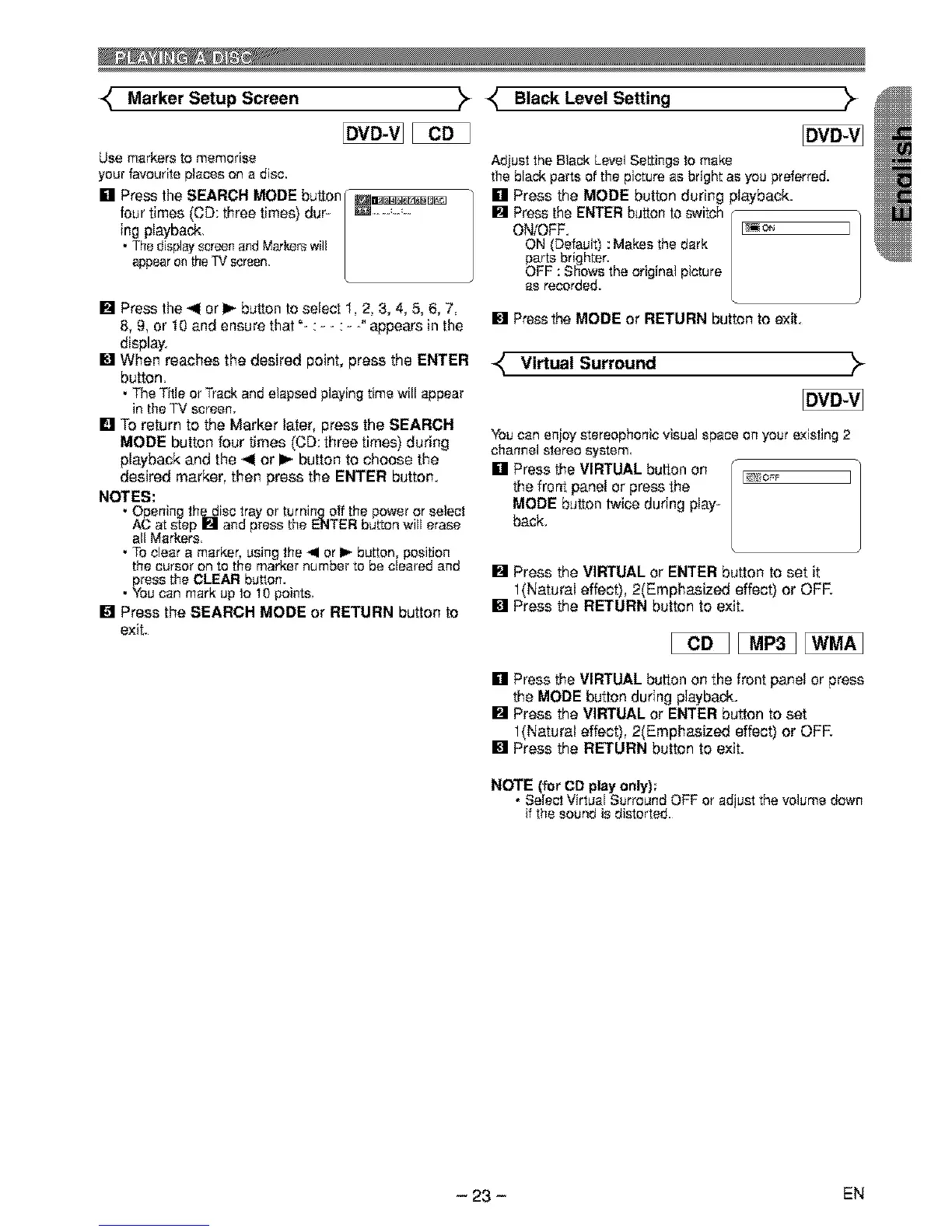
[] Press the SEARCH MODE button _a_[a_D_
four times (CD: three times) dur _ ................
ing playback.
• Thedisplayscreenand Markerswill
appearontheTV screen.
[] Press the _ or I_ button to select 1, 2, 3, 4, 5, 6, 7,
8, 9, or 10 and ensure that "- : - - : - -° appears in the
display.
[] When reaches the desired point, press the ENTER
button.
•The Title or Trackand elapsed playingtime will appear
in the TV screen.
[] TO return to the Marker later, press the SEARCH
MODE button four times (CD: three times) during
playback and the 41 or I_ button to choose the
desired marker, then press the ENTER button.
NOTES:
•Opening the disc tray or turning off the poweror select
AC at step [] and press the ENTER button will erase
all Markers.
• To clear a marker, using the _1or I_ button, position
the cursor on to the marker number to be cleared and
press the CLEAR button.
• You can mark up to 10 points.
[] Press the SEARCH MODE or RETURN button to
exit.
Adjust theBlack Level Settings to make
the black parts of the picture as bright as you preferred.
[] Press the MODE button during playback.
[] Press the ENTER button to switch r-
ON/OFF. [_i_ ]
ON (Default) : Makes the dark
parts brighter.
OFF : Shows the original picture
as recorded.
[] Press the MODE or RETURN button to exit.
Virtual Surround
Youcan enjoy stereophonic visualspace on your existing 2
channel stereo system.
[] Press the VIRTUAL button on [ _.,_,=r
I,,e ]
the front panel or press the
MODE button twice during play-
back,
[] Press the VIRTUAL or ENTER button to set it
1(Natural effect), 2(Emphasized effect) or ore
[] Press the RETURN button to exit.
[] Press the VIRTUAL button on the front panel or press
the MODE button during playback.
[] Press the VIRTUAL or ENTER button to set
1(Natural effect), 2(Emphasized effect) or OFR
[] Press the RETURN button to exit,
NOTE (for CD play only);
• Select Virtual Surround OFF or adjust the volume down
if the sound is distorted.
- 23 - EN



 To Next Page