2
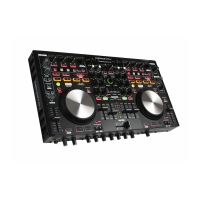
Main features
1. Operability and highly reliable design for professional use
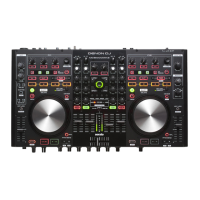
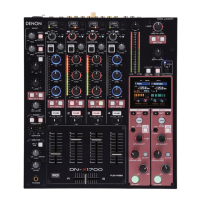
•Equipped with a 4ch digital mixer that enables construction of a
backup system for a DJ software system with this unit.
•Equipped with an input selector for various input sources such as
USB Audio and LINE.
•Each input channel includes a 3-band isolator EQ.
2. USB MIDI controller
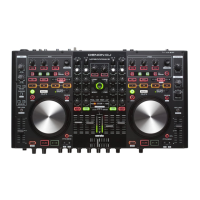
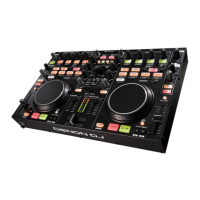
•Equipped with a physical controller function that controls DJ
software.
•LayoutdesignoptimizedforSeratoDJIntrooperation.
•Equipped with a deck layer function that can control four decks
separately.
•Equipped with large CUE and 1/3 buttons that can be pressed
easily.
•EquippedwiththeSYNCbuttonthatcanimmediatelysynchronize
beats for four decks, when used with software.
•Equipped with a channel assign function for assigning twin FX
systems to separate decks.
•Constructed using high-grade solid steel cabinet and self-lit
rubber buttons.
3. USB AUDIO interface
•Supports mixed audio and audio from the MIC or CH3/4 to a PC
for USB Recording.
•Supplied with ASIO drivers for low latency.
4. MIC echo function
•Equipped with an echo function dedicated for MIC input.
•Amount of echo can be adjusted using the MIC echo adjustment
knob.
5. 3-Band MIC EQ
•Equipped with a dedicated 3-band EQ that is independent from
the twin MIC input.
6. Various input/output terminals
The unit has the following input/output terminals.
Input
•LINE/PHONO x 2
•LINE x 2
•MIC input x 2
Output
•Master x 1
•Booth x 1
Input/output
•USB audio x 2 (stereo input x 2/stereo output x 2)
7. Others
•Equipped with a ducking function that attenuates background
sounds during MIC operation.
Accessories
Check that the following parts are supplied with the product.
q Quick Setup Guide .................................................................. 1
w Mapping Guide ........................................................................ 1
e Power cord .............................................................................. 2
r AC adaptor ............................................................................... 1
t USB cable ................................................................................ 1
y CD-ROM
•MC6000MK2 Resource Disc ................................................1
r
t
e
or
U.S.A and Canada models
European,U.K and Asia/
Pacific models
NOTE
Conduction noise or interference noise may cause this unit to
malfunction. Therefore, when connecting this device to a computer,
connect using the USB cable included.


 To Next Page