6. Count Tab View
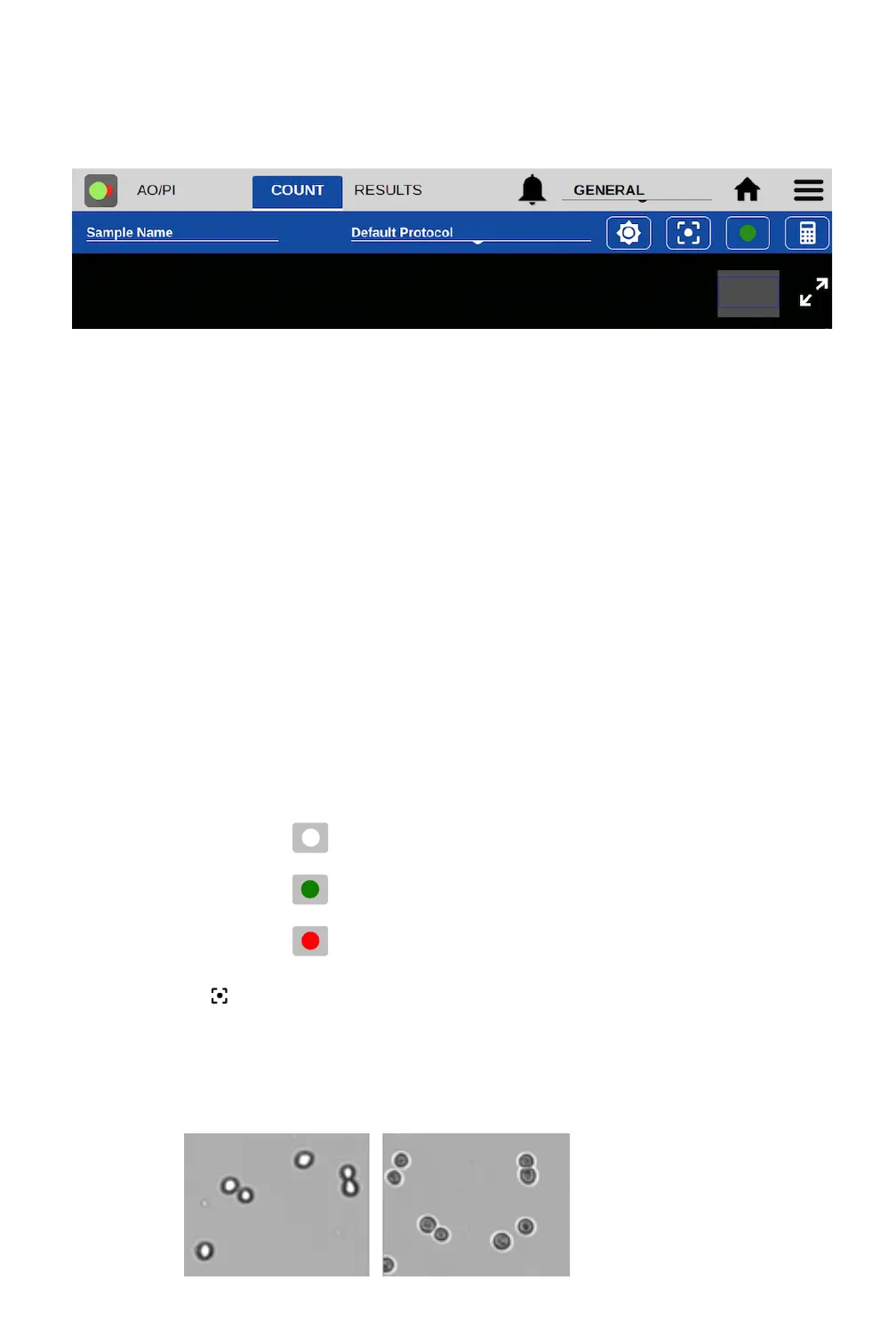
From the Count tab, users can preview the live image, input sample information, select the protocol
for counting, adjust the image and initiate the cell count.
Sample Name and Sample Information
• Tapping the Sample Name field will bring up the Sample Information dialog. An optional
sample name, short description and a passage number may be entered. This information is
saved with the count result.
Protocol Selector
• Protocols allow the user to adjust and save count settings within each application. Count
settings are the screening criteria used by the counting algorithms such as diameter,
roundness and threshold. See Section 7 - Count Settings for details
• Each app opens to the Default Protocol, suitable for counting most mammalian cell lines
within this application. Users may set a custom protocol as their default in the User Accounts
app.
Image Controls
• Channel Selector: For the CellDrop FL model, use the Channel Selector to switch between
brightfield and fluorescence preview channels. Within fluorescence apps, the icon indicates
the active channel. Tap the icon to select a channel. CellDrop BF units and brightfield
applications (Brightfield, Trypan Blue) only include the brightfield channel.
• Focus : The focus controls may be used when previewing any Count screen channel
(brightfield, green or red fluorescence). Changing the focus when viewing one channel will
automatically changes the focus of the other channels. Use the arrows to change the focus.
o Adjust focus while viewing the brightfield channel. Live cells should have a bright center
and a dark outline. The image below on the left is correctly focused. The image on the right
is out of focus.


 To Next Page