8. Results Tab View
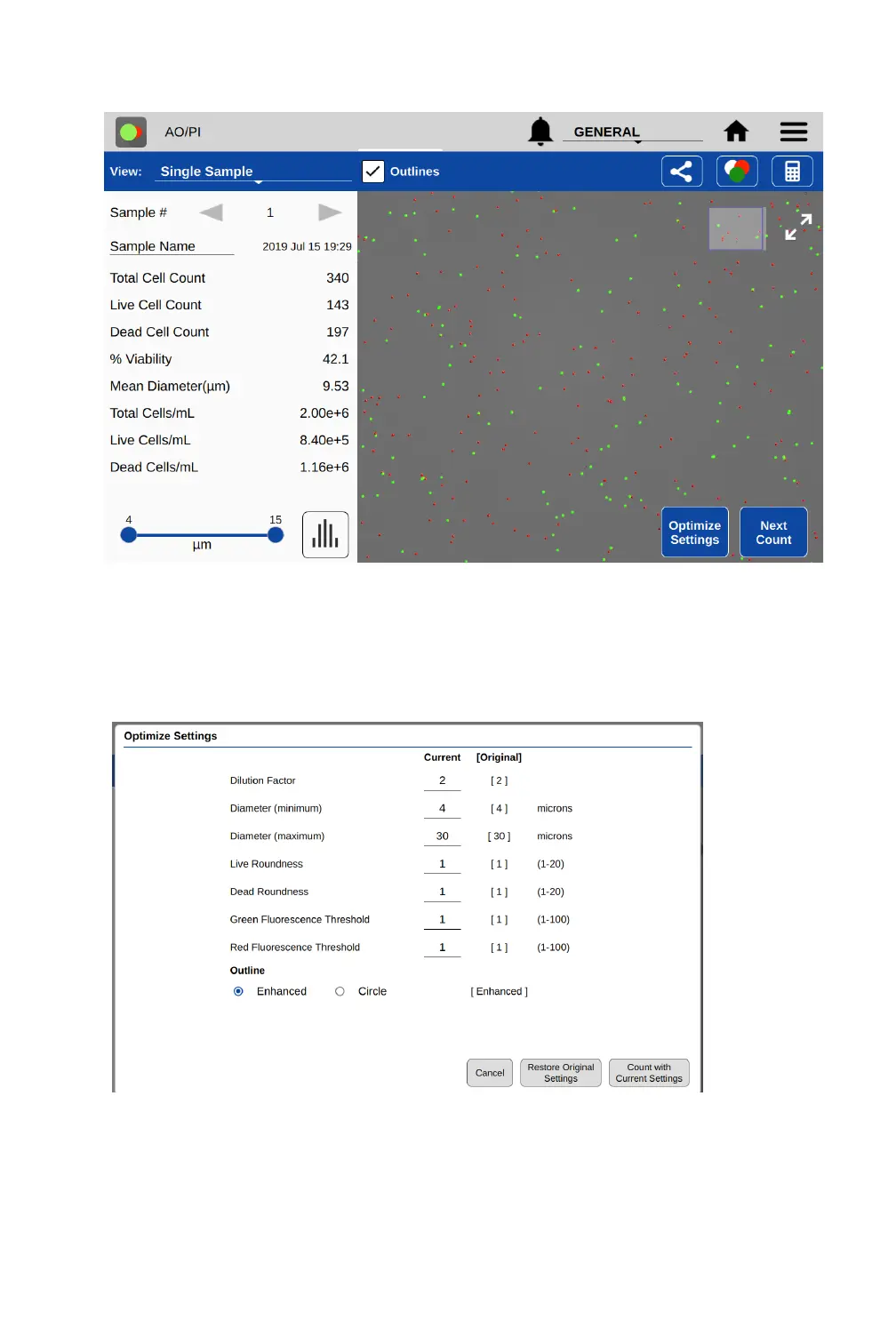
Optimize Settings
• Once a sample has been counted, a subset of the protocol parameters can be further adjusted
to optimize the result. Press the Optimize Settings button, adjust settings and then press
Count with Current Settings to reanalyze the existing image(s) using the new settings. Users
have the option to save the adjusted settings to a protocol if desired.
Next Count
• This button changes the view back to the Count tab and starts a live preview. The previous
result is not saved until the user raises the arm. If the Count button is pressed without raising
the arm, the previous count will be overwritten. To capture a new result of a new sample, raise
the arm, clean the upper and lower sample surfaces, lower the arm then load the next sample.


 To Next Page