www.DentalEZ.com
866-DTE-INFO
14
NuSimplicity
TM
Chair
PN: 2717-256E
Section III Installation
Wireless Controls (Continued)
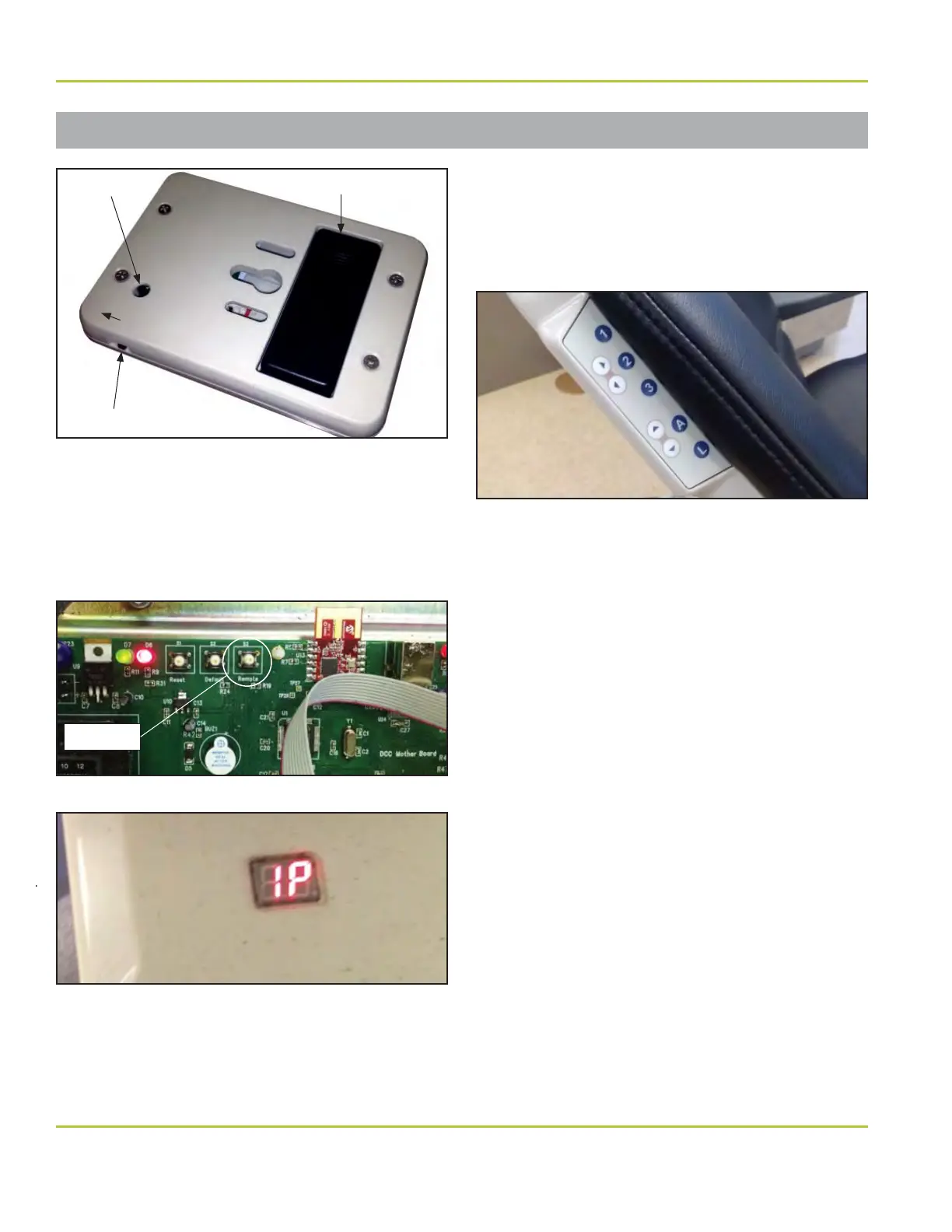
5. Hold down remote switch S3 on main chair
power control board for a minimum of four
(4) seconds (Figure 12). LED display on chair
cantilever cover will change to “IP” and chair
will start beeping (Figure 13).
6. Press pairing switch on bottom of device until
chair stops beeping (Figure 10 and 11).
7. Chair can have up to four (4) wireless
connections. Using chair back touchpad
control, press and hold 1, 2, 3 or A button
until chair double beeps to store appropriate
memory location (Figure 14).
8. Check to verify that all device buttons are
working correctly.
9. Replace base (pump) cover.
Unpair Wireless Devices from Chair
1. Raise chair base up its full UP position.
2. Hold the remote switch S3 on main chair
power control board for 30 seconds. Chair will
stop beeping and wireless connections will be
cleared.
3. Re-pair other devices as needed.
Wireless Control Operation
After wireless control has been idle for an extended
period of time, foot control will go into a “sleep”
mode. Turn power switch OFF and back ON to
return the control to an active mode. If control
does not function after cycling OFF and ON, check
batteries and replace as needed.
Figure 12. ON/OFF switch for wireless touchpad control
S3 Switch
Figure 13. LED display light on cantilever cover
Figure 14. Chair back touchpad control
Figure 11. ON/OFF switch for wireless touchpad control
Pairing Switch Battery Compartment
ON/OFF Switch
ON


 To Next Page