www.DentalEZ.com
866-DTE-INFO
24
NuSimplicity
TM
Chair
PN: 2717-256E
Section IV Operation
Programming Chair Travel Limits
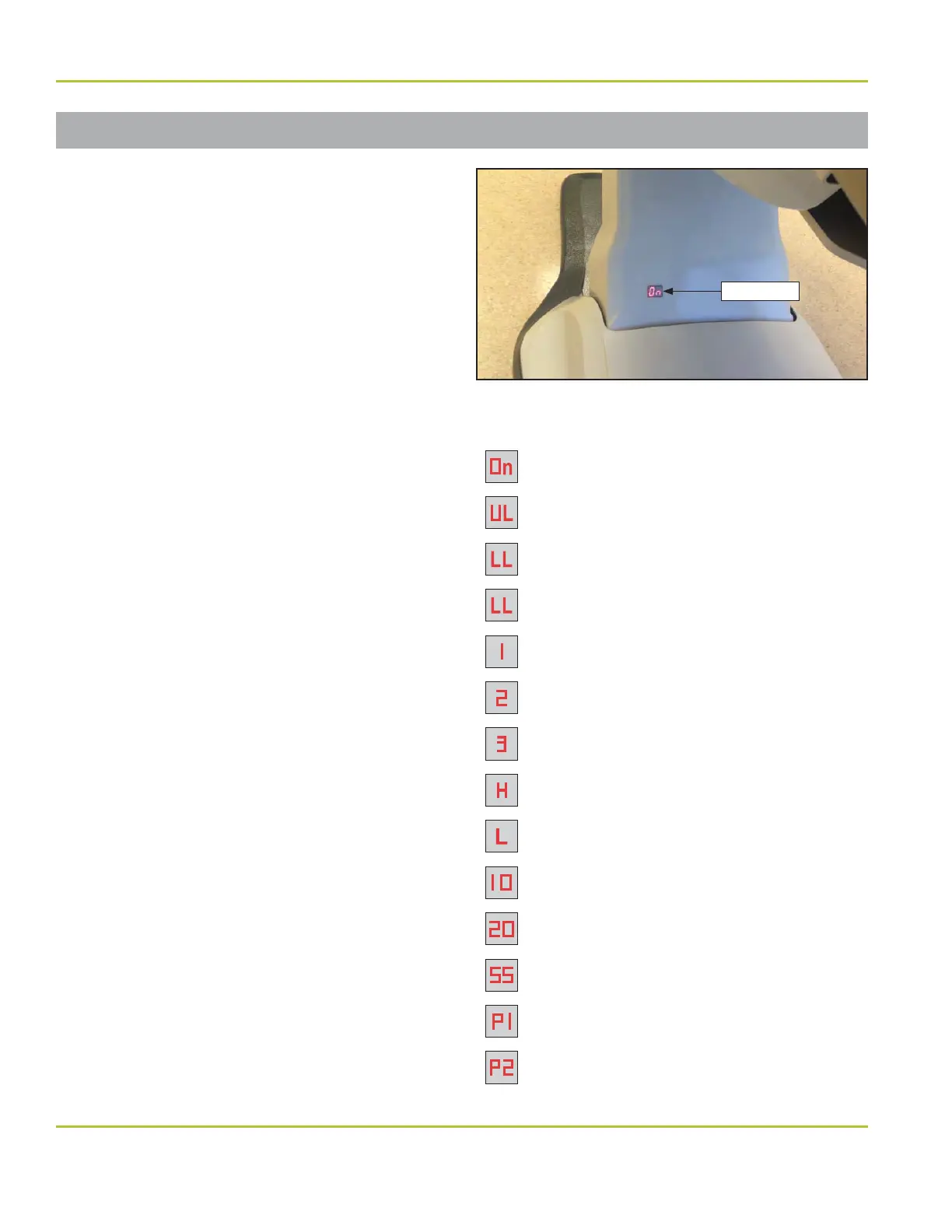
An LED display is located on the upper cantilever
cover of the chair (Figure 29). This display
indicates Power, Service and Run modes.
Upper Limits
1. Press 1 and 2 on the chair mounted touchpad
for ve (5) seconds. The chair will start to beep
and the display will show UL (upper limit).
2. Raise the base and back to its highest position
(limit switches will be engaged).
3. Lower the chair base and back to the highest
desired height. (Ensure that the limit switches
are not engaged.)
4. Press 1 on the chair mounted touchpad for
four (4) seconds.
5. A double beep will con rm upper limits have
been set correctly.
Lower Limits
1. Press 2 and 3 on the chair mounted touchpad
for ve (5) seconds. The chair will start to beep
and the display will show LL (lower limit).
2. Lower the base and back to its lowest position
(limit switches will be engaged).
3. Raise the chair base and back to the lowest
desired height. (Ensure that the limit switches
are not engaged.)
4. Press 1 on the chair mounted touchpad for
four (4) seconds.
5. A double beep will con rm lower limits have
been set correctly.
Segment Display Codes:
= Power On
= Upper Limit Programming
= Lower Limit Programming
= Calibration Mode
= Preset #1 Engaged
= Preset #2 Engaged
= Preset #3 Engaged
= Auto Return Engaged
= Last Position Engaged
= Open in Base Up Safety Circuit
= Open in Back Up Safety Circuit
= Open in Base Down Safety Circuit
= Base Potentiometer Error
= Back Potentiometer Error
LED Display
Figure 29. LED display location on chair cover


 To Next Page