Shenzhen Dericam Technology Co., Ltd. User Manual V1.0.7
Email: support@dericam.com Website: www.dericam.com
10
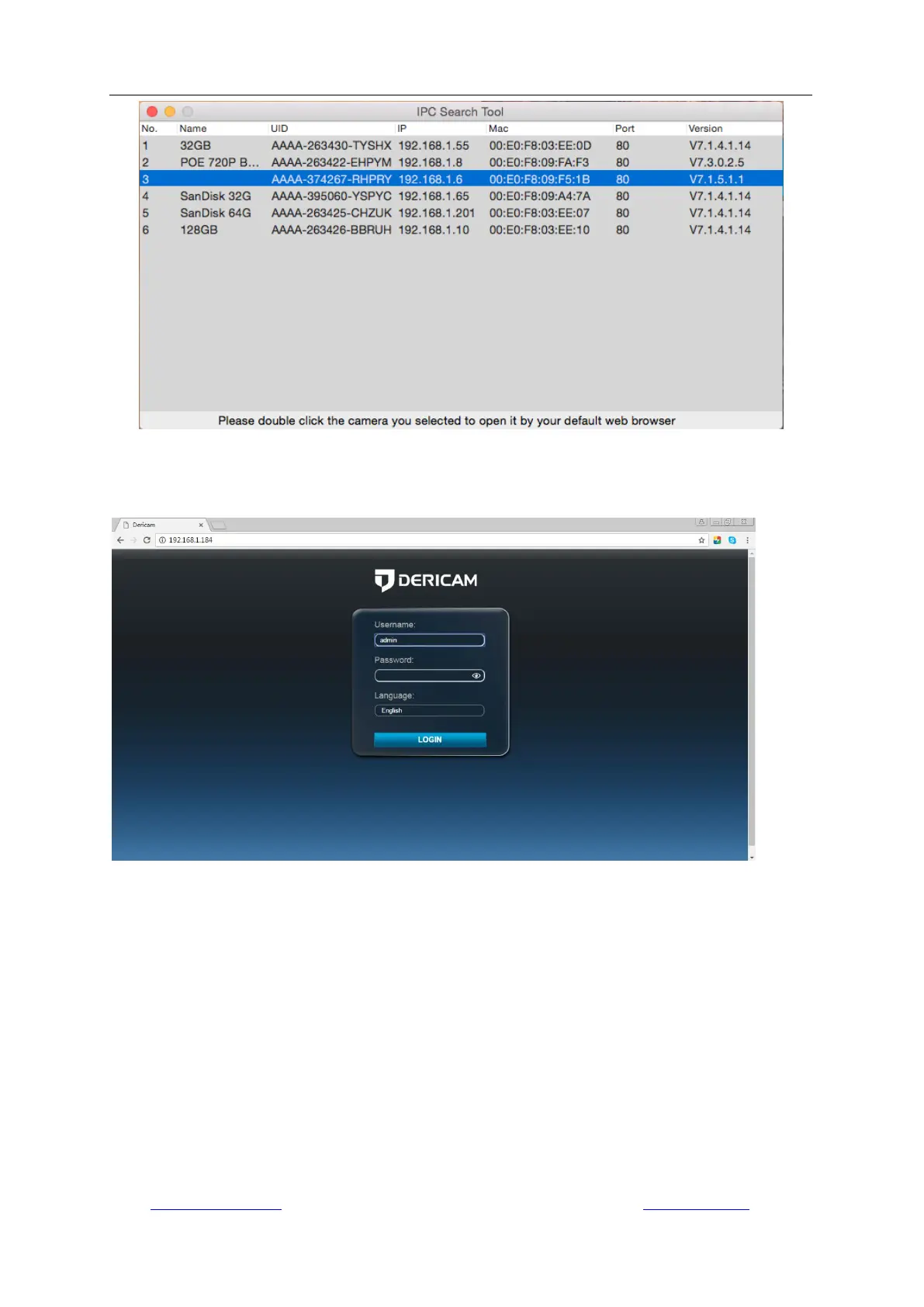
Double click the camera on the search list to open the camera with web browser, such as Safari
(see below).
Right click on a searched item; you can refresh the search result by selecting “Refresh Camera
List” or “Flush Arp Buffer”. And you can modify the IP address, device name and http port of the
camera after selecting “Network Configuration”. Please note:
1. You should input the correct username and password first, and then it is available to modify the
“Network Configuration”.
2. The login Username and Password of the camera are not available to change in below blanks
of “Network Configuration”. There is an entry to changing the username and password in web
browser after access.
3. The camera will reboot automatically if you modify the http port.



 To Next Page