Shenzhen Dericam Technology Co., Ltd. User Manual V1.0.7
Email: support@dericam.com Website: www.dericam.com
30
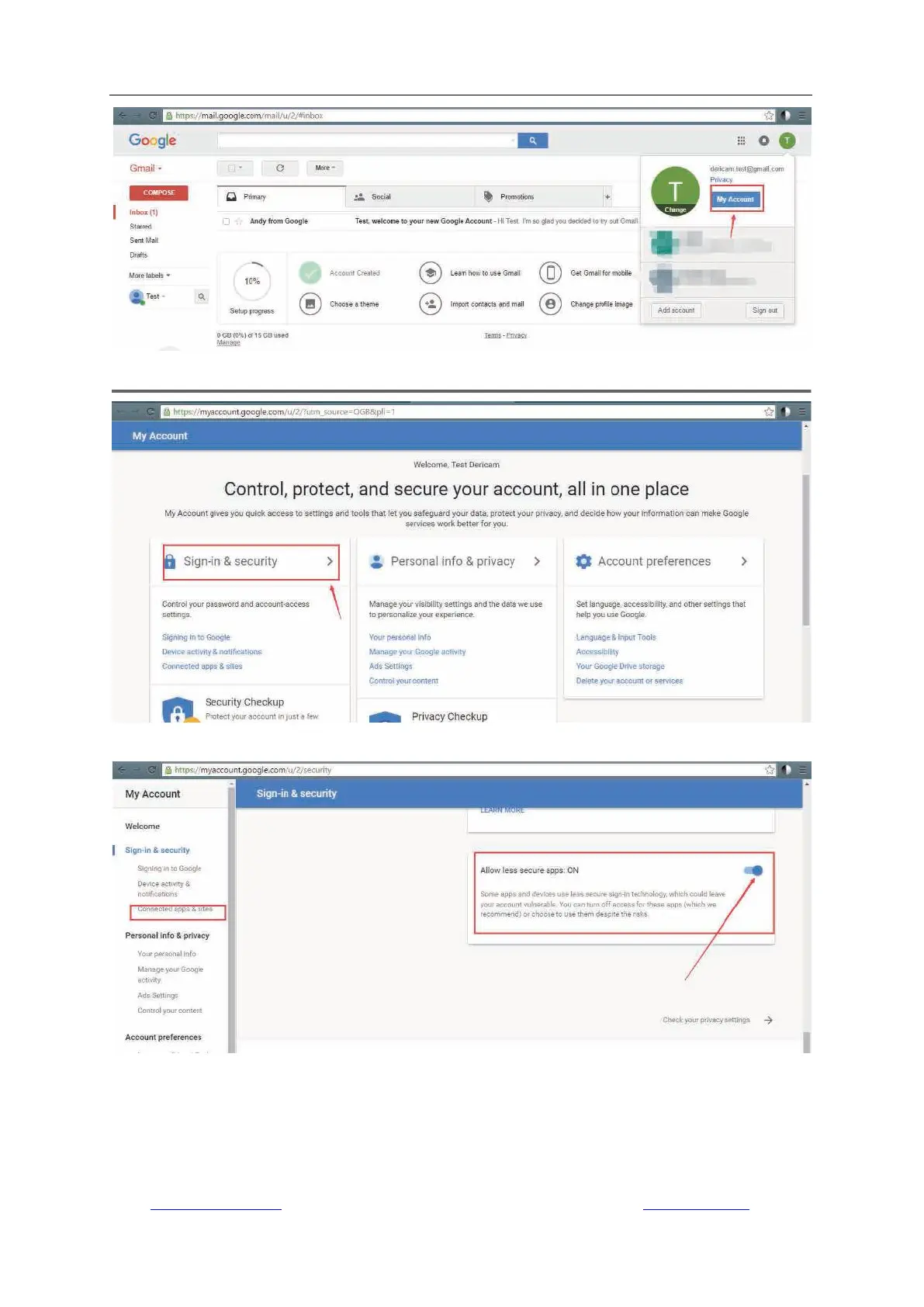
3) Go to the page of “Sign-in & security”.
4) Go to “Connected apps & sites” and enable the button “Allow less secure apps On” at right.
Secondly, you should enable the “Motion Detection” at the “Motion Detection” page mentioned
above, and enable the “Alarm emails with snapshots” at “Alert Settings” page mentioned above.
4.4.11 FTP Settings
Go to “Camera Setup” -> “FTP Setting” to configure the parameters that allow saving



 To Next Page