Shenzhen Dericam Technology Co., Ltd. User Manual V1.0.7
Email: support@dericam.com Website: www.dericam.com
24
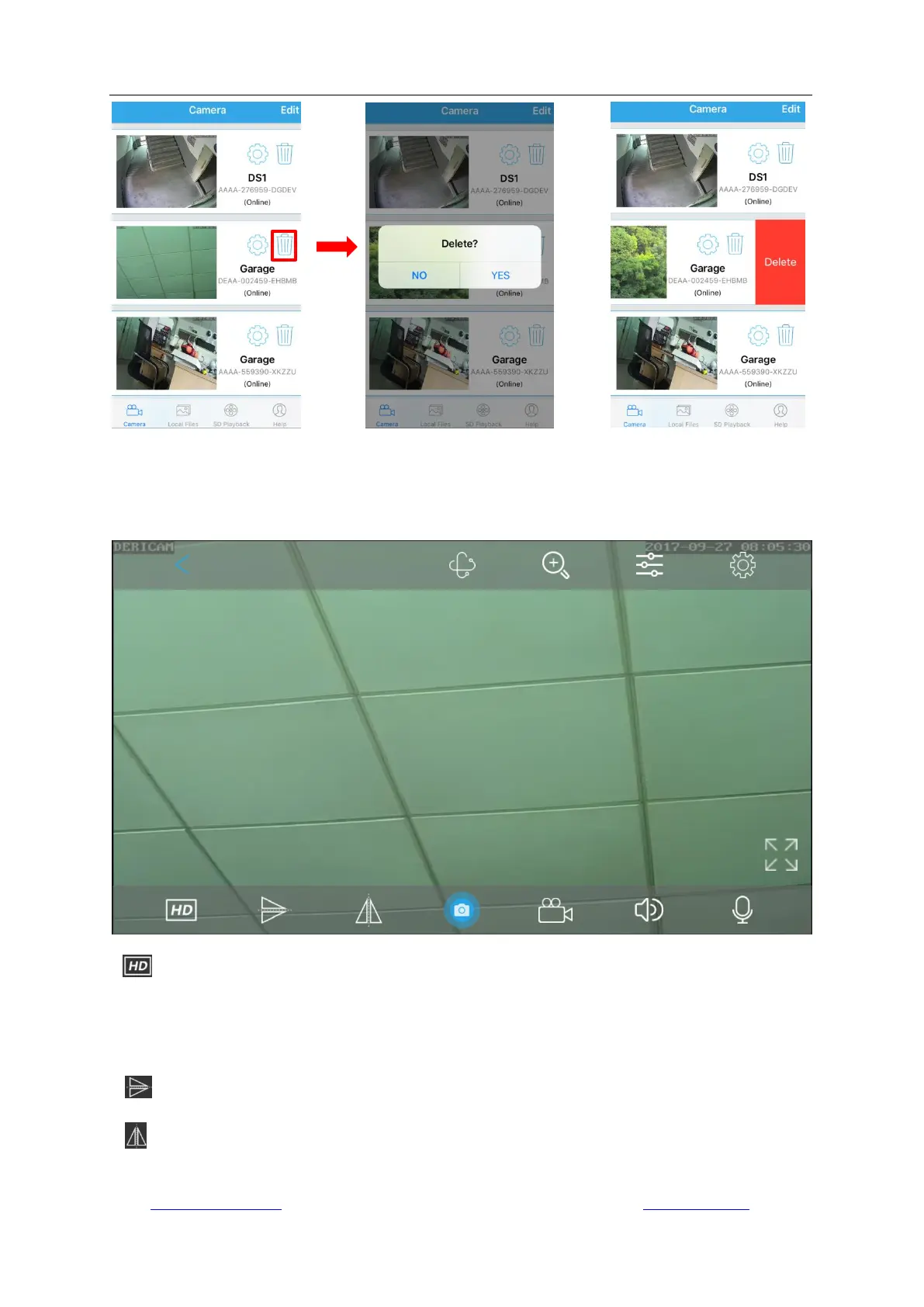
4.3 Live view page
After installation and setup, you can view the video or continue setup as you want. The functions
of each icons on the live view interface will be described in this sector.
- Resolution, you can choose “Clear” or “Fluent” mode.
The “Clear” mode takes the first/main stream; while the “Fluent” mode takes the second/sub
stream which is in VGA as default. You can also change the default settings in “Camera Setup” ->
“Video Setting”.
- Image Flip
- Image Mirror



 To Next Page