Shenzhen Dericam Technology Co., Ltd. User Manual V1.0.7
Email: support@dericam.com Website: www.dericam.com
49
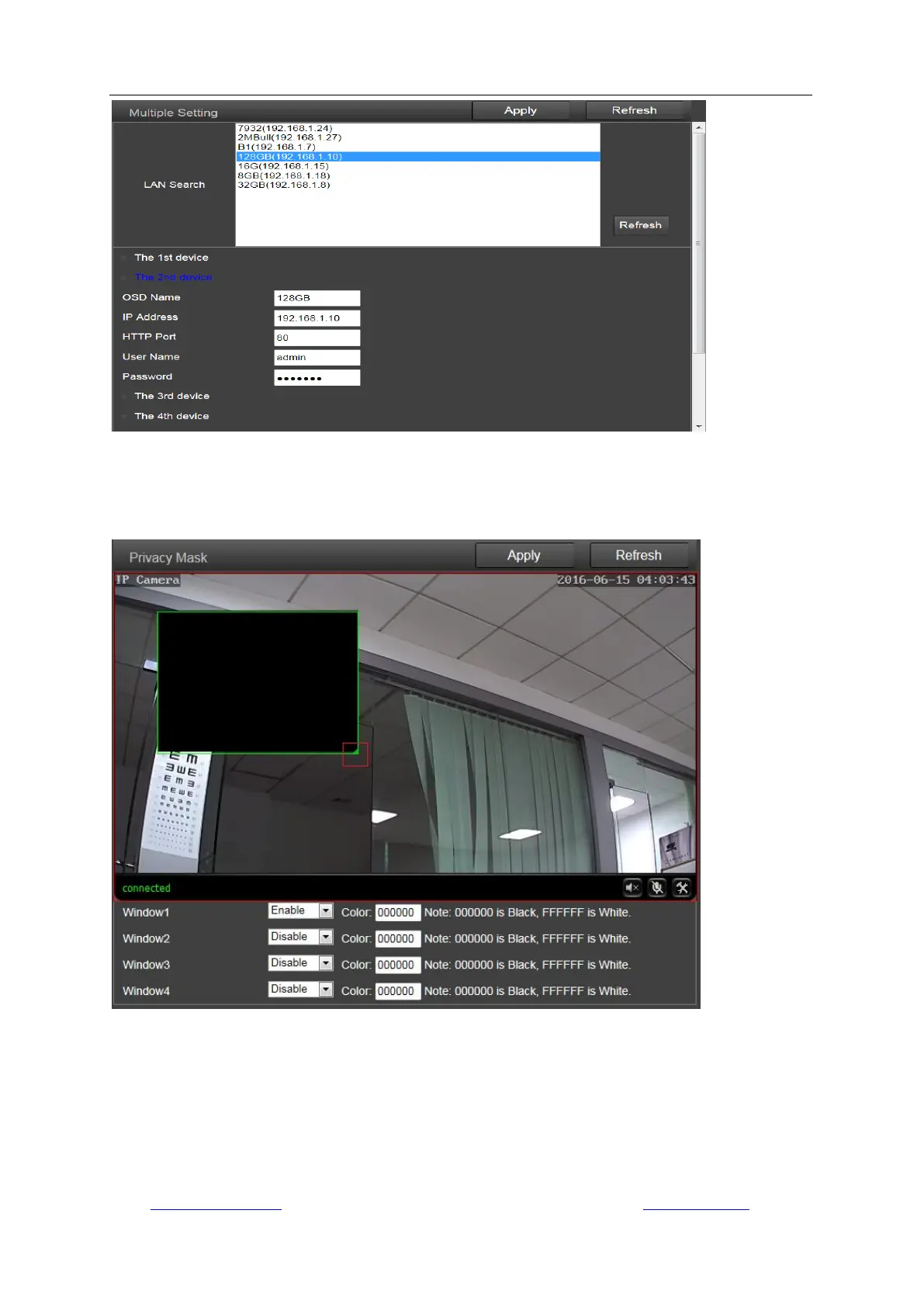
8) Privacy Mask (Only Available for IE browser on windows OS)
Here you can set up masks for up to 4 areas which you don‟t want the camera to monitor in the
screen in different colors. And the position and size of mask areas can be adjusted by dragging
the mask box or edge.
5.4.5 System
1) Time
Here you can set the time, date, the status of NTP and DST (Daylight Saving Time), and the time
zone for your camera.



 To Next Page