Shenzhen Dericam Technology Co., Ltd. User Manual V1.0.7
Email: support@dericam.com Website: www.dericam.com
32
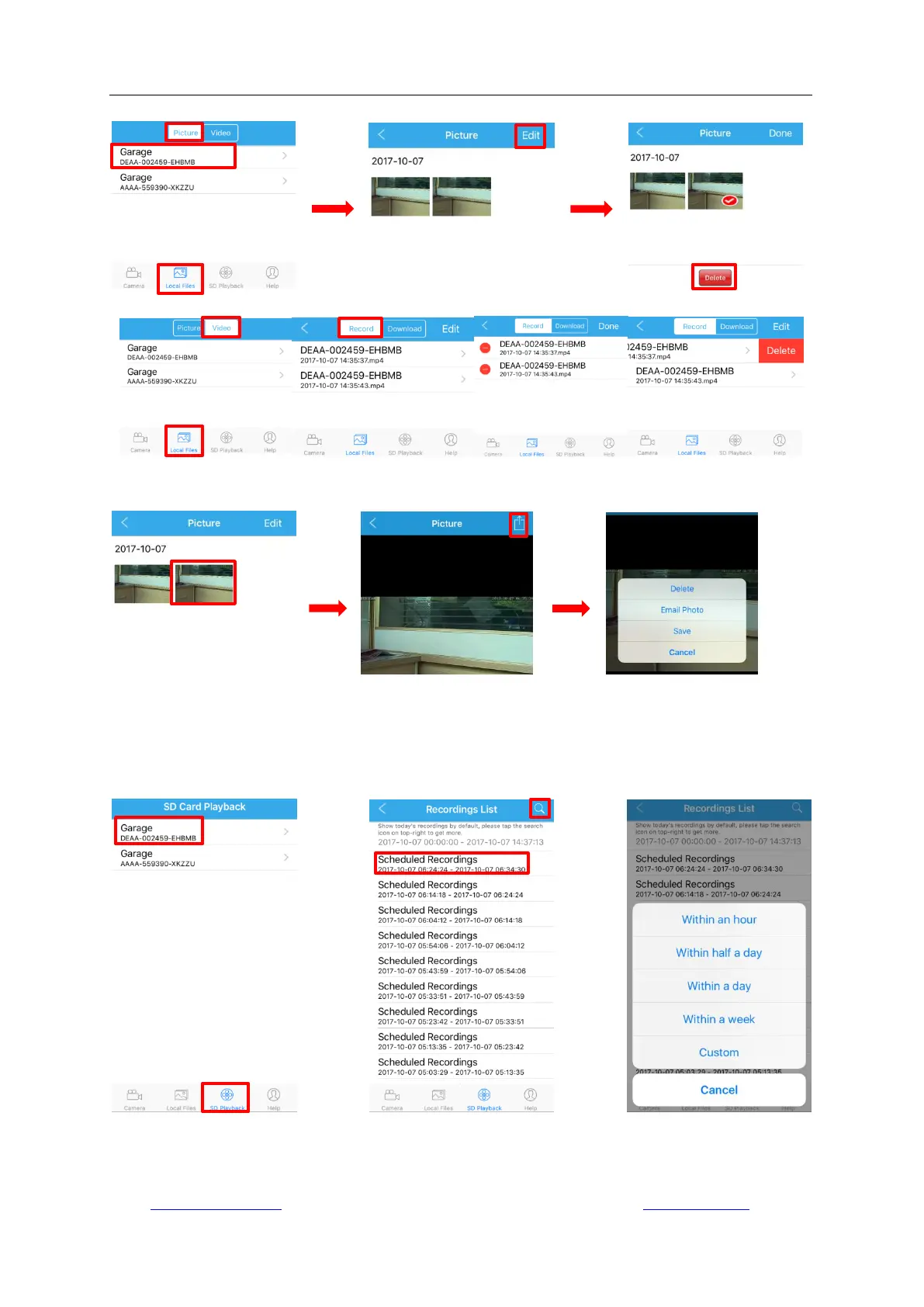
by manual from the local storage of your mobile device.
For the local picture, you can also delete it, share it to others through email or save it to your
mobile phone‟s photo library by tapping the picture.
4.6 Playback from SD Card
Tap “SD Card Playback” on the main interface and you can view, playback and download the
recordings from the SD Card of the camera. The date and time conditions can be set up for
accurate search after tapping the search icon on the right top corner.



 To Next Page