Shenzhen Dericam Technology Co., Ltd. User Manual V1.0.7
Email: support@dericam.com Website: www.dericam.com
22
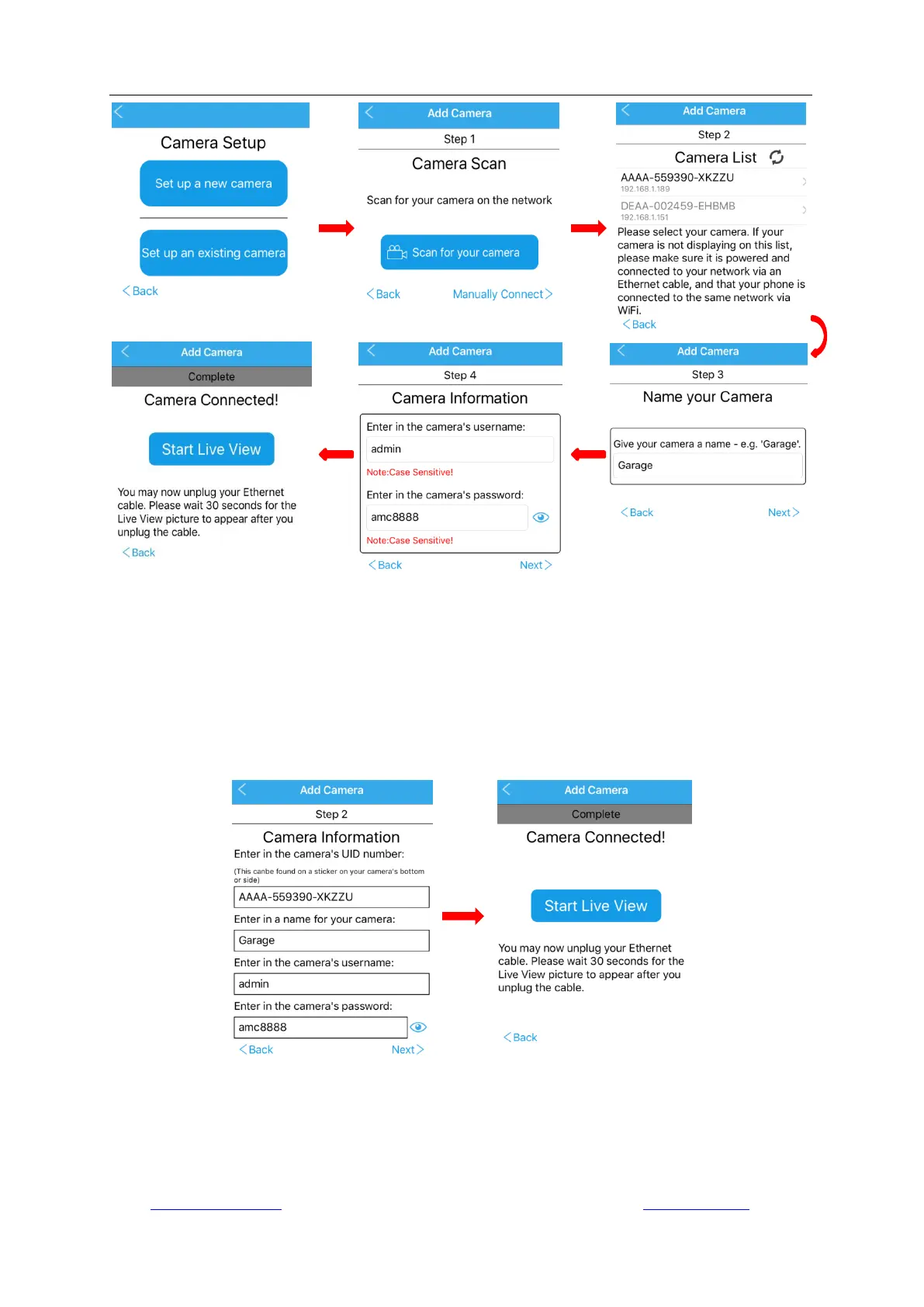
4.1.2.2. Manually Connect
If you want to add an existing camera on your mobile device by manual, please choose “Manually
Connect”.
- Give the camera a name, and tap “Next”.
- Then the camera will be successfully added on your phone, so you can start the live view or do
further settings now.
Please note, adding an existing camera by manual is mainly used for remotely access via App.
4.2 Camera list page
Run the App and go to the first page, you can delete or edit login information of the cameras on
the list.
-Tap the edit icon „Edit‟ on the right top of the page to edit the camera‟s login information. You can



 To Next Page