Shenzhen Dericam Technology Co., Ltd. User Manual V1.0.7
Email: support@dericam.com Website: www.dericam.com
23
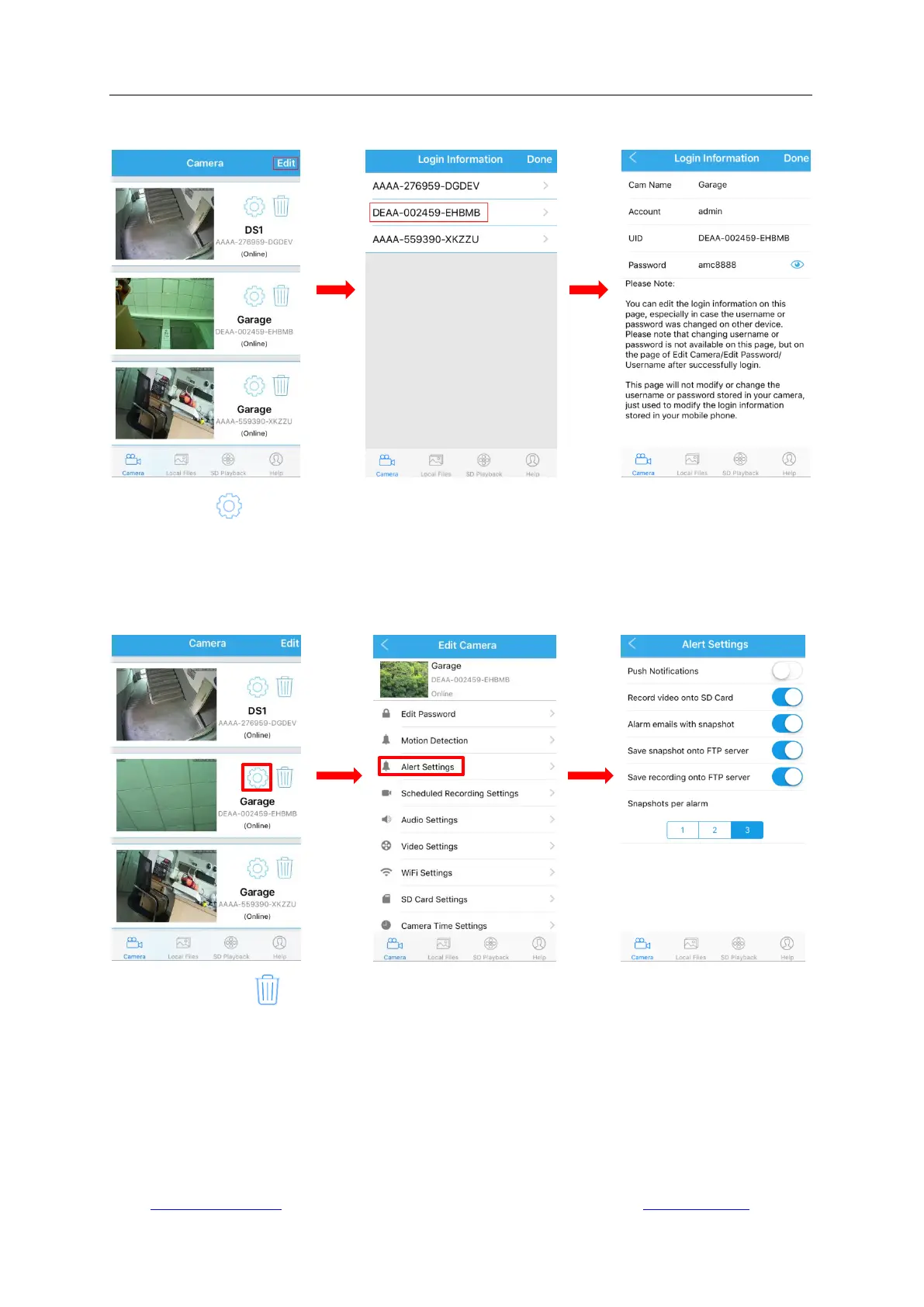
modify the camera name, username, password or UID code especially when you fail to login the
camera after changing the username or password on another device.
-Tap the icon above the camera name to go to the setting page. And then you can edit all
your camera‟s settings, include Edit Password, Alarm Setting, Alarm Link Setting, Timed
Recording Setting, Audio Setting, Video Setting, Wifi Setting, SD Card Setting, Device Time
Setting, Email Setting, FTP Setting, System Setting and Device Information. The detail settings
will be explained in next chapter.
-Tap the trash icon to delete the camera you want. On iOS devices, you can also make it by
sliding the camera from right to left.



 To Next Page