36
Setting up the controls
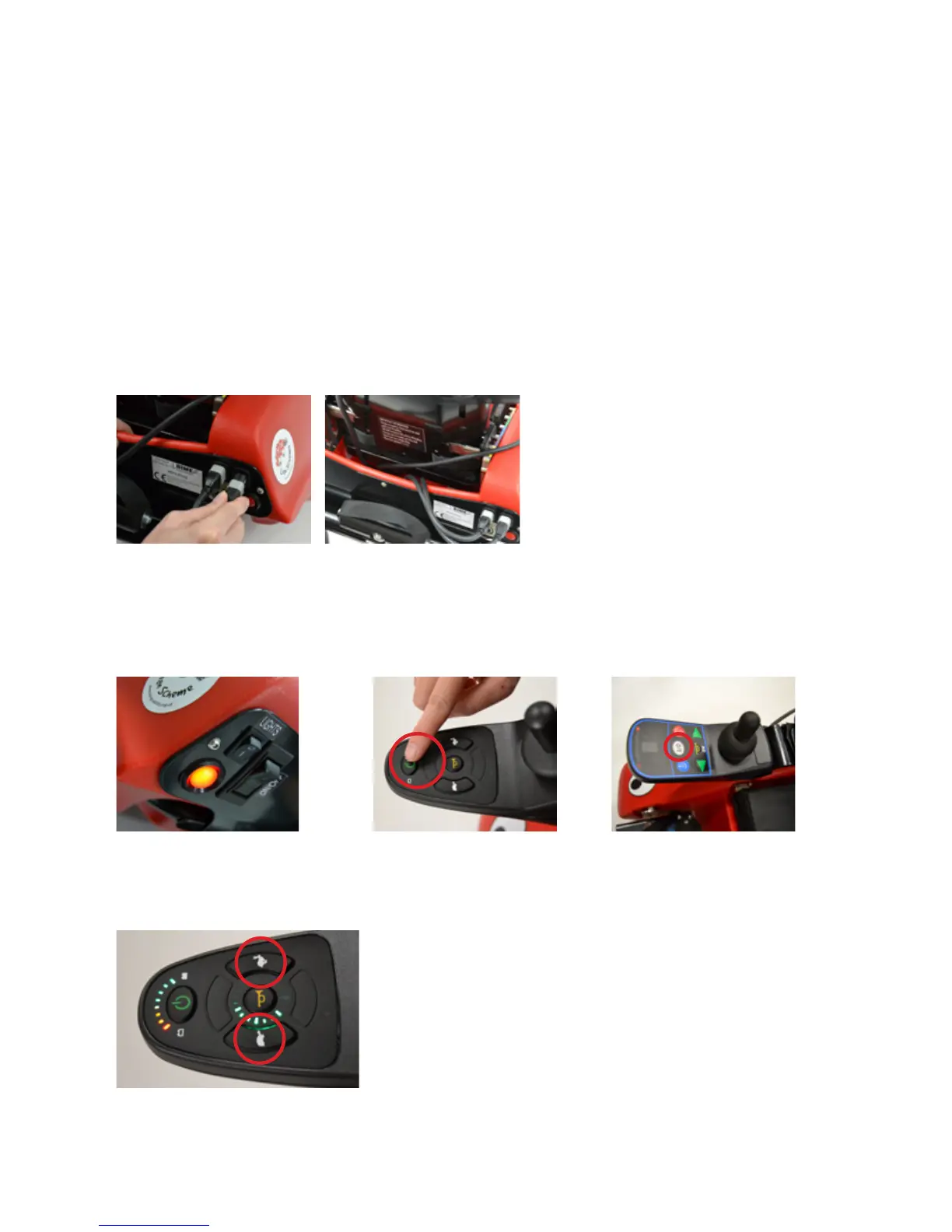
The joystick and carer controls are designed to give proportional
control, meaning the more you push the faster you go, within
the speed limits set. The joystick and carer control both plug into
either of the two sockets on the back of Wizzybug’s body. It does
not matter which socket is used, but they will only plug in one way
up. Ensure cables are tucked away safely and are not left trailing.
Clips are supplied to use as required. The joystick control can be
set on the left or right hand armrest and the angle is adjustable
using the armrest support.
Switch on Wizzybug using the main on and off switch on the back
panel. Then switch on at the joystick control using the central
power button.
If you have a Shark joystick use the hare and the tortoise buttons
(as shown below) to set the speed.
Fig 31 Shark tortoise and hare buttons
Fig 28 Main on and off switch Fig 29 Shark power button Fig 30 DX power button
Fig 26 Control sockets Fig 27 Storing excess cables


 To Next Page