EasyManua.ls Logo

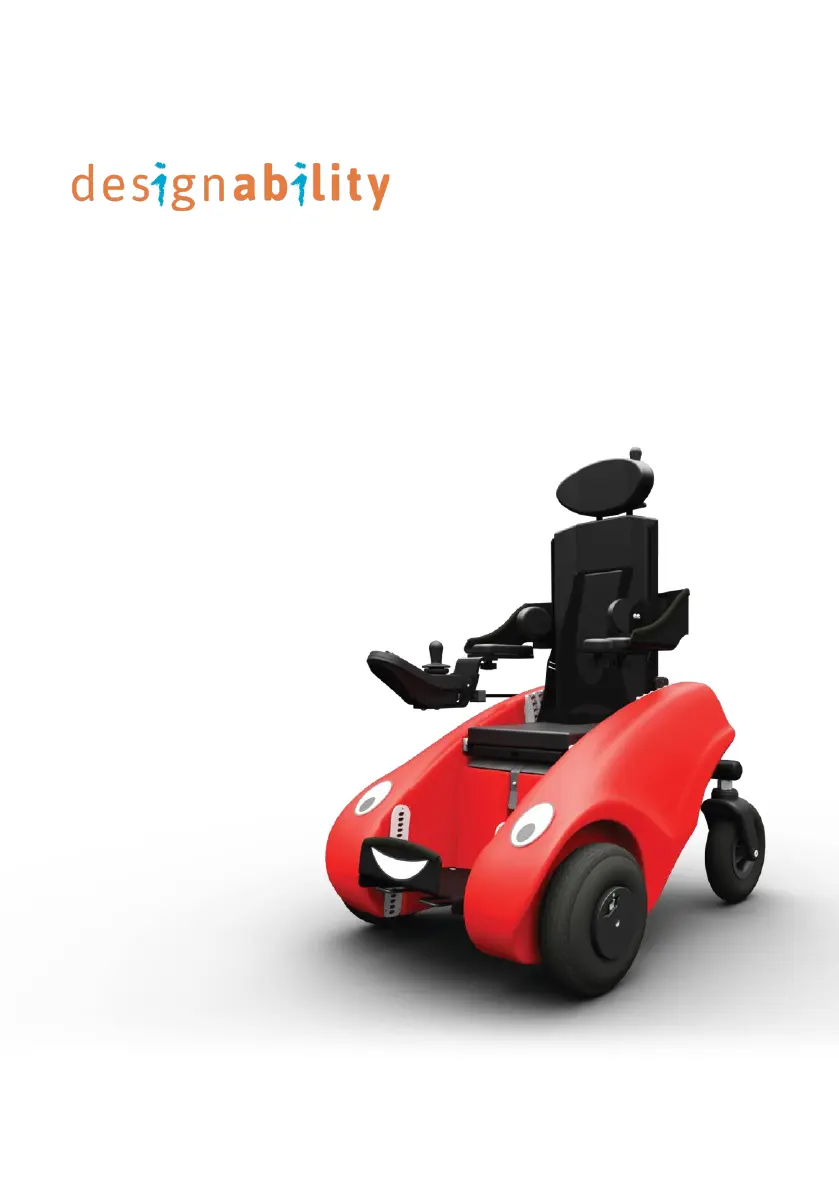
Designability WizzyBug - User Manual

Designability WizzyBug
72 pages
Print Icon
To Next Page IconTo Next Page
Loading...
Wizzybug
Instructions for Use
DOC-025 Wizzybug Instructions for Use en-GB 4.0 November 2020

Table of Contents

Other manuals for Designability WizzyBug

Questions and Answers

  • R
    Robert McclainAug 20, 2025
    What to do if the on/off button on my Designability WizzyBug Medical Equipment joystick flashes red and beeps?
    • B
      Barbara GonzalezAug 20, 2025
      If the on/off button on your Designability Medical Equipment joystick flashes red and beeps loudly once every 10 seconds, this indicates that the battery is completely flat. You should turn off all power, including the lights, and fully recharge the battery.
  • M
    Michelle JeffersonAug 22, 2025
    How to unlock the joystick controller on Designability WizzyBug Medical Equipment when the red key symbol is flashing?
    • J
      Jason GarciaAug 22, 2025
      If the joystick controller of your Designability Medical Equipment is not working and a red key symbol is flashing, it means the joystick is locked. To unlock it, use the blue magnetic key (supplied with Wizzybug) and slide it over the number display.
  • S
    Sean MendozaAug 25, 2025
    What to do if the spanner light flashes on the Designability Medical Equipment joystick controller?
    • C
      Christina StevensAug 25, 2025
      If the joystick controller of your Designability Medical Equipment is not working and the spanner light flashes on the joystick, turn the joystick controller off and on again. If the spanner is still flashing, then it is displaying a fault code.
  • B
    Brandy HowellAug 27, 2025
    Why does the Designability Medical Equipment joystick turn on, beep, and then turn off?
    • A
      Andrew HarmonAug 27, 2025
      If the joystick turns on then lights scroll right to left, the joystick beeps and turns off on your Designability Medical Equipment, it means the joystick has been locked. Turn it on again and press the horn button 3 times quickly to unlock it.
  • K
    Kathy ClarkAug 28, 2025
    How to unlock a Designability WizzyBug joystick controller with a padlock symbol on the screen?
    • K
      Kevin NorrisAug 28, 2025
      If the joystick controller of your Designability Medical Equipment is not working and a padlock symbol is displayed on the screen, it means the joystick has been locked. To unlock it, turn the joystick controller on using its on/off button and press and hold both buttons I and II for several seconds.
  • J
    Jennifer JohnsonAug 30, 2025
    What does it mean when the red light flashes on the Designability Medical Equipment joystick battery indicator?
    • A
      Amanda ChapmanAug 30, 2025
      If the red light flashes on the joystick battery indicator of your Designability Medical Equipment, turn off all power (including the lights) and recharge the battery.
  • S
    Shawn CarterAug 31, 2025
    What to do if the joystick battery indicator shows the last red light on Designability WizzyBug?
    • J
      John PattersonAug 31, 2025
      If the joystick battery indicator shows the last red light on your Designability Medical Equipment, turn off all power (including the lights) and recharge the battery.
  • L
    Lisa OnealSep 2, 2025
    Why is the on/off button on my Designability WizzyBug Medical Equipment joystick flashing red?
    • T
      Trevor NewtonSep 2, 2025
      If the on/off button on the joystick of your Designability Medical Equipment is flashing red, turn the joystick controller off and on again. This indicates a fault code.
  • J
    Jeffrey VargasSep 4, 2025
    What does a flashing green key symbol on the Designability WizzyBug Medical Equipment joystick controller mean?
    • D
      david63Sep 4, 2025
      If the joystick controller of your Designability Medical Equipment is not working and a green key symbol is flashing, and speed setting 4 or 5 are selected, press the speed button repeatedly until it shows 1, 2 or 3. Settings 4 and 5 are only used if your child drives Wizzybug using switches.
  • K
    Kevin Wood DVMSep 6, 2025
    How to troubleshoot a Designability WizzyBug joystick that does not turn on?
    • E
      edillonSep 6, 2025
      If the joystick of your Designability Medical Equipment does not turn on, check the on/off switch at the back of Wizzybug and that the battery is connected. If the battery is nickel metal hydride, remove it and press the button that says “Push to test”. If this indicates zero power, reconnect it to Wizzybug.

Summary

Important Information

INTENDED PURPOSE AND INTENDED USERS

Defines the intended use and target users for the Wizzybug powered wheelchair.

SAFETY INFORMATION

SUITABILITY (CONTRAINDICATIONS)

Overview of Wizzybug

Wizzybug Features

IMPORTANT NOTES ON SEATING AND OTHER FEATURES

Seating System and Child Securing

Guidance on securing the child, seating system, user weight, and footrest.

How to Put Wizzybug Together

BATTERY

Battery Fitting Procedures

Instructions for installing SLA, NiMH, and LiFePO4 batteries into the Wizzybug.

FOOTREST

SEATING SYSTEM

Seating System Setup and Adjustments

Comprehensive guide to fitting, adjusting seat depth, tilt-in-space, backrest, and headrest.

Armrests and Thoracic Supports

How to Take Wizzybug Apart

Wheels

Control System

Setting Up the Controls

Instructions for plugging in and switching on the joystick and carer control.

CARER CONTROL

Speed Range Settings

Positioning of the Joystick

Joystick Adjustments

Comprehensive guide to adjusting joystick reach, angle, height, fine tuning, and handrest.

Locking the Joystick

Optional Control Inputs

LINX Plus Advanced Settings

Battery Indicator

Battery and Charging

Charging Procedures

Detailed instructions for charging SLA, NiMH, and LiFePO4 batteries.

Maintenance of the Battery

Moving and Handling

Transportation

Maintenance and Servicing

Cleaning and Maintenance Procedures

Guidelines for cleaning, regular checks, storage, battery care, and servicing.

Warranty (Sales Customers Only)

Troubleshooting

Problem Resolution

Guides for resolving common issues with the joystick, battery indicators, and seat fixing.

Specification

Designability WizzyBug Specifications

General IconGeneral
BrandDesignability
ModelWizzyBug
CategoryMedical Equipment
LanguageEnglish