40
SETTING THE SPEED RANGE (LINX)
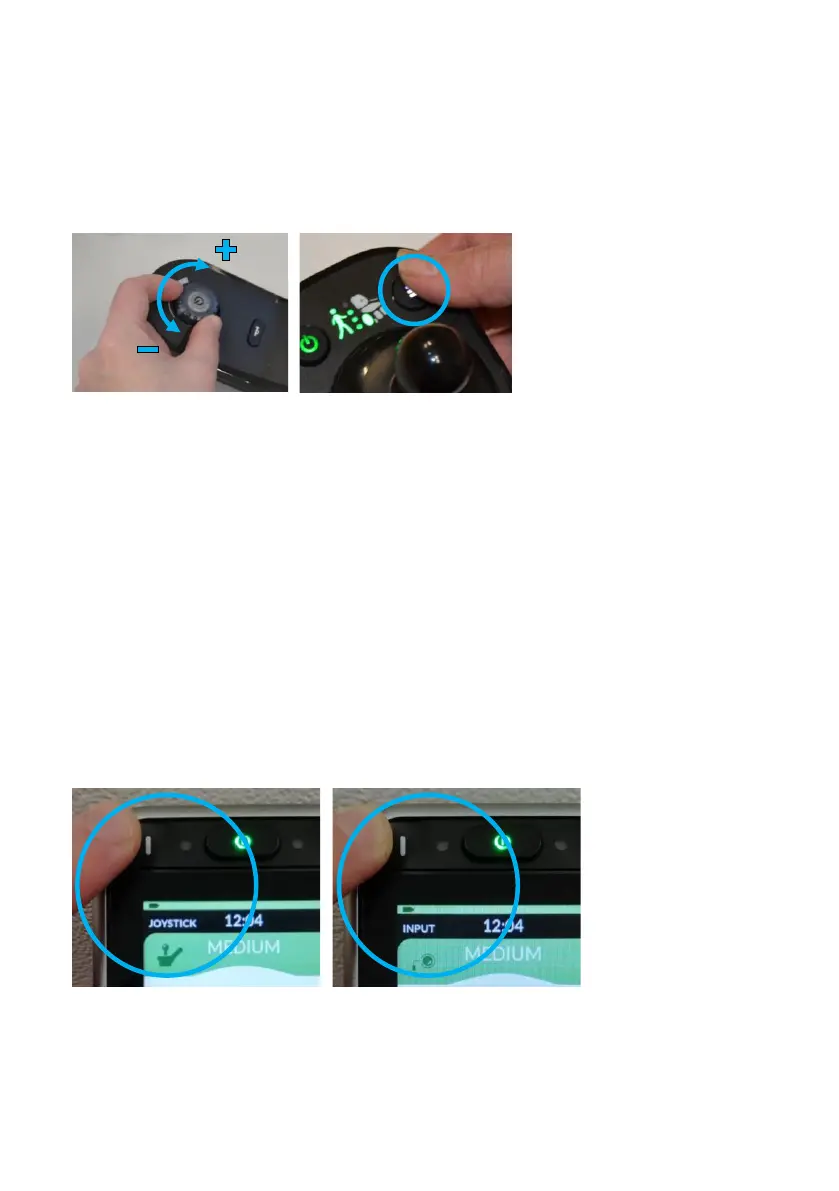
Use the dial to set the speed range (Fig. 53). If a carer is
controlling Wizzybug, press the speed button repeatedly (Fig. 54)
on the carer control to cycle through four speed ranges.
SETTING THE SPEED RANGE (LINX PLUS)
Press button I (Fig. 55) to cycle through four speed ranges (slow,
medium, fast and fastest). If a carer is controlling Wizzybug, press
the speed button repeatedly (Fig. 54) on the carer control to cycle
through four speed ranges.
Hold button I (Fig. 56) for several seconds to choose joystick
control or inputs control (if your child uses switches to control
Wizzybug).
If Designability or your Wizzybug provider has adapted your LiNX
Plus with advanced settings, please refer to page 48.


 To Next Page