45
Locking the Joystick
If you want to stop Wizzybug being driven, for safety reasons, you
can lock Wizzybug’s joystick controller.
To lock Wizzybug:
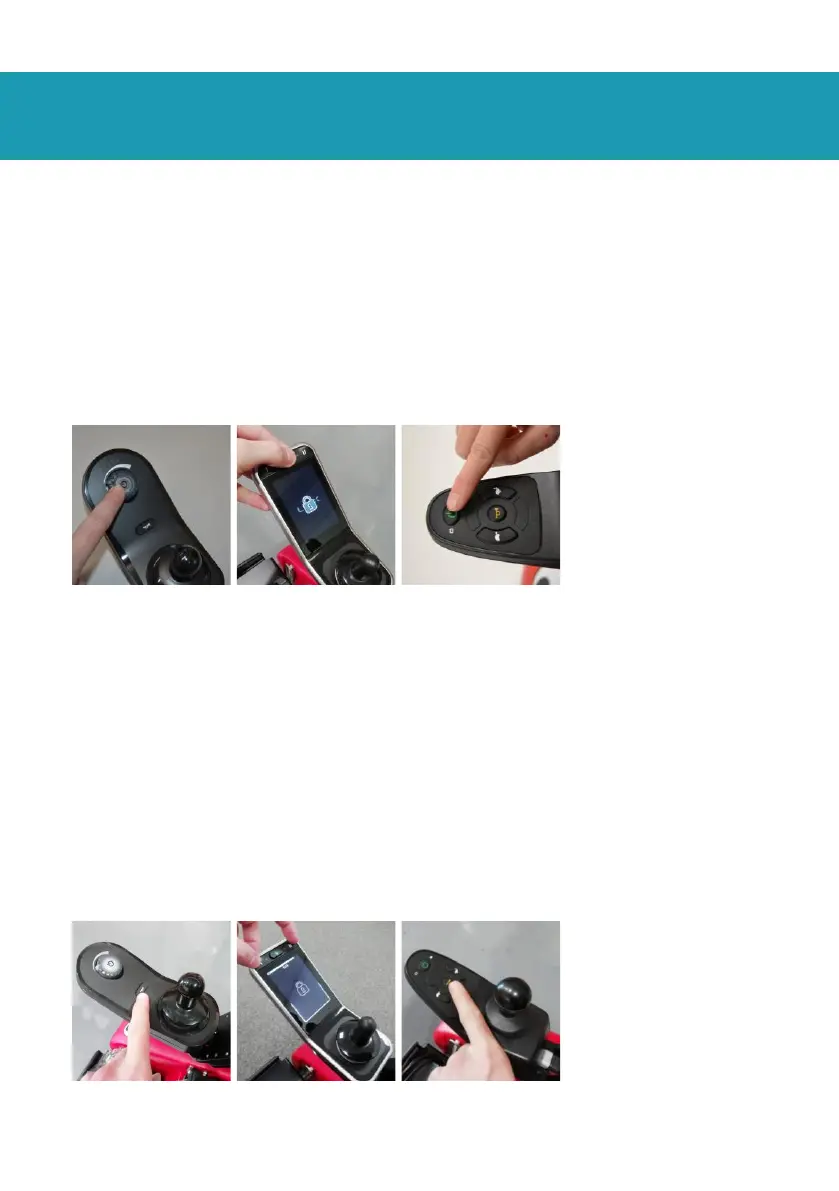
• (LiNX, LiNX Plus or Shark), press and hold the on/off button for
several seconds until the lights flash (Fig. 66).
• (DX controller) pass the supplied blue magnetic key over the
DX controller display.
Fig. 66 Locking Wizzybug
To unlock Wizzybug:
• (LiNX or Shark) Turn the joystick controller on using its on/off
button and then press the horn button in quick succession two
times for LiNX or three times for Shark (Fig. 67).
• (LiNX Plus) Turn the joystick controller on using its on/off
button and then press and hold both buttons I and II for
several seconds (Fig. 67).
• (DX) Pass the supplied blue magnetic key over the controller
display.
Fig. 67 Unlocking Wizzybug


 To Next Page