41
SETTING THE SPEED RANGE (SHARK)
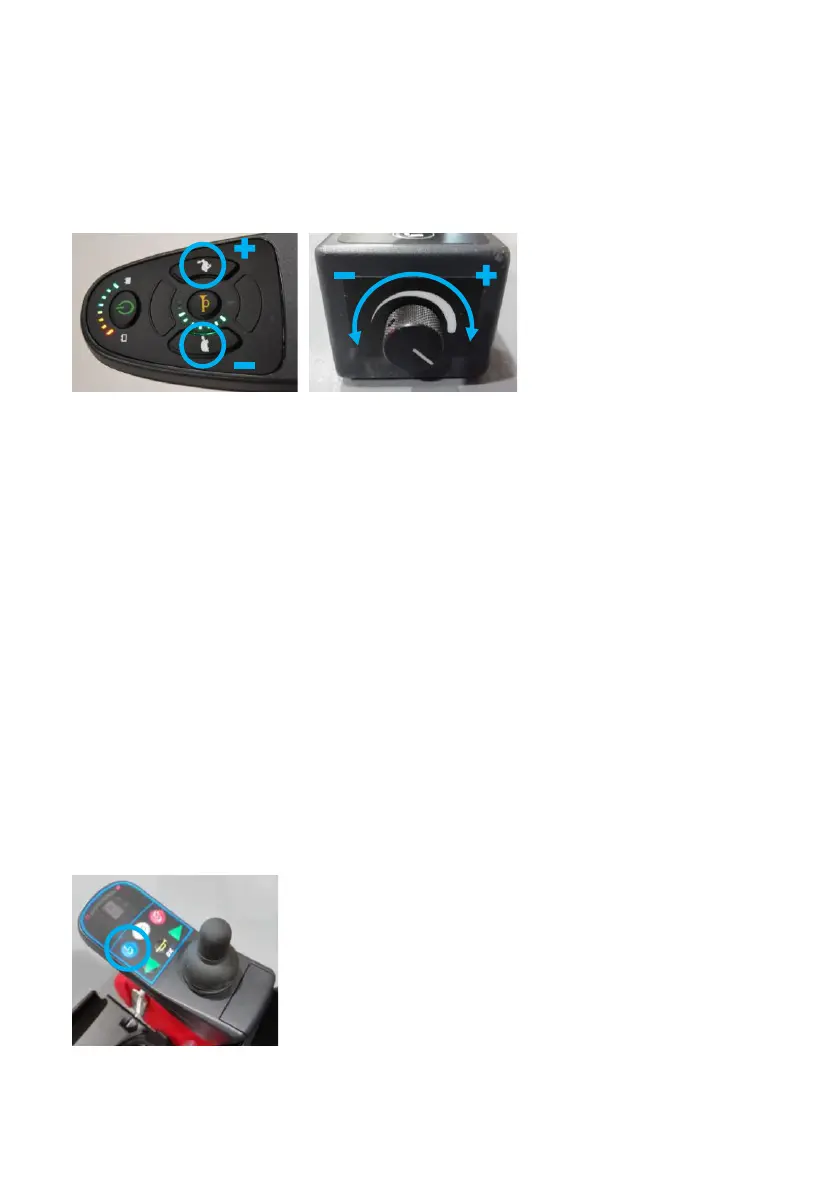
Use the hare and the tortoise buttons to set the speed range (Fig.
57). If a carer is controlling the Wizzybug, set the speed range by
turning the carer control speed dial (Fig. 58).
SETTING THE SPEED RANGE (DX)
Use the blue button to set the speed range (Fig. 59).
If the joystick is used, choose speed range 1 (Slow), 2 (Medium) or
3 (Fast).
If your child uses switches to control Wizzybug, choose 4 (Slow)
or 5 (Fast).
Depending on the version of carer control you have, the speed
range is adjusted either by pressing the speed button or turning
the dial.
Fig. 59 DX Speed Button


 To Next Page