38
SETTING UP THE CONTROLS
The joystick and carer control give “proportional control”, so that
the harder you push the faster you go, within the set speed range.
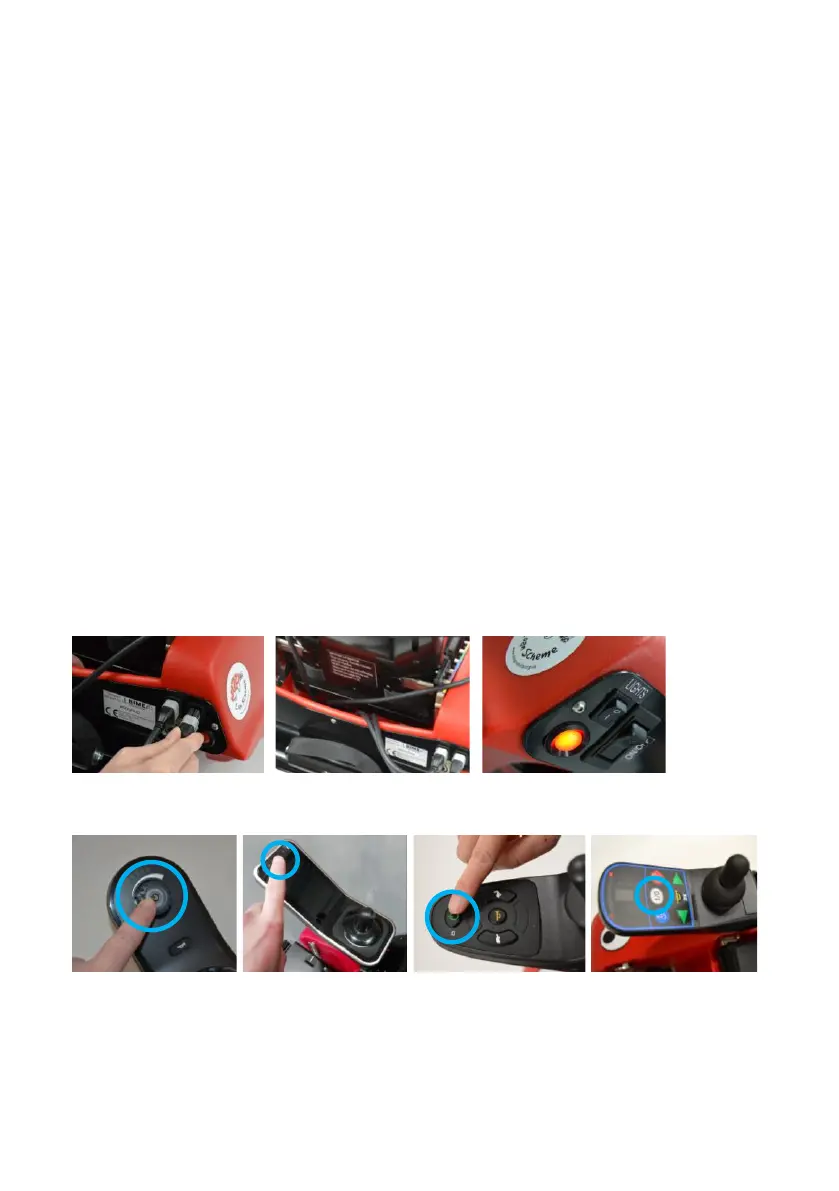
1. Plug the joystick and carer control cables into the two sockets
at the back of Wizzybug. Both sockets are the same, but the
connectors can only fit in one way up (Fig. 45).
2. Make sure that the cables are tucked away safely behind the
seat. Clips are supplied to use as required (Fig. 46).
3. Switch on Wizzybug using the main on/off switch at the back
of Wizzybug (Fig. 47).
4. Switch on the joystick controller using the joystick power
button (Fig. 48 to Fig. 51).


 To Next Page