15
95-8704
2.7
maINTENaNCE
IMPORTANT
Periodic flamepath inspections are not
recommended, since the product is not
intended to be serviced and provides
proper ingress protection to eliminate
potential deterioration of the amepaths.
WARNING
To avoid a potential electrostatic discharge
(ESD), the painted surface of the detector
should only be cleaned with a damp cloth.
WARNING
The sensor module (“front” half of the
detector) contains no user serviceable
components and should never be tampered
with.
NOTE
Refer to the X3301 Safety manual, number
95-8720, for specific requirements
and recommendations applicable to
the proper installation, operation, and
maintenance of all SIL-Certified X3301
Flame Detectors.
To maintain maximum sensitivity and false alarm
resistance, the viewing windows of the X3301
must be kept relatively clean. Refer to the
following procedure for cleaning instructions.
CLEANING PROCEDURE
CAUTION
Disable any extinguishing equipment that is
connected to the unit to prevent unwanted
actuation.
To clean the windows and
o
i
plate, use the window
cleaner (p/n 001680-001) and a soft cloth, cotton
swab, or tissue and refer to the following procedure:
1. Disable any extinguishing equipment that is
connected to the unit.
2. Since the X3301 is less affected by
contamination than other detectors, removal
of the
o
i
plate is needed only under extreme
conditions. In addition, it is not necessary
to achieve perfect cleanliness, because IR
is not significantly absorbed by slight films
of oil and/or salt. If a fault condition is still
indicated after cleaning, remove and clean
the
o
i
plate using the
o
i
Plate Removal and
Replacement procedure.
3. Clean all three viewing windows and
reflector surfaces thoroughly. Use a
cotton swab and the Det-Tronics window
cleaning solution. Use Isopropyl alcohol for
contaminations that the Det-Tronics window
cleaning solution cannot remove.
IMPORTANT
When used in extreme environments, the
reective surface of the detector
o
i
plate
may eventually deteriorate, resulting in
reoccurring
o
i
faults and the need for
o
i
plate replacement.
o
i
PLATE REMOVAL AND REPLACEMENT
1. Disable any extinguishing equipment that
is connected to the unit.
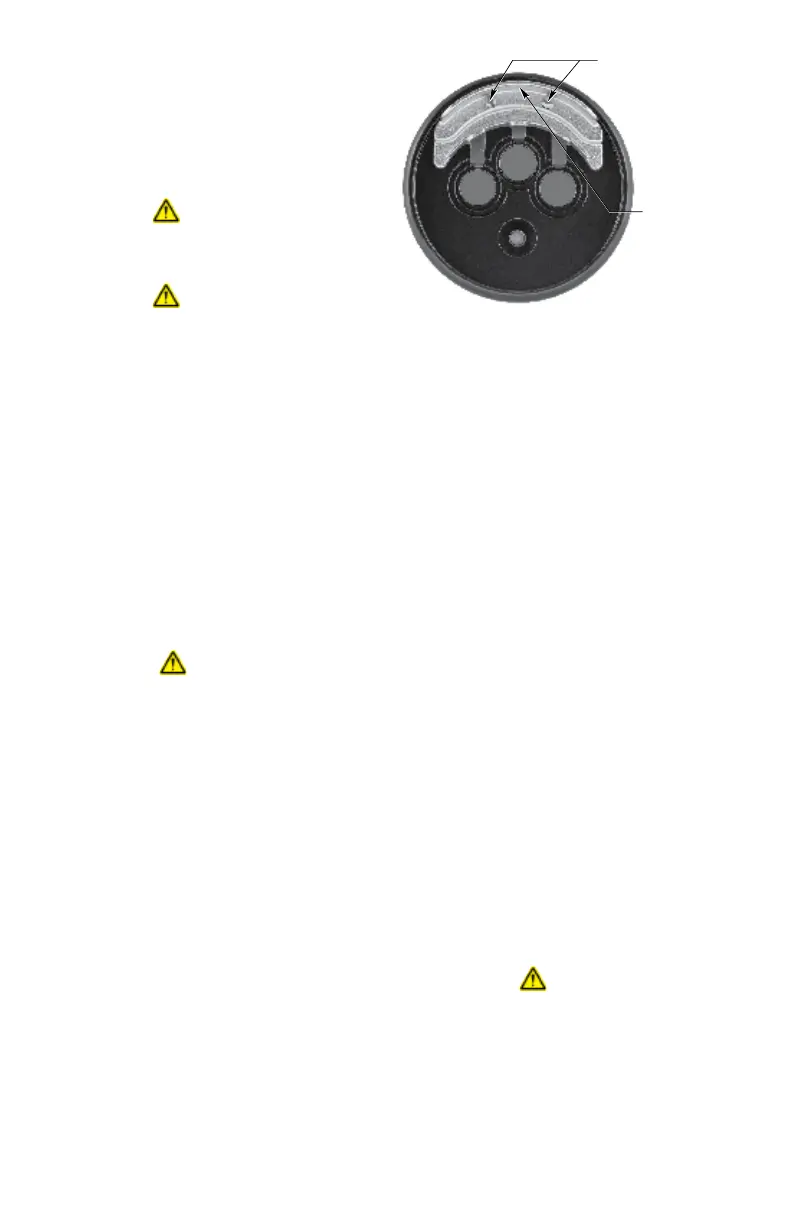
2. Loosen the two captive screws, then grasp
the
o
i
plate by the visor and remove it from
the detector. See Figure 18.
3. Install the new (or cleaned)
o
i
plate.
IMPORTANT
If
o
i
reector plates are interchanged, the
o
i
system must be recalibrated.
NOTE
When installing the stainless steel plate,
ensure that the gasket is present and
correctly seated to prevent moisture or
contaminants from penetrating behind the
plate. To ensure even seating, tighten both
screws equally.
4. Recalibrate the detector's
o
i
system. Refer
to the Enhanced Flame Inspector manual,
number 95-8751, for instructions regarding
o
i
plate replacement and
o
i
system
recalibration.
CAUTION
Do not replace the
o
i
reflector plate
without also recalibrating the
o
i
system.
Recalibration of the
o
i
system requires the use
of the Inspector Connector Cable and Inspector
Monitor Software. These two items are included in
the
o
i
replacement kit, or they can be purchased
separately. See the "Ordering Information" section
for details.
LOOSEN TWO CAPTIVE SCREWS
GRASP VISOR AND
REMOVE o
i
PLATE
B2106
Figure18—
o
i
Plate Removal














 To Next Page