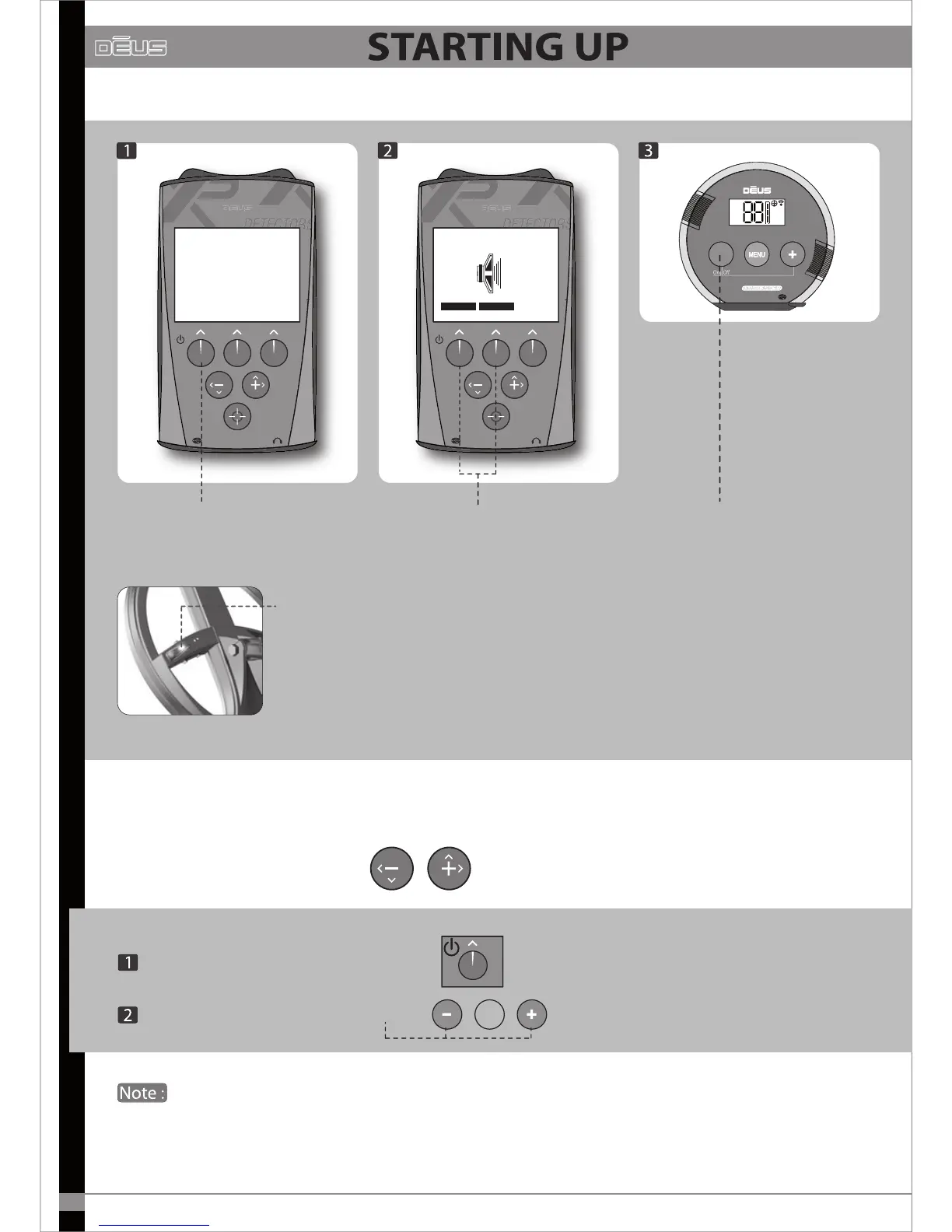
The LED on the coil gives 20 long, successive ashes to indicate that it is
waking up and recalibrating.
Once recalibration is complete, the coil becomes operational
and its LED ashes every second.
When the coil is on standby, its LED ashes every 4 seconds, whereas when it is on it ashes every second.
By default you begin by using the 1 - BASIC 1 factory programme which is suitable for general use.
If you wish to test one of the 9 other factory programmes,
simply scroll through them with
To switch o Dēus
Hold down Power for two seconds on the remote control
Press left- and right-hand buttons on the headphones.
Do not switch on Dēus when the coil is near a metal surface, inside a car, or when the stem has
been folded away, as this may interfere with calibration and lead to abnormal performance.
If this should occur, switch Dēus o and move away from any metal masses before switching it on again.
Nevertheless, this does not represent any risk to the equipment or its electronics!


 To Next Page