This section covers the advanced settings. You should ensure that you have studied all the basic
parameters before moving on to this section.
36
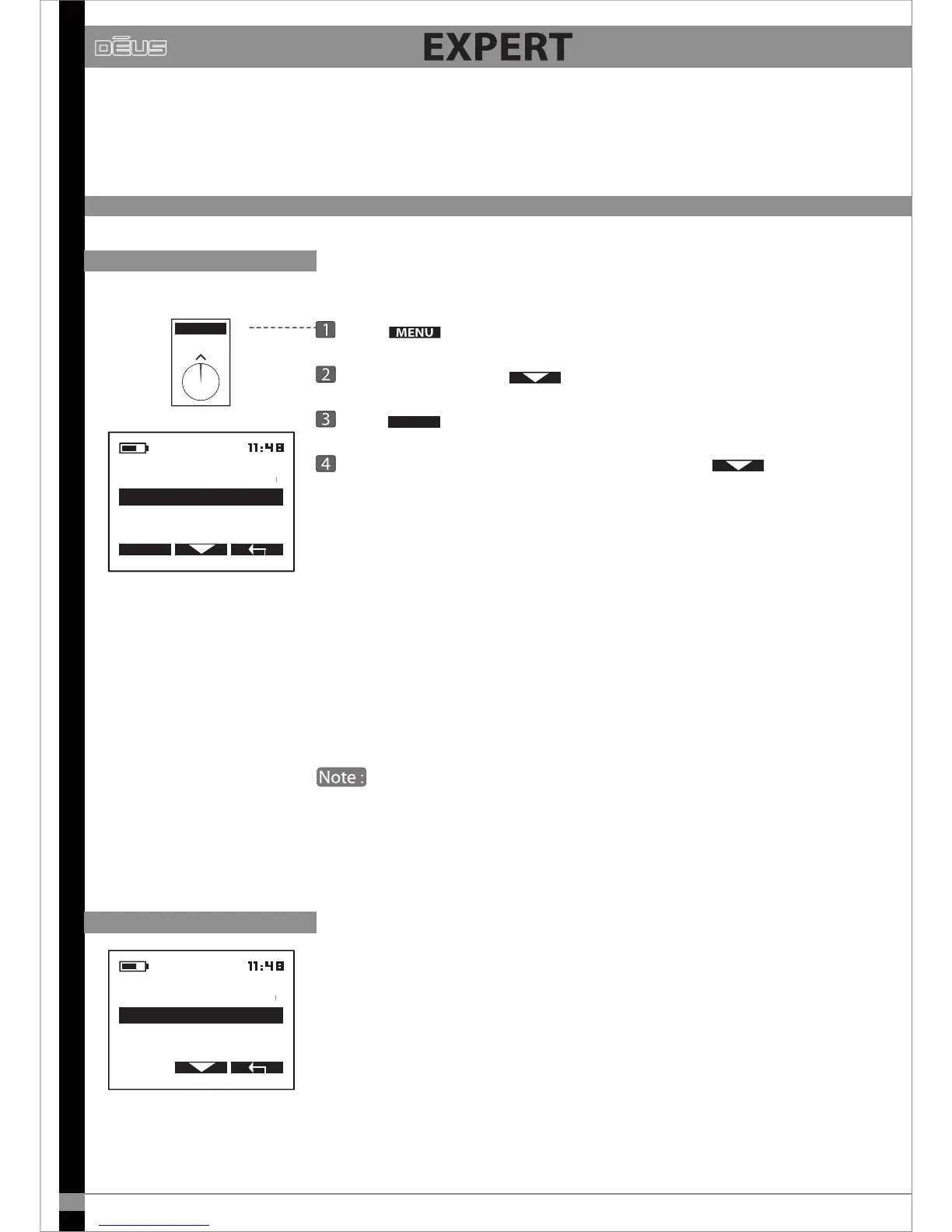
MULTI TONES
2 TONES - 3 TONES- 4 TONES
MENU
MULTI TONES
PITCH
3 TONES
4 TONES
2 TONES
EXPERT
P
ress
Choose DISCRI with
Press
EXPERT
Choose 2 tones - 3 tones - 4 tones - Pitch using
You can use the Multi-tones menu to sort targets into categories according
to their conductivity, by assigning a specic audio tone to each category.
The higher the target’s conductivity, the higher the pitch of the tone.
Take some time to become familiar with the 2 tones, 3 tones, 4 tones modes
using dierent targets, such as an iron nail and some aluminium foil,
dierent coins, etc.
The lowest pitched tone is assigned to iron. If you do not wish to hear it,
select “Iron level” from the menu and reduce its volume to 0.
If you are in 2 tones mode (low/medium tone) and you reduce
the iron level (low-pitched tone) to 0, you then nd yourself in 1 tone
mode (medium), which is why there is no 1 tone mode in this scrolling
menu.
PITCH
Pitch mode is completely dierent from the others. It does not take into
account the target’s conductivity: the strength of the signal generates an
audio signal that varies both in amplitude and height (the audio frequency).
This means that a more distant target will generate a low-pitched, weak
sound whereas a closer target will generate a high-pitched, strong sound.
Pitch mode gives signals particular dynamism and can be useful for locating
targets.
It also makes the detector seem more reactive. However, it does not
fundamentally aect reactivity, just the audio.
MULTI TONES
2 TONES
3 TONES
PITCH
4 TONES


 To Next Page