QUICK START
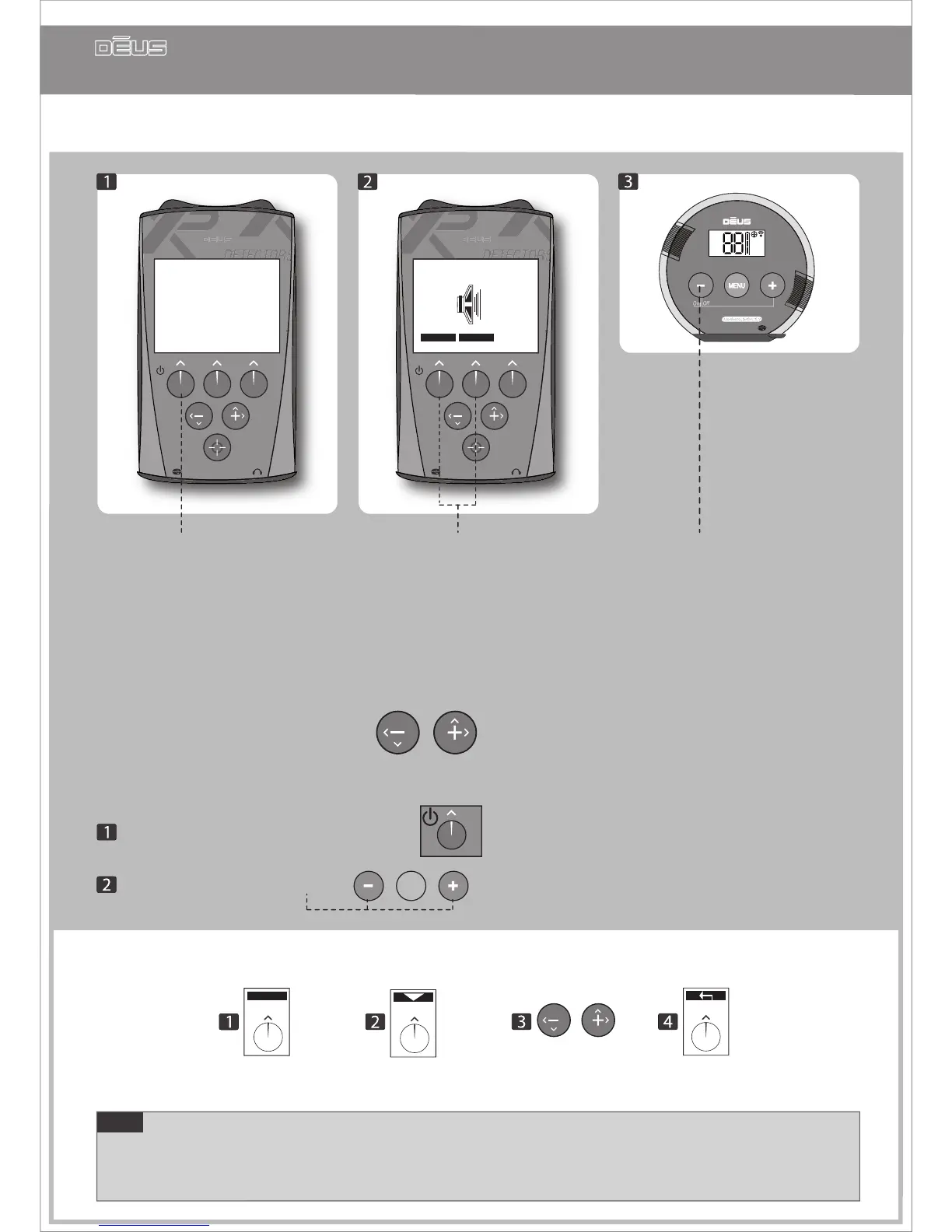
After charging your device. (pg 33)
By default you begin by using the 1 - BASIC 1 factory programme which is suitable for general use.
If you wish to test one of the 9 other factory programmes,
simply scroll through them with
-
You’re now ready for detecting!
Note Do not switch on Dēus when the coil is near a metal surface, inside a car, or when the stem has
been folded away, as this may interfere with calibration and lead to abnormal performance.
If this should occur, switch Dēus o and move away from any metal masses before switching it on again.
Nevertheless, this does not represent any risk to the equipment or its electronics!
If you wish to change the main detection settings:
MENU
Press arrow to scroll
through the functions
Press Menu Set with - / +
Press return arrow
to return to the main menu
Switch on
the headphones
To switch o Dēus
Hold down Power for two seconds on the remote control
Press left and right buttons on the headphone.


 To Previous Page