Press
Choose with then press
Switch on the headphones close to the remote control.
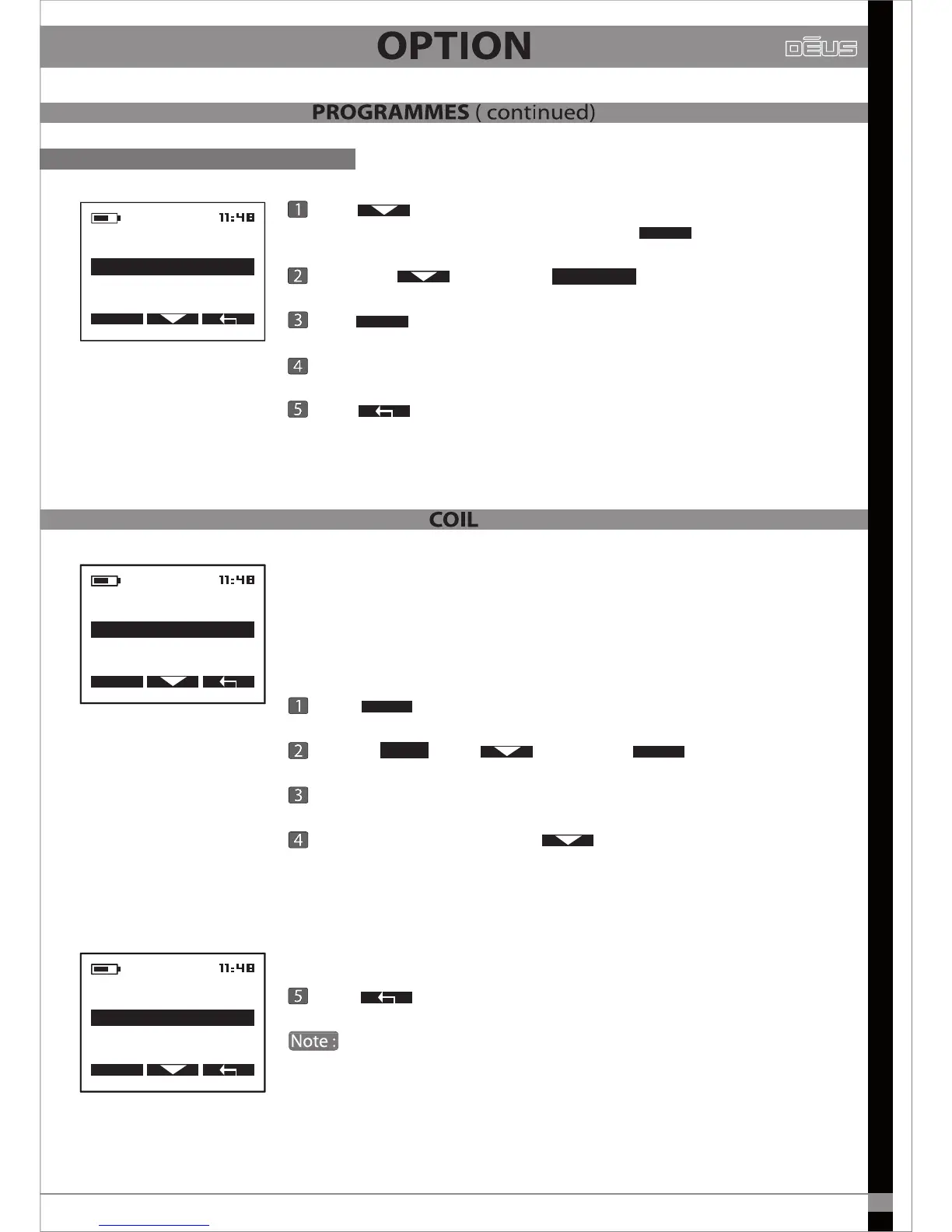
On the remote control, press to scroll through the list
of available coils and stop on the one you wish to activate.
This coil automatically becomes active within 4 seconds, while the
previous coil reverts to standby mode (and its LED begins
ashing every 3 seconds).
Press X2 to return to the main menu.
If you switch on the headphones after changing the coil via the
remote control, the headphones will not automatically register this
change. You will therefore need to register the change of coil manually
via the headphones. (pg 24)
OPTION
COIL
SELECT
OPTION
PROGRAM
CONFIGURATION
COIL
SELECT
Restore a programme
DISQUE
2-DISQUE 30 CM
3 -----------------------
1-DISQUE 22.5 CM
OPTION
Example
23
PROGRAM
SAVE
EDIT NAME
RESTORE
SELECT
Press to scroll through the menu and stop on the
programme you wish to restaore, then press
Scroll with and stop on
Press to save.
Choose either YES or NO to conrm.
Press X2 to return to the main menu.
SELECT
RESTORE
OPTION
When rst purchased,
Dēus
is only congured to operate with its
original coil.
If you have one or more optional coils which have already been
paired ( pg 24), you can select which one you want to use for your
detection session, from the list in the menu.


 To Next Page