COIL ( continued)
24
Pairing the remote control and the headphones with a new coil
If you purchase an additional coil, you need to pair it with the remote control
and the headphones the rst time you use it, to enable Dēus to recognise
and communicate with it. You can then switch between coils just with a simple
click via the remote control.
To pair a new coil you have to give it a name (e.g.: "34cm Coil") and enter its
serial number in the remote control and headphones.
The serial number is printed on the coil and is sometimes found on the invoice
as well.
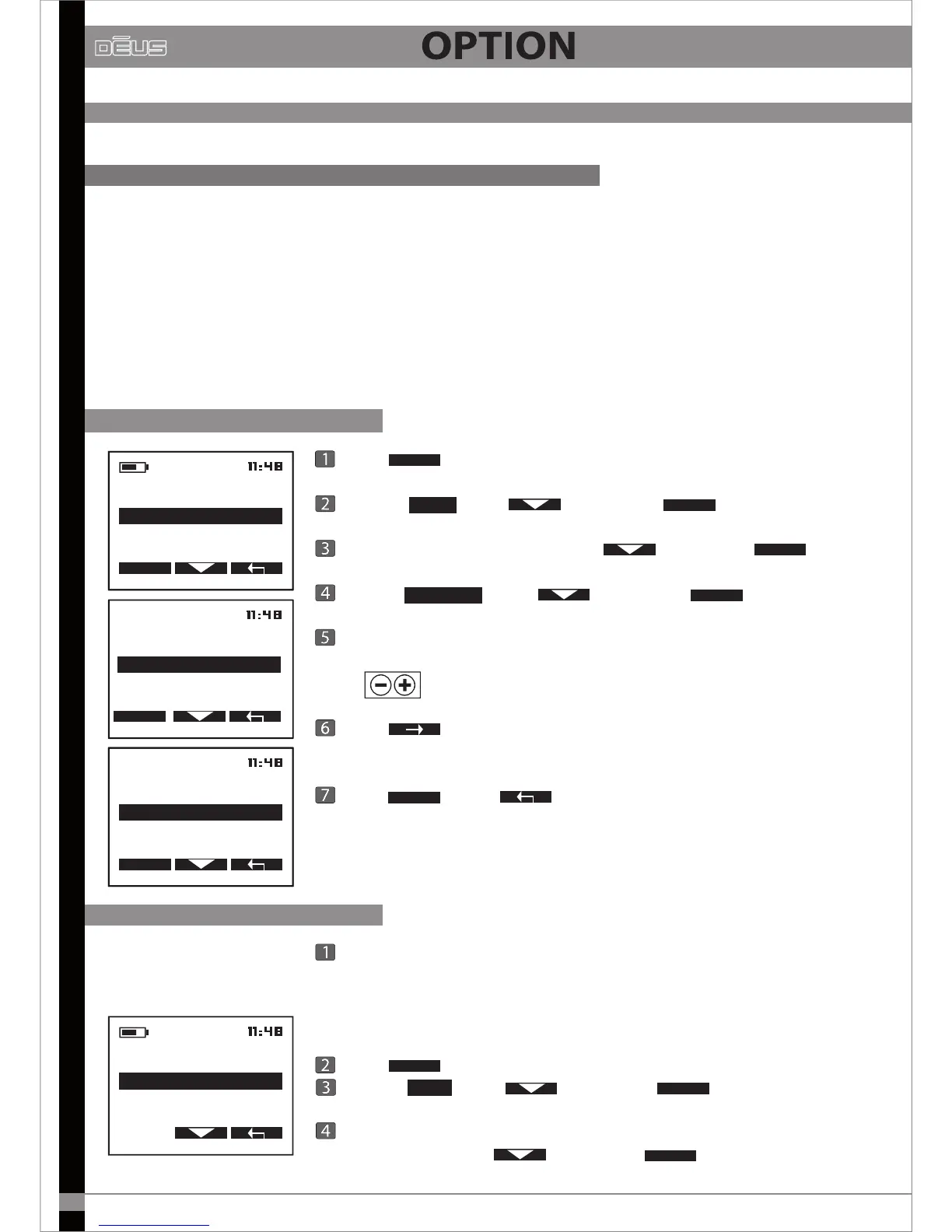
1 - Entering the name
Press
OPTION
Choose
COIL
with then press
SELECT
Sélect un emplacement vide with then press
OPTION
Chosse
EDIT NAME
with then press
SELECT
At the point where the cursor is ashing, scroll through the characters
using to make your choice
Press to advance to the next character.
Once the name of the new coil has been entered
(e.g.: "34cm Coil")
,
Press
VALID
then X2 to return to the main menu.
OPTION
PROGRAM
CONFIGURATION
COIL
SELECT
COIL
EDIT SERIAL NUMBER
EDIT NAME
SELECT
COIL
1- COIL 22.5CM
2-----------------
OPTION
2 - Entering the serial number
COIL
2-COIL 34 CM
3------------------------
1-COIL 22.5 CM
Example
Switch on the headphones close to the remote control (20cm) and
check that they are charged and they work with the original detector coil.
Also verify that the remote control works with this original coil.
Press
OPTION
Choose
COIL
with then press
SELECT
On the remote control, select the name of the coil whose serial number
you wish to enter with then press
OPTION


 To Next Page