3. Operation
23
Common operation
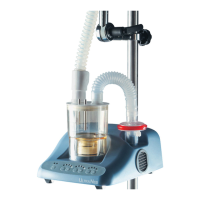
1� Place the open end of the tube (or use the supplied mouth piece) in the mouth or close to
opening of the tracheotomy tube
2� Select the aerosol output as required Push +/- to in/decrease function in steps
3� Set air flow as required�Push +/- to in/decrease function in steps
Caution - Take care of enough liquid inside nebulizer chamber and sterile water system�
Caution - Do not allow the nebuliser chamber to run dry !
If the unit runs dry, it will automatically switch off automatically, the red LED will light and
audio alarm will sounds� After 2 min� the audio alarm will fall silent�
Caution - Red LED and audio alarm indicates a malfunction�
Press the on/off switch: Audio Alarm and Red LED goes out
The green LED is lit, refill chamber if needed
Press O/I to continue if needed
If a fault continuous check troubleshooting Guide
If the Is a malfunction not rectified call DeVilbiss or your local authorised dealer
Timer setting
1� Push the time button to increase the timer in 15 min increments� The maximum time is
60 minutes�
2� Push +/- to in/decrease function in steps (steps are 15-30-45-60-0 min�)
3� If using sterile water system without continuous filling set, don’t exceed the max� time of
15 minutes�
4� If the timer is active the yellow LED will light� Once the set time has been exceeded the
UltraNeb will switch off automatically
5� Red light and audio warning will come on for 2 min�
6� To restart the device, push the on/off switch O/I
Shut-down
1� Push the O/I button to set the machine to stand-by mode This switches off transducer,
fan and hose heating�
2� Green LED light diode is lit�
3� close the knurled knob on the plastic mechanise on the filling tube
4� For long turn shut down set the unit from standby to power down by pressing the O/I
switch on the rear panel to the O mode
English


 To Next Page
 Loading...