Single port KVM over IP switch
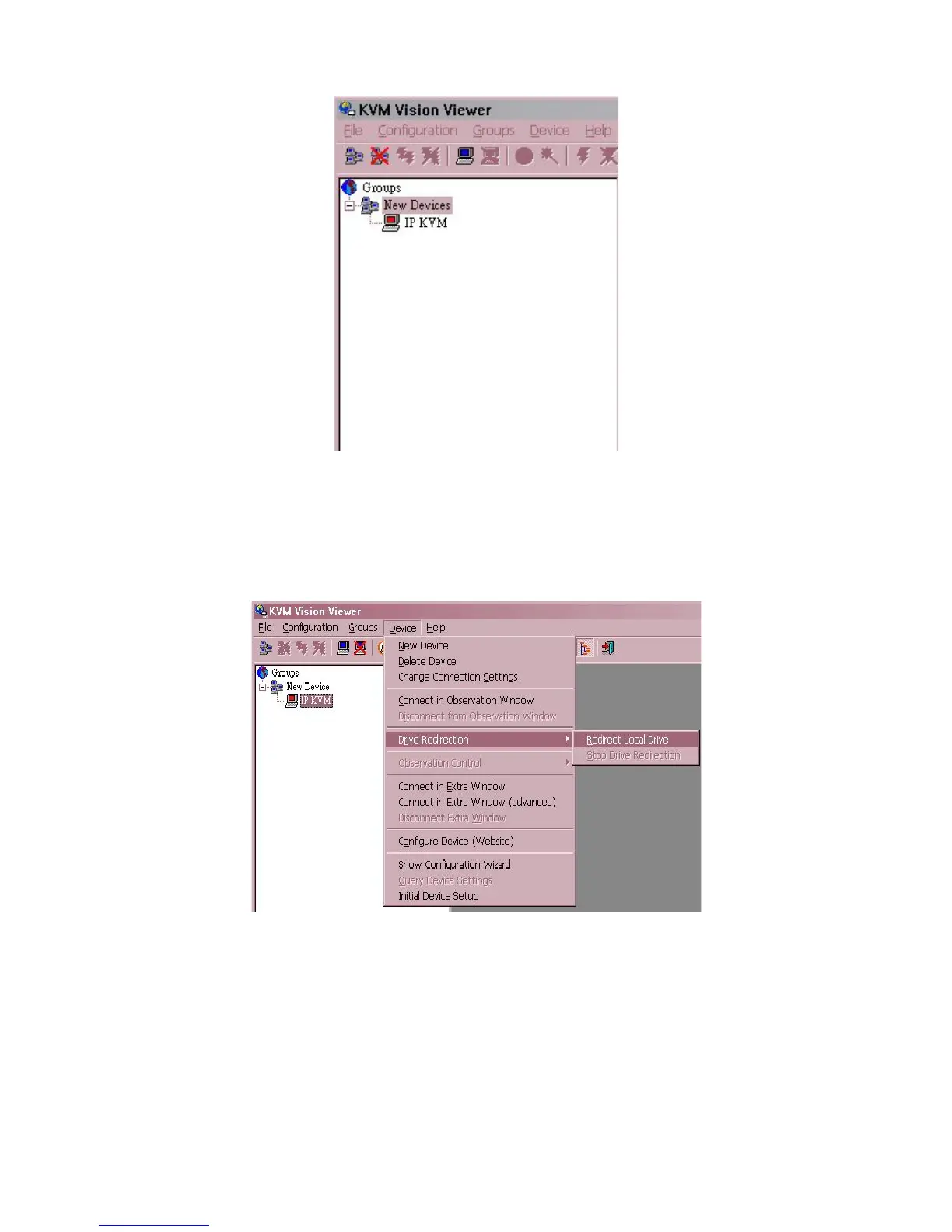
5.5.2.3 Click Ok, the new device will be added as below,
Figure 5-18. New Device
5.5.3 Drive Redirection Settings
5.5.3.1 Move the cursor to the new device that has been created.
5.5.3.2 Click on “Device” then select “Drive Redirection” and “Redirect local
drive”.
Figure 5-19. Drive Redirection Setting select



 To Next Page