38
2
Hardware Installation
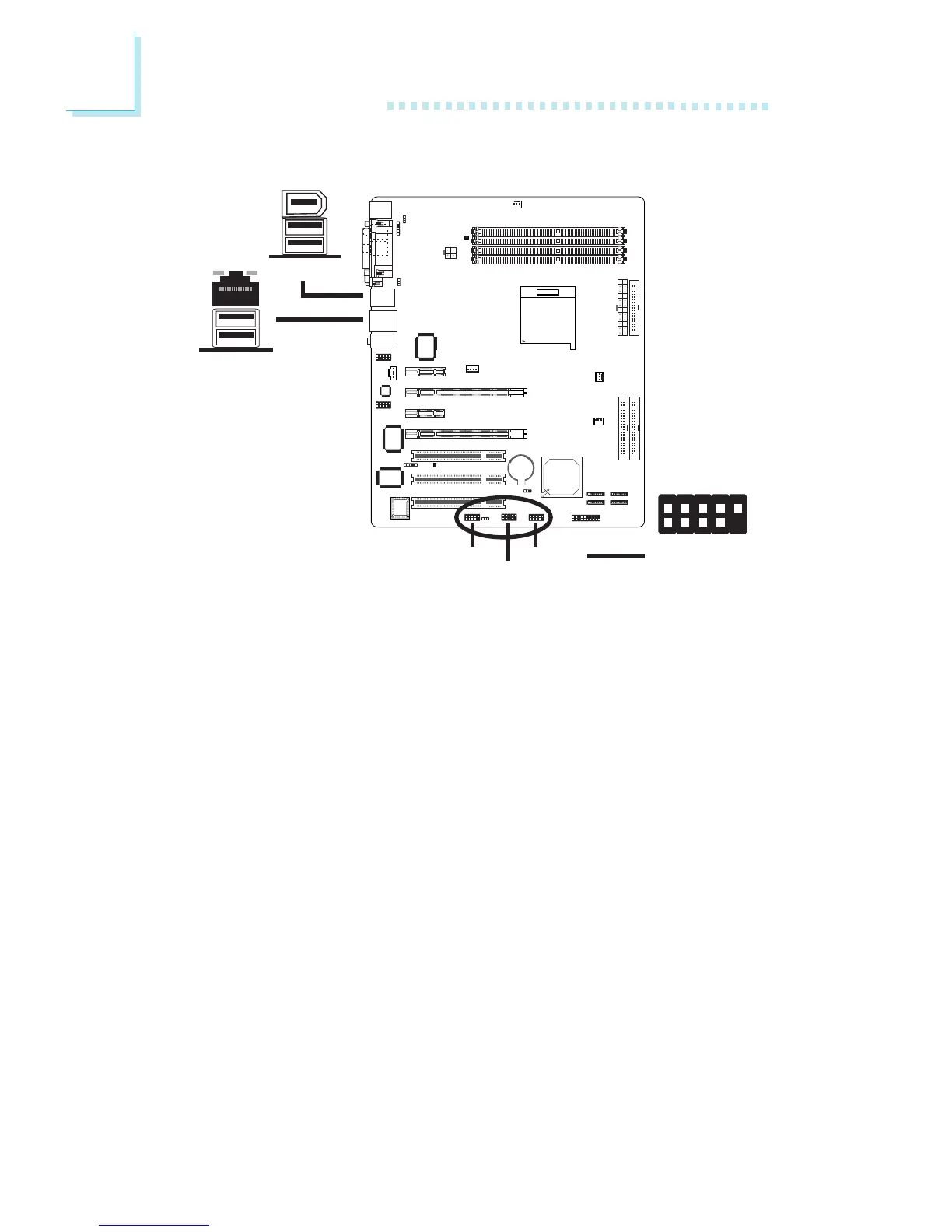
USB 4
USB 3
Universal Serial Bus Ports
The system board supports 10 USB 2.0/1.1 ports. USB allows data
exchange between your computer and a wide range of
simultaneously accessible external Plug and Play peripherals.
Four onboard USB 2.0/1.1 ports (Black) are at locations CN3 (USB
1-2) and CN4 (USB 3-4) of the system board.
J18 (USB 5-6), J34 (USB 7-8) and J33 (USB 9-10) allow you to
connect 6 additional USB 2.0/1.1 ports. The USB ports may come
mounted on a card-edge bracket. Install the card-edge bracket to
the system chassis then insert the connector that is attached to the
USB port cables to J18, J34 or J33.
BIOS Setting
Configure the onboard USB in the Integrated Peripherals submenu of
the BIOS. Refer to chapter 3 for more information.
W
USB 2
USB 1
USB 5-6
W
USB 7-8
W
USB 9-10
1
VCC
-Data
+Data
Ground
Key
VCC
-Data
+Data
Ground
N. C.
2
10
9



 To Next Page