45
2
Hardware Installation
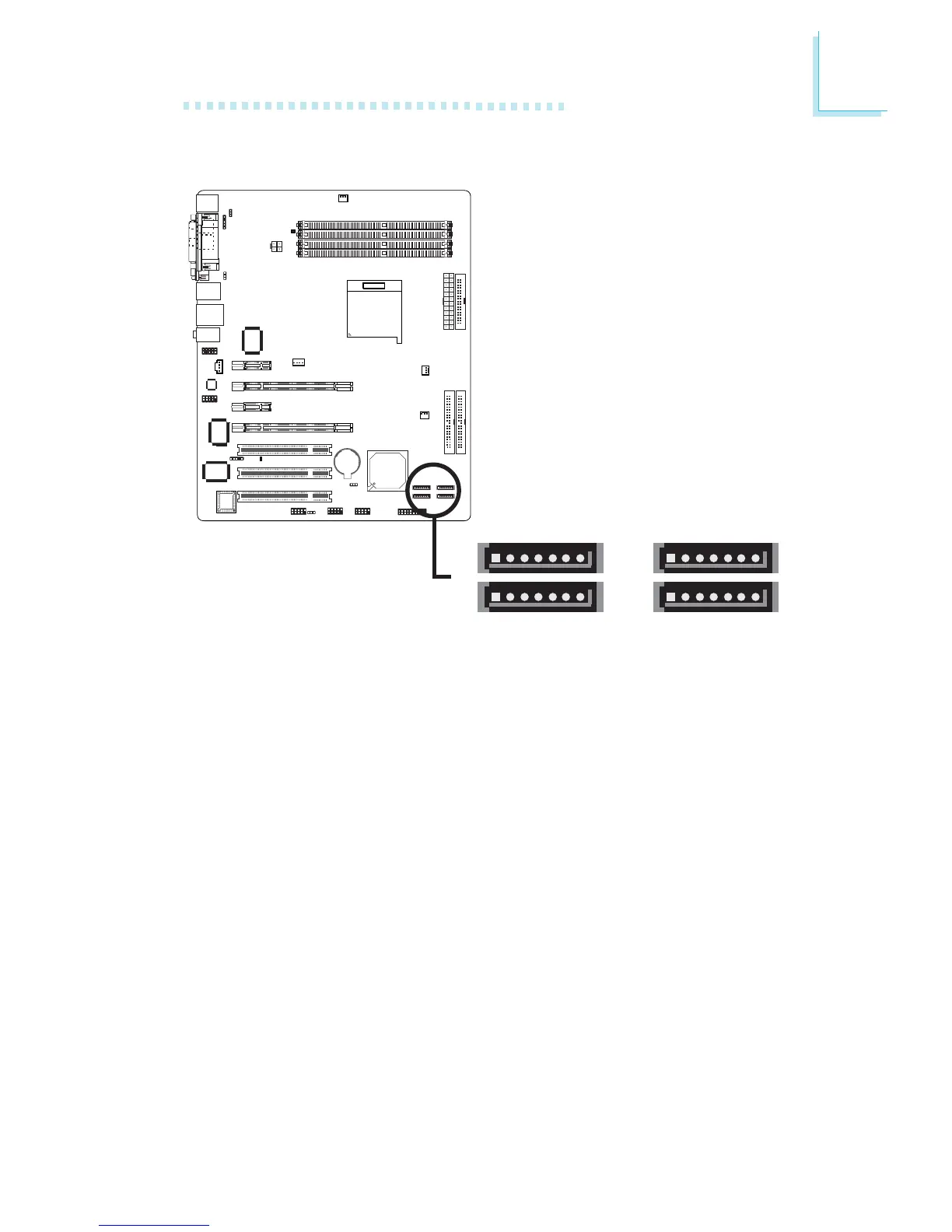
Serial ATA Connectors
• SATA speed up to 3Gb/s
• RAID 0, RAID 1, RAID 0+1 and JBOD
• NVIDIA RAID allows RAID arrays spanning across Serial ATA
and Parallel ATA
Connecting Serial ATA Cables
Connect one end of the Serial ATA cable to the Serial ATA
connector and the other end to your Serial ATA device.
Configuring RAID
The following describes the basic steps on configuring RAID.
1. Set the “IDE RAID” field to “Enabled”. (Integrated Peripherals
submenu - “RAID Config” section of the Award BIOS.)
2. Enable the IDE and/or Serial ATA drives you want to configure
as RAID in the Integrated Peripherals submenu (RAID Config
section) of the Award BIOS.
3. Reboot the PC.
X
SATA 3 (J2)
17
SATA 4 (J10)
17
SATA 2 (J11)
17
SATA 1 (J13)
17



 To Next Page