Celeris User Manual
14770-A || ECN # 844 || ECN Date: 28 July 2017 Page 22 of 23
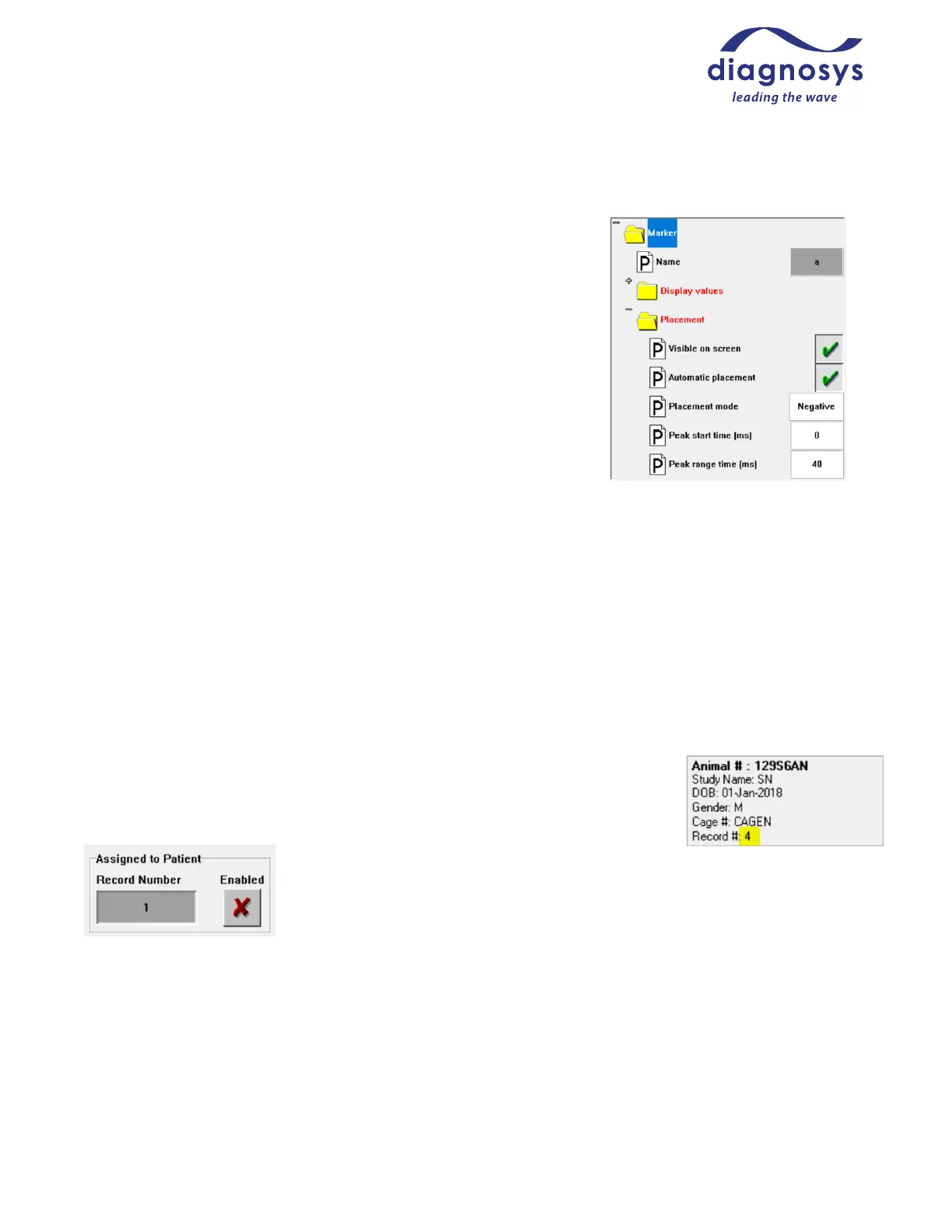
Adjusting marker placement in protocol
If the marker placement frequently requires correction, the marker
placement algorithm in the protocol may need to be adjusted. From the
protocol selection page, select the protocol, press Modify and then press
Parameters. Select the step with the faulty marker placement algorithm,
then press the Markers button at top. Select the marker you would like
to update at the lower left, then adjust the Placement mode, Peak Start
time (ms), and Peak range time (ms) as necessary. In Figure 34 at right,
the software would attempt to place the marker at the lowest point
between 0 and 40 ms.
Networking Databases
There are several reasons you might want to put your Celeris database on your network:
• to allow multiple Diagnosys systems to share a single database
• to take advantage of your server's automatic backup features
• to allow an analysis machine in your office to connect to the system's database, so you can access the
database and analyze tests from the comfort of your office
Instructions for how to network your database can be found on the Diagnosys website.
Reassigning a test to the correct subject
In the event that a test is performed under the wrong subject, reassigning the test is
simple! From the subject selection page, locate the correct (destination) subject and
note down the subject’s record number. Then, locate the subject the test was
recorded under and press Old Tests. Select the test you would like to reassign and
press the Comment button at the lower left. A test
details page will appear with an Assigned to Patient
checkbox. Toggle the checkbox to enable the command and change the record
number to that of the destination patient. Close the details page and save changes
to commit the reassignment.



 To Next Page