6. Swing Fingerprint
Swing Fingerprint combines a personalized swing analysis
with a visual 3D heat map of a hitter’s hot and cold zones.
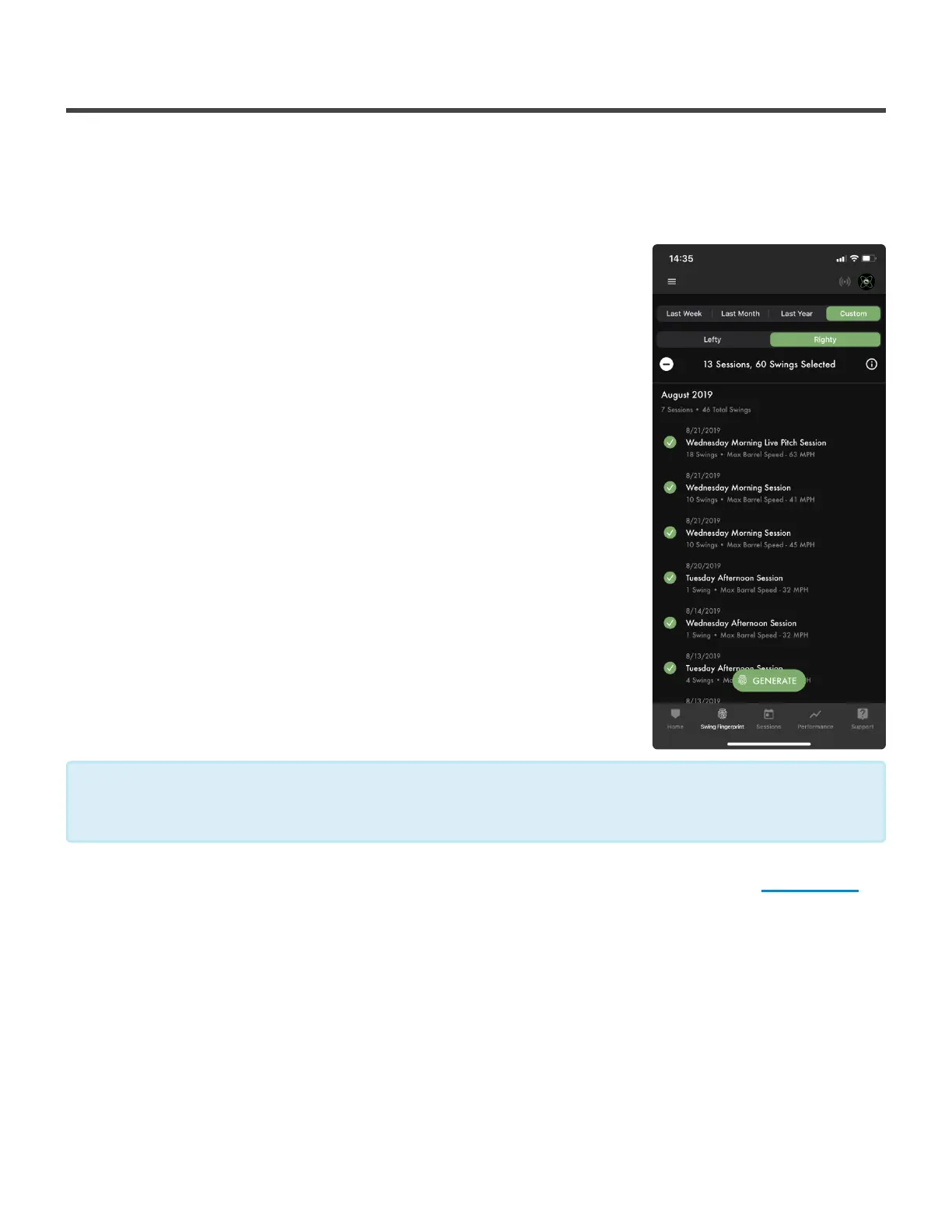
To use Swing Fingerprint:
1. Select the fingerprint icon from the menu at the bottom of your
Dashboard
2. Tap on the sessions you want to use for your Swing Fingerprint
(selected sessions will show a green and white check mark)
3. Select Generate
You can automatically select all of the sessions from the Last Week,
Last Month or the Last Year by using the options at the top of the
page. You can also customize which sessions you want by selecting
the Customize option.
Let’s learn a little bit more about what your Swing Fingerprint shows, click here!
We suggest that you use 30-60 swings to generate a Swing Fingerprint that most accurately
represent your overall swing.
*
Diamond Kinetics SwingTracker - 1
Page 30 of 107


 To Next Page