4. Finishing Your Profile
Now that you have the SwingTracker App downloaded, let’s finish setting up your
profile!
You can access your profile by selecting the three (3) stacked lines in the upper
left hand corner of your home screen, followed by selecting your profile picture
above your name. Or by selecting your profile picture in the upper right hand
corner of the page. This is your profile page. Here you will be able to adjust any
personal profile information.
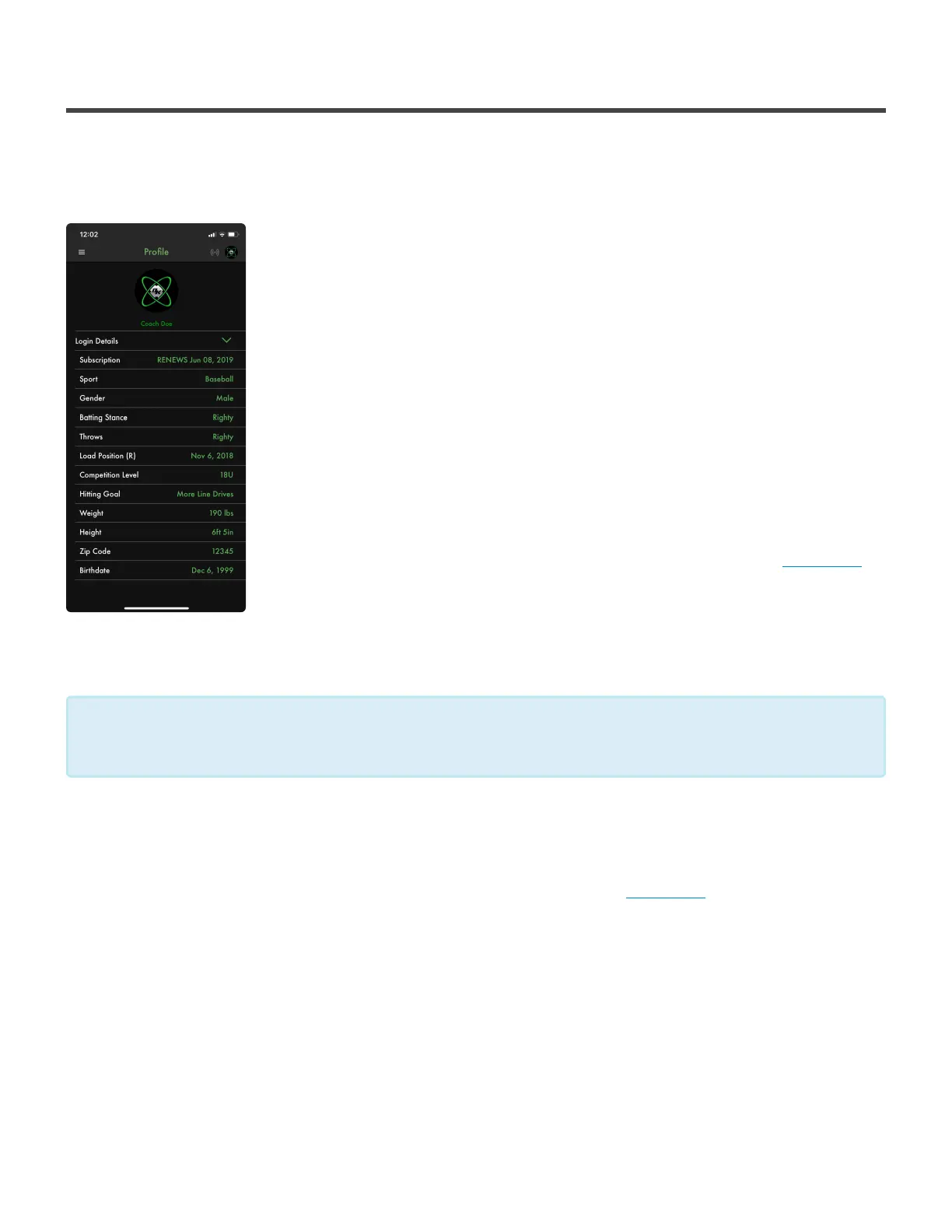
At the top of the page you will see your name as well as your profile picture. To
change your profile picture, click on it and then choose any photo from your
photo library. You may need to give the app access to your photos to do so.
Below your name and profile picture you’ll see Login Details. By pressing the
downward facing arrow to the right, you’ll have the option to edit you email and
password. Next on the list is your subscription status. This will tell you the state
your subscription is in. If you’re not subscribed but would like to be, click here.
Further down the page you’ll see more fields to make your profile more personal
such as: Sport, Gender, Batting Stance, Throws, Competition Level, Hitting Goal,
Weight, Height, Zip Code and Birthdate
You’ll see an option for Load Position. Load position allows the sensor to capture a more accurate read of
where it is oriented at the beginning of the swing. A default load position will be used if one is not set. To set
your load position, connect your sensor and then click anywhere on that load position tab. Follow along to
the steps that appear on the screen. If you’d like to watch a tutorial video, click here.
If you are a Youth Account (13U or below) Diamond Kinetics does not ask for height and
weight information. This will not affect your metrics.
*
Diamond Kinetics SwingTracker - 1
Page 28 of 107


 To Next Page